
Recovery Factor Calculation for Smart Traders
Master the recovery factor calculation to measure a strategy's resilience. Learn the formula, see DeFi examples, and find top wallets with Wallet Finder.ai.

June 20, 2026


Wallet Finder
March 26, 2026

For crypto traders, getting information a few seconds before everyone else can be the difference between a winning trade and a missed opportunity. The SX Bot for Discord is built for exactly that, feeding real-time on-chain data and betting odds straight into your server.
It’s your inside source for token listings, major wallet transactions, and sudden market shifts—all delivered instantly.
Think of the SX Bot as more than just a notification tool. It’s a strategic part of your trading toolkit, especially if you're active in DeFi, crypto trading, or on-chain sports betting. It bridges the gap between raw blockchain data and the collaborative space of your Discord.
The crypto market never sleeps, and the best opportunities don't wait. The SX Bot is your 24/7 market watcher, scanning the blockchain for the specific events you tell it to. This means you can actually step away from the screen without worrying about missing a massive pump or a new token launch.
At its heart, the SX Bot is all about giving you a competitive edge through speed. It automates the tedious work of watching blockchains and betting markets for those high-value moments that signal a potential trade.
Here’s a breakdown of what traders actually use it for:
With these alerts, your Discord server transforms from a chat room into a dynamic command center for your trading.
Using bots to pull in and filter data is becoming standard practice on Discord. In fact, projections show that 30 million users will be interacting with AI-driven apps on the platform by early 2026. Tools like the SX Bot Discord are a key part of this trend, serving the very specific needs of traders. It’s similar to how on-chain analysis platforms highlight top wallet trades, cutting through the noise to deliver actionable signals. You can read more about the rise of Discord's bot ecosystem and its impact on platforms like Analyzify.
Key Takeaway: The real value of the SX Bot isn't just the data itself, but the speed of delivery. In a market where seconds count, getting an alert about a whale buying up a token before the rest of the market catches on is exactly the kind of edge that defines a profitable trade.
Getting the SX Bot up and running in your Discord server is a quick win. It turns a simple chat room into a powerhouse for on-chain intelligence. Here’s a step-by-step guide to get started:
Crucial Advice: Always use the official link. Fake or imposter bots are a real security threat designed to compromise your server.
Once invited, the bot won’t do anything until you tell it to. The next step is configuration. This diagram breaks down how the SX Bot works its magic—taking raw on-chain data, analyzing it, and flagging real opportunities for you.
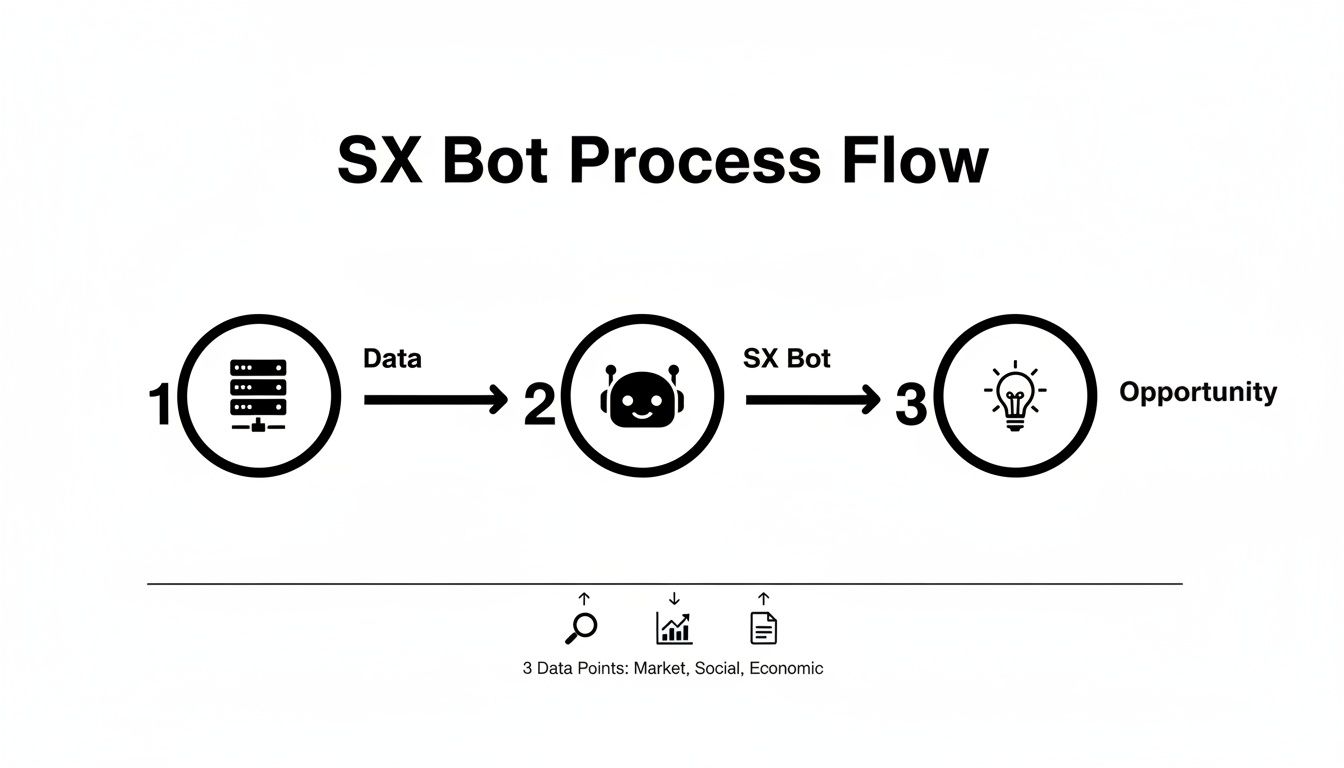
It’s a pretty slick flow: the bot sifts through blockchain activity and delivers distilled insights right into your channels, helping you spot potential trades before the crowd.
When you authorize the SX Bot, you’re giving it a specific toolkit to work with. Every permission is there for a reason—to deliver the alerts you need.
Here’s a quick rundown of what you’re approving and why:
| Permission | Why It's Needed |
|---|---|
| Send Messages | The most fundamental permission. The bot needs it to post alerts in your channels. |
| Embed Links | Absolutely necessary for the bot to include clickable links to transactions or markets. |
| Read Message History | Allows the bot to understand your commands and avoid spamming duplicate alerts. |
| Manage Channels | Lets the bot create dedicated alert channels, keeping your server organized. |
Granting permissions is always an exercise in trust. By sticking with the official sx bot discord invite, you're making sure you add the legitimate bot from the SX team and keeping your server safe.
Once the bot joins your server, you need to tell it what to post and where. This is handled with simple slash commands (/).
Actionable Steps for Setup:
#new-listings or #whale-trades.#whale-trades)./alerts add to bring up a menu of available alert types.Getting a few different bots working together can seriously upgrade a server's capabilities. If you’re looking to explore more options, check out our guide on the best crypto Discord bots for traders.
Alright, now that the SX Bot is settled into your server, it’s time to make it work for you. Moving past basic alerts is what separates casual observers from traders who consistently extract value. By mastering a few key commands, you transform the bot from a notification service into an active research partner.
This isn't about memorizing a long list of functions; it's about learning to ask the right questions. The bot’s commands give you immediate access to wallet activity, market data, and betting odds without leaving Discord.
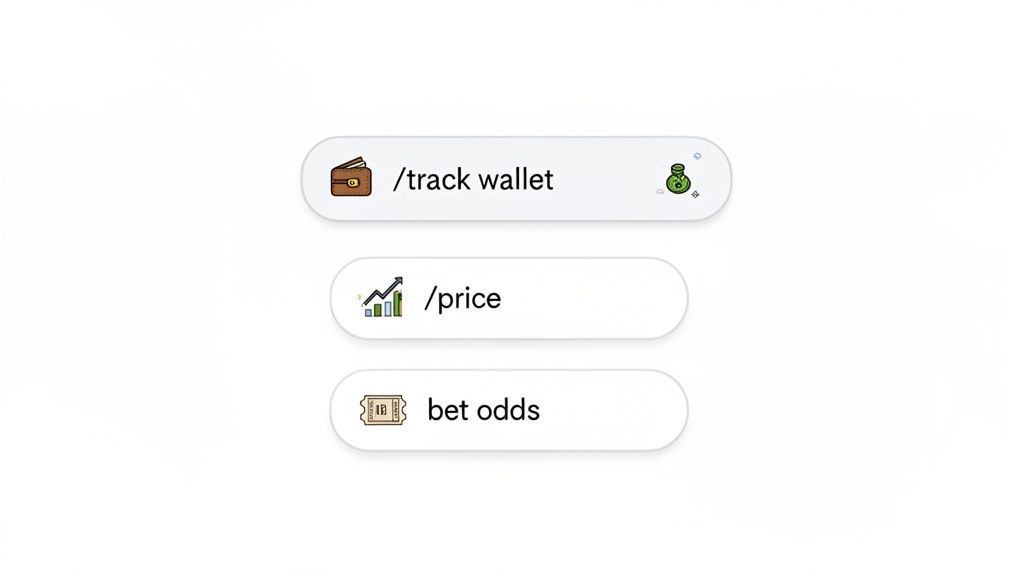
Let's get into the practical commands that will actually sharpen your trading edge.
By far, the most powerful thing the sx bot discord can do is track specific wallets. This is how you can effectively shadow "smart money" traders. For example, if you find a trader who’s consistently in profit, you can tell the bot to ping you every single time they make a trade.
Another must-use function is pulling real-time market data. Instead of juggling a dozen browser tabs, you can just ask the bot for a token's price or see its recent chart directly within your community's chat.
/track wallet [wallet_address] to get instant alerts on a wallet's buys and sells. This is your bread and butter for following whales or monitoring competitors./price [token_ticker] command fetches the current price and a mini-chart. It's incredibly useful for quick gut checks when the market gets choppy.This push for practical utility is a massive trend across Discord. Just look at a bot like MEE6, which is active on over 21.3 million servers, offering custom commands to make server management easier. This shows users want function, not just fluff. For DeFi traders, this is the same principle as on-chain analysis, where we use tools to find top wallets based on profit and win rates. You can see this trend for yourself by checking out this list of popular Discord bots and their server counts.
To give you a clearer picture, here is a quick reference guide for the commands I find myself using the most.
| Command Category | Example Command | Description & Use Case |
|---|---|---|
| Wallet Tracking | /track wallet 0x123...abc | Get instant notifications in a channel whenever this specific wallet makes a trade. Perfect for following a known whale or a profitable trader. |
| Market Data | /price SX | Instantly fetches the current price, 24-hour change, and a small chart for the SX token. Use this for a quick market pulse check on any supported asset. |
| Betting & Odds | /odds NFL | Pulls the latest betting odds for active NFL games directly from the SX.bet protocol. Ideal for sports bettors looking for value without leaving Discord. |
| Alert Management | /alerts remove [alert_id] | Stops a specific alert you previously set up. This is useful for cleaning up your channels or stopping notifications for a wallet that's no longer relevant. |
These commands are the foundation of a solid, bot-assisted trading strategy.
Pro Tip: Start by tracking just a few high-conviction wallets. It’s better to get a small number of high-signal alerts than to drown in the noise of a dozen different notifications. Focus on quality over quantity.
Remember, the bot delivers the raw data, but the real magic happens when you combine these alerts with your own analysis and other tools. If you’re building out your intel toolkit, our guide on the best crypto app alerts is a great next step to make sure you're covered from all angles.
An alert from the SX Bot Discord is just the starting point. Think of it as raw data—a single event flashing across your screen. A profitable strategy is the repeatable process you build around that data.
Integrating the bot’s real-time notifications into a structured workflow is what separates the pros from the noise chasers. It’s how you turn a simple ping into an actionable signal.
Let's walk through a real-world scenario. You’ve configured the bot to flag any new token buys over $20,000 from a handful of wallets you're tracking. Suddenly, an alert hits your private Discord channel:
ALERT: Wallet 0xABC...DEF just swapped 15 ETH for 1,000,000 NEWTOKEN.
This is where your work really begins. That alert doesn't mean you should blindly ape in. Instead, it’s the trigger for a quick, repeatable due diligence process.
Your Actionable Checklist:
This sequence is what turns a simple notification into a high-conviction trading idea.
Your workflow should always match your trading personality. A scalper hunting for quick flips needs a completely different process than a researcher looking for a long-term hold.
| Trading Style | SX Bot Alert Focus | Workflow Action |
|---|---|---|
| Scalping / Day Trading | New token listings, high-volume buys on low-cap coins. | Immediately check contract security, liquidity, and initial holder distribution. You're looking for quick entry and exit opportunities based on that first wave of momentum. |
| Swing Trading | Alerts on tracked wallets adding to their existing positions. | Use this as a confirmation signal. It suggests a trader you trust is "buying the dip." From there, you analyze the chart for a solid entry point. |
| Long-Term Research | New token buys from wallets known for holding for weeks or months. | This alert doesn't trigger a buy. Instead, add the new token to a research list and start digging into the project’s fundamentals, team, and roadmap. It’s a lead for a deep dive. |
The goal is to build a system that filters signal from noise. By combining the bot's instant speed with your own analytical checklist, you develop a process for finding opportunities that genuinely fit your strategy—instead of chasing every alert that comes through.
The biggest challenge with any alert tool is information overload. If you're not careful, you'll spend all day reacting instead of trading. To stay focused, you need to be ruthless with your filters.
When you create a disciplined workflow, the SX Bot Discord transforms into a powerful first-pass filter. It brings potential home runs to your attention, so you can step up to the plate, do your analysis, and make an informed swing.
Look, no matter how solid a tool is, things can go wrong. When you're leaning on the SX Bot Discord for crypto data that's changing by the second, any glitch can be a major headache. Let's walk through how to fix the most common issues and, more importantly, how to lock down your server's security.
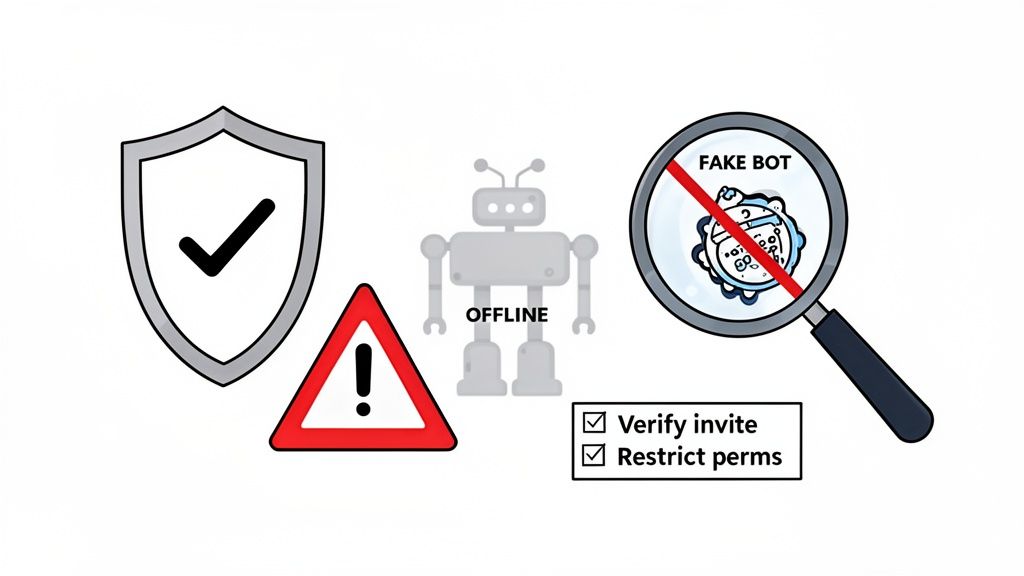
Running into a technical hiccup is just part of the game. The good news is that most fixes are straightforward once you know what to look for.
Before you start stressing that your alerts have gone silent, run through this quick troubleshooting checklist.
Read Message History permissions in the channel you're using. If it can't see your command, it can't respond.Send Messages and Embed Links permissions in your alerts channel. Also, review your alert settings—a trade alert for $1M might not trigger often.If you’ve tried all that and are still stuck, the classic "turn it off and on again" method often works. Kick the bot from your server and then re-invite it using the official link.
Security in crypto isn't a one-time setup; it's a constant process. Because bots are so useful, they’ve become a prime target for bad actors. This popularity pushed Discord to ramp up its security, resulting in a 157% increase in spam account removals to protect users. You can see more on Discord's bot security trends over on Statista.
For crypto communities using bots for on-chain data, this security-first approach is non-negotiable.
The single most important security action you can take is to only use the official invite link from the SX Network's official website or Discord. Imposter bots with similar names are designed to phish for information or permissions.
Treat this table as your go-to security checklist whenever you're adding or managing a Discord bot:
| Security Action | Why It Matters |
|---|---|
| Verify the Source | Only invite a bot from its official website or community server. Never trust a random link found on Twitter or in another server. |
| Audit Permissions | Go through the bot's roles every so often. Does it really need "Administrator" access? Almost never. Limit its permissions to only what it needs to do its job. |
| Spot Imposters | Look for tiny misspellings in the bot's name or a missing "Verified Bot" tag next to its name. Scammers rely on these subtle tricks. |
| Create a "Bot-Jail" | When testing a new bot, add it to a private server with no members or important info first. Let it run there so you can see how it behaves before unleashing it on your main community. |
By making these actions a habit, you can use the SX Bot Discord with confidence, knowing you haven't opened your community up to unnecessary risk. If you're serious about on-chain security, our guide on using a crypto rug checker tool is a great next step for adding another layer of defense to your trading workflow.
Got questions about the SX Bot? You're not alone. Here are some of the most common things people ask when they're getting started.
Absolutely. You can add the SX Bot to as many servers as you want, provided you have the ‘Manage Server’ permission.
Each server’s configuration is completely separate. This means you can set up different alerts and channels for each one. A common setup is having a private server for your own wallet tracking and a public one that shares general market alerts with your community.
Yes, the core features of the SX Bot are typically free, which gets you a solid range of alerts right out of the box.
However, some premium features, like access to exclusive data or higher API usage limits, might fall under a subscription model or require you to hold the project's native token, SX. It's always a good idea to check the official documentation for the latest pricing.
Expert Insight: This "freemium" approach is pretty common for successful crypto tools. They build a large user base with powerful free features and then fund ongoing development through paid tiers for power users and teams. It’s a sustainable model.
The SX Bot Discord tool really shines with its deep integration into the SX Network ecosystem. It's built to give you specialized alerts on things you won't find anywhere else, like its unique sports and political betting markets.
While other bots like Whale Alert are great for tracking massive transactions across major blockchains, the SX Bot offers a tailored experience for anyone using its platform. Its biggest advantage is the direct data feed from the SX Bet protocol—that’s information you just can’t get from a general-purpose bot.
First thing's first: don't panic. Check the bot's official Discord server or its X (formerly Twitter) feed. The team will usually post status updates if there's planned maintenance or a known issue.
If you don't see any official announcements, try the classic "turn it off and on again" fix. Just kick the bot from your server and then re-invite it using the official link. This simple step clears up minor glitches more often than not. It's also worth checking if Discord itself is having an outage.
Ready to find the next smart money wallet to track? With Wallet Finder.ai, you can discover top-performing traders and get real-time alerts on their every move. Start your 7-day trial and turn on-chain data into actionable alpha. Find your edge today at https://www.walletfinder.ai.

A premier DeFi analytics platform empowering traders to discover and analyze profitable blockchain wallets, trades and tokens.