Pancake Swap App: A Complete 2026 Guide

Wallet Finder

Blank calendar icon with grid of squares representing days.

April 5, 2026

Ever wished you could trade crypto without a middleman? Imagine a 24/7 digital marketplace where you swap currencies instantly, right from your own wallet. That’s the core idea behind the PancakeSwap app.

PancakeSwap is one of the biggest names in decentralized finance (DeFi). It’s an application built on the super-fast and cheap BNB Chain that lets you trade, earn, and own digital assets without ever giving up control.

What Is The PancakeSwap App and Why Use It?
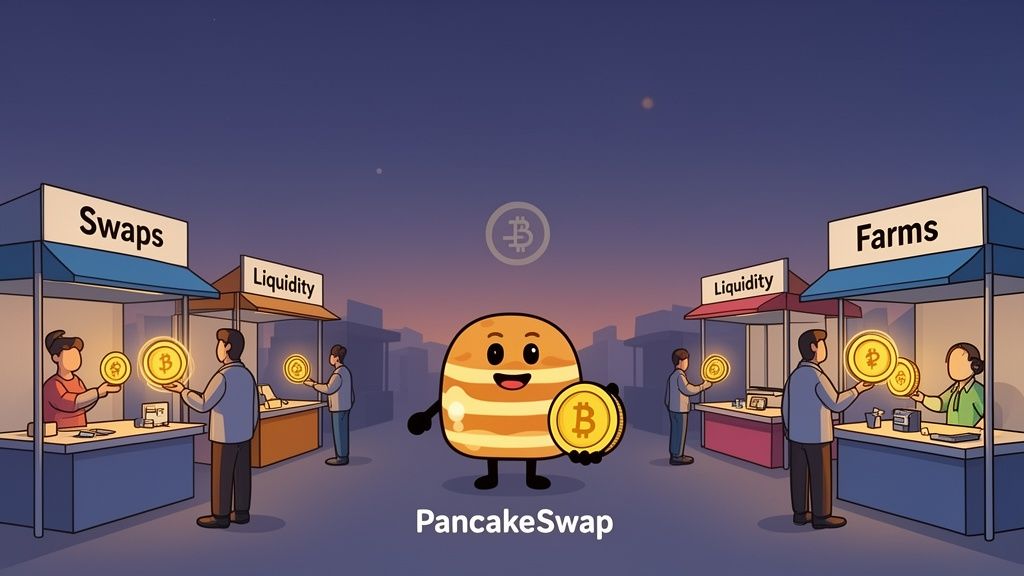
PancakeSwap cartoon character with Bitcoin coin, surrounded by market stalls for swaps, liquidity, and farms.

At its heart, the PancakeSwap app is a decentralized exchange (DEX). This means there’s no central company holding your funds or managing trades. Unlike centralized platforms like Coinbase or Binance, your crypto stays in your personal wallet, giving you full ownership.

So how does it work? Instead of a traditional "order book," PancakeSwap uses an Automated Market Maker (AMM) system powered by "liquidity pools" funded by the community.

Instead of waiting for a buyer to match your sell order, you trade directly with a pool of tokens supplied by other users. This makes trading faster and more efficient, especially for newer or less common tokens.

This community-driven approach is why PancakeSwap exploded in popularity. It lets anyone become a market maker by "providing liquidity." In exchange, you earn a cut of the trading fees. To dive deeper, check out our guide on what a DEX does.

Why Trade on the BNB Chain?

PancakeSwap’s decision to build on the BNB Chain was a game-changer. This network is famous for two things every trader loves: lightning-fast transaction speeds and incredibly low fees.

While a trade on other networks can cost tens or hundreds of dollars in "gas fees," a standard swap on PancakeSwap usually costs just a few cents.

Key Advantages of Using PancakeSwap on BNB Chain:

  • Low-Cost Trading: Execute swaps for as little as $0.01 per transaction, making it accessible for all budget sizes.
  • Fast Confirmations: Transactions are typically confirmed in seconds, not minutes, letting you seize market opportunities instantly.
  • Vibrant Ecosystem: The BNB Chain hosts thousands of tokens and new projects, all easily tradable through the PancakeSwap app.

A Dominant Force In DeFi

Launched in September 2020, PancakeSwap quickly became a DeFi giant. It currently secures around $2 billion in Total Value Locked (TVL) and leads all DEXs with 356,100 daily active users. You can track real-time stats on DeFiLlama.

This high volume and deep liquidity make it a reliable and efficient place to trade. Here’s a quick breakdown of its key features.

PancakeSwap at a Glance

This table gives you a snapshot of what PancakeSwap offers and why each feature is important for traders and investors.

FeatureWhat It IsWhy It Matters For You
SwapsInstant token trading using an AMM model.Make fast, low-cost exchanges without a traditional order book.
Liquidity PoolsUser-funded pools of tokens that facilitate trades.Earn passive income by providing liquidity and collecting trading fees.
Yield FarmingStaking your liquidity pool tokens to earn CAKE rewards.Compound your earnings and boost your overall return on investment.
Syrup PoolsStaking CAKE tokens to earn other tokens from new projects.Discover and accumulate new assets with minimal risk.
NFT MarketplaceA platform for buying, selling, and collecting NFTs.Access a wide range of digital collectibles directly within the app.

Each component works together to create a powerful, all-in-one DeFi ecosystem.

Exploring PancakeSwap's Core Features

Infographic showing the PancakeSwap ecosystem, with the CAKE token surrounded by features like Swaps, Yield Farming, and NFTs.

PancakeSwap is much more than a simple trading hub; it’s a sprawling DeFi playground. Let's break down what each feature does so you can get the most out of it.

Swaps: Instant Token Trading

The Swap feature is the engine of the PancakeSwap app. It’s built for speed, letting you jump on market moves without delay.

Actionable Benefits of Swapping on PancakeSwap:

  1. Simple Interface: The design is incredibly straightforward. Just plug in how much you want to trade, and the app instantly shows you what you'll get back.
  2. Minimal Slippage: For popular token pairs, the liquidity is massive. This means the price you see is almost always the price you get.
  3. Early Access to New Tokens: PancakeSwap is the go-to launchpad for new tokens on BNB Chain, giving you a shot at projects before they hit bigger exchanges.

Since 2020, PancakeSwap has exploded, listing 2,496 coins across 4,341 trading pairs. In a recent 24-hour period, its trading volume hit $86.2 million—a 112.95% spike. This activity is fueled by its low-cost model, with average fees under 0.25% per swap, attracting 356,100 daily active users. You can dig into more data on its trading volumes at CoinGecko's exchange page.

Liquidity Pools: Become the House and Earn Fees

So, where do the tokens for swaps come from? Liquidity Pools—huge stashes of tokens supplied by users like you. When you "provide liquidity," you deposit an equal value of two tokens (e.g., BNB and CAKE) into a pool. In return, you get Liquidity Provider (LP) tokens.

Here's the best part: you earn a cut of the 0.17% trading fee on every single swap that uses your liquidity pool. This creates a steady stream of passive income, rewarding you for keeping the exchange running.

This is a core concept of what makes a DEX exchange app so powerful—you’re not just a customer; you're part of the machinery.

Advanced Earning: Yield Farming and Syrup Pools

Once you have LP tokens, you can put them to work in a Yield Farm to earn CAKE, PancakeSwap's native token. For a more direct approach, Syrup Pools let you stake your CAKE tokens to earn brand-new tokens from other projects.

Here’s a comparison to help you choose your earning strategy:

Earning MethodWhat You StakeWhat You EarnBest For...
Yield FarmingLP Tokens (e.g., CAKE-BNB)CAKE TokensCompounding rewards from providing liquidity.
Syrup PoolsCAKE TokensNew Project Tokens (e.g., XYZ)Gaining low-risk exposure to new tokens.

Beyond the Basics: NFTs, Predictions, and More

The PancakeSwap app doesn't stop at trading and earning. It has rounded out its ecosystem with several other engaging features:

  • NFT Marketplace: A lively market to discover, buy, and sell digital collectibles.
  • Prediction Market: Bet on whether the price of BNB will go up or down in a short timeframe.
  • IFO Launchpad: Initial Farm Offerings (IFOs) give you a chance to buy into new projects before their public launch.

These features make the PancakeSwap app a true one-stop-shop for DeFi.

How to Connect Your Mobile Wallet to PancakeSwap

Before you can start swapping, you need to connect your mobile crypto wallet. This gives the app permission to interact with your funds without ever holding them. You always stay in control.

Most popular mobile wallets, like Trust Wallet and MetaMask Mobile, offer two easy connection methods.

Connecting with a DApp Browser (Trust Wallet Example)

The most straightforward way is using your wallet’s built-in browser. This keeps everything simple and secure within one app.

Step-by-Step Guide:

  1. Open Trust Wallet: Go to the 'Browser' tab.
  2. Find PancakeSwap: Type pancakeswap.finance in the search bar. Double-check the URL to avoid phishing sites.
  3. Connect Your Wallet: Tap the "Connect" button in the top-right corner.
  4. Confirm the Connection: Trust Wallet will pop up a confirmation. Approve it, and your wallet address will appear, confirming the connection.

This flow is nearly identical for other wallets with a DApp browser.

Connecting with WalletConnect (MetaMask Example)

Use WalletConnect to link your mobile wallet to a desktop browser session via a QR code.

Step-by-Step Guide:

  1. On Your Desktop: Go to pancakeswap.finance and click "Connect Wallet."
  2. Choose WalletConnect: Select "WalletConnect" to display a QR code.
  3. On Your Mobile: Open MetaMask Mobile and tap the QR scanner icon in the top-right.
  4. Scan and Approve: Point your phone at the QR code and approve the connection in your mobile app.

Your desktop is now securely tethered to your mobile wallet.

Crucial Step: Ensure You're on the BNB Smart Chain
PancakeSwap operates on the BNB Smart Chain (BSC). If your wallet is set to another network like Ethereum, the connection will fail. Use the network dropdown menu in your wallet to switch to BSC. Our guide on setting up a Binance Smart Chain wallet can help.

Now that you're connected, let's put your crypto to work.

A three-step diagram illustrates connecting a digital wallet: launch app, select wallet, and connect.

How to Swap Tokens

Swapping is trading one crypto for another. Let's say you want to swap BNB for CAKE.

Actionable Steps for Swapping:

  1. Go to Swap Page: In the "Trade" menu, click "Swap."
  2. Select Tokens: Choose BNB in the "From" field and CAKE in the "To" field.
  3. Enter Amount: Type how much BNB you want to trade. The interface will show the CAKE you’ll receive.
  4. Review Details: Glance at the price impact and liquidity provider fee.
  5. Confirm Swap: Click "Swap," then "Confirm Swap," and approve the transaction in your mobile wallet.

What is Slippage Tolerance?
Slippage is the price change between submitting and confirming a trade. You can set your slippage tolerance (usually a gear icon). A low setting (0.5%) protects you from price swings but may cause trades to fail in volatile markets.

How to Add Liquidity

Start earning passive income by adding liquidity. You'll deposit a pair of tokens and get a cut of trading fees.

Actionable Steps for Adding Liquidity:

  1. Go to Liquidity Section: Under "Trade," choose "Liquidity."
  2. Click "Add Liquidity": Select your token pair (e.g., CAKE and BNB).
  3. Enter Amounts: Input the amount for one token; the other will auto-fill to maintain an equal value.
  4. Approve and Supply: Approve the token contract (first time only), then click "Supply" and confirm in your wallet.

You'll receive LP tokens in your wallet, representing your share of the pool.

How to Stake in a Farm or Syrup Pool

Now, put your LP tokens to work in a Yield Farm to earn CAKE, or stake CAKE directly in Syrup Pools to earn other tokens.

Staking in a Yield Farm

  1. Find a Farm: Go to "Earn" > "Farms."
  2. Enable the Farm: Find your LP token pair (e.g., CAKE-BNB LP), click "Enable," and approve.
  3. Stake Your LP Tokens: Click "Stake LP," choose the amount, and confirm. You’ll start earning CAKE immediately.

Staking in a Syrup Pool

  1. Go to Pools: Under "Earn," select "Pools."
  2. Choose a Pool: Pick a pool to stake CAKE and earn a different token.
  3. Stake CAKE: "Enable" the pool, click "Stake," enter the amount of CAKE, and confirm.

By following these guides, you’re actively using the PancakeSwap ecosystem to swap, earn, and make your crypto work for you.

Gain a Trading Edge with Wallet Finder AI

Knowing how to use PancakeSwap is one thing; knowing how to trade profitably is another. The real edge comes from knowing what the smartest traders are doing. That’s where on-chain intelligence tools like Wallet Finder AI come in.

Wallet Finder shows you who is making the market move and how they’re doing it profitably, turning raw data into actionable trade signals.

Find the Smartest Traders on PancakeSwap

Use the "Discover Wallets" feature to find traders who are consistently winning. You can instantly filter for specific, profitable behaviors.

How to Find Top Traders:

  • Filter by Win Rate: Isolate wallets with a high percentage of winning trades.
  • Sort by Net Profit: Find the biggest winners by sorting based on their total realized gains.
  • Analyze Recent Activity: Focus on wallets that have been profitable in the last 7, 14, or 30 days to see what's working now.

This takes you from market noise to the proven strategies of top traders.

From Discovery to Action with Real-Time Alerts

Once you’ve found a winning wallet, set up instant alerts with Wallet Finder.

Get immediate notifications via Telegram or your browser the second a wallet you're tracking makes a trade on PancakeSwap. When they buy, you know. When they sell, you know. This gives you a massive head start to mirror their trade.

This flips your trading approach from reactive to proactive.

A Real-World Smart Money Play

Imagine using Wallet Finder to filter for wallets on BNB Chain with over $50,000 in profit and a 75% win rate. You find one that buys low-cap tokens on PancakeSwap just before they pump.

Actionable Play-by-Play:

  1. Spot the Signal: Add this wallet to your watchlist in Wallet Finder and turn on swap alerts.
  2. Get the Alert: Your phone buzzes. The wallet just bought $10,000 of a new token, $XYZ.
  3. Analyze and Act: You click the alert, see the trade details, and quickly place a similar trade on the PancakeSwap app.
  4. Track the Outcome: Over the next 48 hours, $XYZ soars 300%. Another alert hits: the smart money wallet just sold. You follow their lead, locking in a massive gain.

Without an on-chain tool, you would have missed this opportunity.

How to Navigate Risks and Common Issues

DeFi is exciting but comes with risks. Knowing the potential pitfalls is the first step to protecting your funds. The biggest dangers on any DEX are sketchy code, market volatility, and scams.

Understanding the Core DeFi Risks

Every DeFi user must be aware of three main risks:

  • Smart Contract Bugs: PancakeSwap’s contracts are audited, but new tokens listed on the platform might not be. A bug in a token's contract could be exploited. Action: Always research new tokens and check for smart contract audits.
  • Impermanent Loss: A risk for liquidity providers. It happens when the price of one token in your pair moves dramatically against the other. The value of your staked tokens could be less than if you had simply held them. Action: Mitigate this by providing liquidity for stablecoin pairs or using V3's concentrated liquidity feature.
  • Phishing Scams: Scammers create fake websites and malicious links to drain your wallet. Action: Always bookmark the official pancakeswap.finance URL and be skeptical of unsolicited links.

Key Takeaway: You are your own bank in DeFi. Security is 100% your responsibility. Double-checking URLs and questioning offers that seem too good to be true are your best defenses.

Troubleshooting Common PancakeSwap Errors

You will eventually encounter an error. Don't panic. Most are easy to fix.

Here’s a quick troubleshooting table:

Error MessageWhat It MeansHow to Fix It (Actionable Steps)
Transaction FailedYour transaction didn't get processed.This is usually due to network congestion or low gas. Try increasing the gas fee slightly and resubmitting.
Price Impact Too HighYour trade is too large for the available liquidity and will cause a bad price.Swap a smaller amount. This warning protects you from a poor exchange rate.
INSUFFICIENT_OUTPUT_AMOUNTThe token's price changed too much during the transaction, falling outside your slippage tolerance.Go to swap settings and increase your slippage tolerance (e.g., from 0.5% to 1%) to give the trade a better chance of success.

Getting familiar with these risks and fixes will help you use the PancakeSwap app with more confidence.

Frequently Asked Questions About PancakeSwap

Here are straightforward answers to the most common questions about the PancakeSwap app.

What Is The Difference Between V2 and V3?

PancakeSwap V3 introduces concentrated liquidity. Instead of spreading your funds across an infinite price range (like in V2), V3 lets you provide liquidity within a specific price range. This concentrates your capital where most trading occurs, allowing you to earn significantly more fees with the same investment.

How Is Impermanent Loss Calculated?

Impermanent loss (IL) is the difference in value between keeping two tokens in a liquidity pool versus just holding them in your wallet. It occurs when the price ratio of your two tokens changes after you've deposited them.

While you can't eliminate IL, you can manage it. Actionable Tip: Provide liquidity for stablecoin pairs (like USDT-USDC) or use V3's tight price ranges to significantly reduce your risk.

Is The PancakeSwap App Safe?

Yes, connecting to the official PancakeSwap app is generally safe. The app uses a permissions-based system and cannot access your funds without your explicit approval for each transaction.

The real risk is phishing scams. Actionable Tip: Always double-check you are on pancakeswap.finance and never connect your wallet from a suspicious link.

Why Did My Transaction Fail But I Paid a Gas Fee?

This is a normal part of how blockchains work. Every transaction—successful or not—requires computational work from network validators, and the gas fee compensates them for that effort. A transaction can fail due to network congestion, low gas, or slippage. The fee is consumed regardless because the work was attempted.


Ready to find the next big trade on PancakeSwap before anyone else? Wallet Finder.ai helps you discover the most profitable traders and copy their moves in real-time. Start your free trial and turn on-chain data into your unfair advantage at https://www.walletfinder.ai.