Google Portfolio Tracker: A Complete 2026 Guide
Build your own Google portfolio tracker with Google Finance and Sheets. Learn step-by-step setup for stocks & crypto, and see when to use Wallet Finder.ai.

April 17, 2026
Wallet Finder

April 17, 2026
Your investing life probably looks more fragmented than you want to admit.
A brokerage account holds your stocks and ETFs. A crypto exchange holds your majors. A browser wallet holds the trades you care about. Then there’s a spreadsheet that started as a clean tracker and slowly turned into a patchwork of manual entries, broken formulas, and stale token prices.
That’s why the google portfolio tracker is still one of the first tools I recommend. It’s free, fast to start, and quite useful for traditional assets. If you own listed stocks, ETFs, mutual funds, and a handful of large crypto names, Google’s tools can give you a workable control panel without much setup.
But there’s a breaking point.
The moment your portfolio includes active DeFi positions, newer tokens, multiple wallets, or cross-chain activity, Google stops being a complete tracker and becomes a partial one. It still helps. It just stops telling the whole truth.
Monday morning often starts with three different numbers for the same portfolio.
The broker shows one return figure. The exchange shows another. Your wallet activity tells a third story once staking rewards, LP positions, bridge transfers, and token swaps are counted correctly. That mismatch is the core portfolio puzzle. The problem is not access to data. The problem is that each system measures a different version of reality.
Google usually becomes the first place investors try to fix that. Google Finance is quick for a clean snapshot. Google Sheets gives you room to build your own allocation views, cost basis logic, and performance tracking. For stocks, ETFs, and other standard tickers, that approach offers significant utility and is often good enough.
Crypto changes the standard.
A portfolio with BTC, ETH, and a few liquid large-cap tokens can still fit inside Google's world reasonably well. A portfolio that includes wallet-based activity cannot. The moment assets depend on token addresses, smart contracts, validator rewards, LP receipts, or positions spread across multiple chains, a Google portfolio tracker starts drifting away from the book of record.
That breaking point tends to show up in a familiar sequence:
I use Google tools for what they do well. They are fast, flexible, and free. But serious crypto traders need more than a neat dashboard. They need wallet-level accounting that follows the chain itself. Without that, PnL, exposure, and position sizing can all be wrong at the exact moment precision matters.
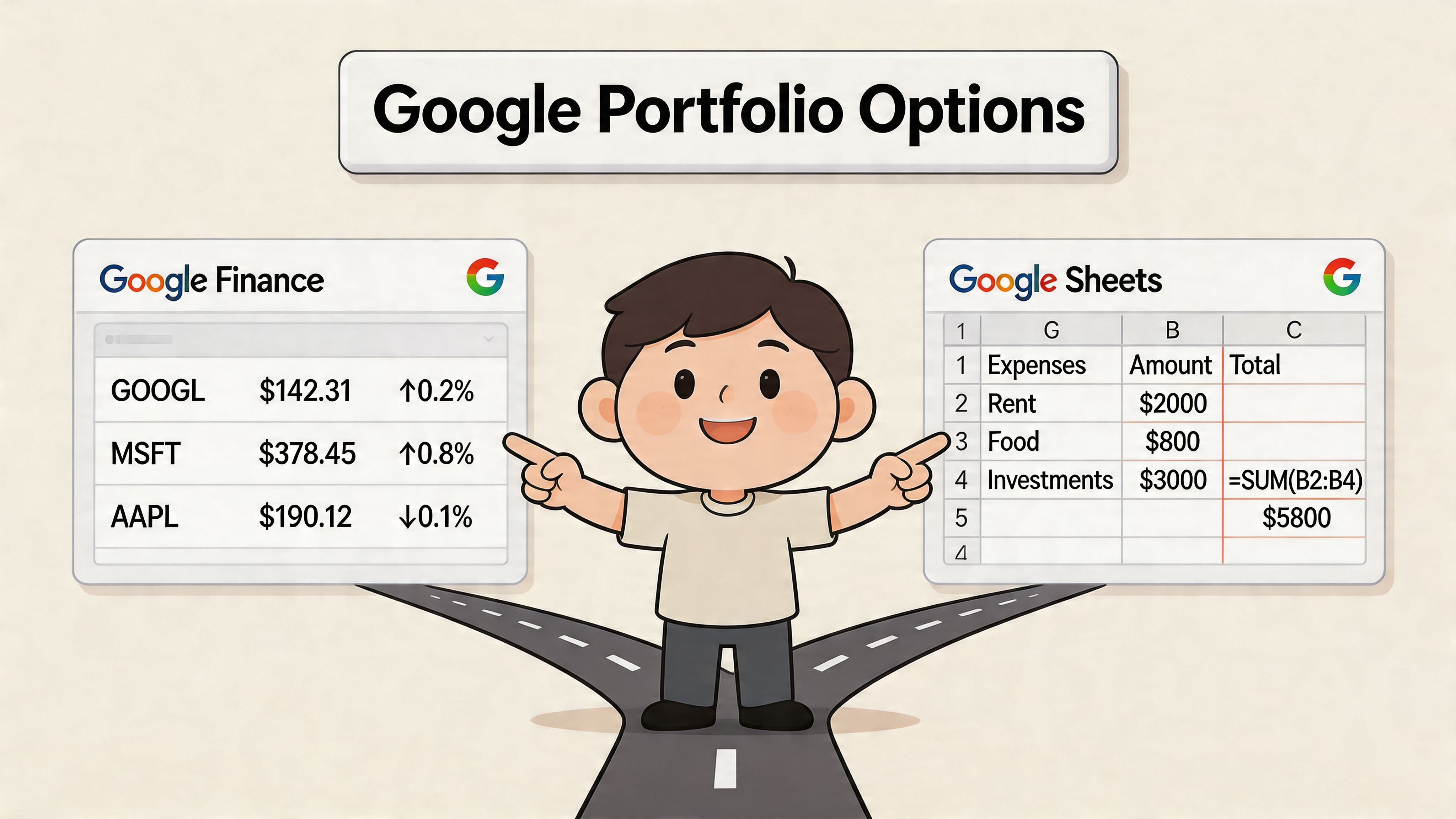
Google offers two distinct portfolio tracking tools. The difference matters more than it first appears, especially if part of your book includes crypto.
One option is the native Google Finance portfolio. The other is a custom tracker built in Google Sheets. They solve different problems, and the right starting point depends on how much control you need over pricing, performance math, and position-level detail.
![]()
Google Finance is the faster setup. Add holdings, enter transaction details, and the portfolio view calculates current value, 1-day return, and total return. Google documents those portfolio metrics in Google’s portfolio help page.
That makes it a practical fit for:
The trade-off is rigidity. You get Google’s view of the portfolio, not your own accounting logic. For a conventional brokerage account, that is often fine. For a mixed portfolio with crypto, it starts to feel thin quickly.
Google Sheets gives you a blank framework instead of a finished portfolio screen. You can pull market data with =GOOGLEFINANCE("Ticker","price"), organize holdings your own way, and calculate metrics that match your process instead of Google’s defaults.
That extra control is useful if you track:
The cost is maintenance. Every custom column improves the tracker, but every formula also becomes one more thing to audit when prices fail to refresh, symbols change, or imports break.
| Tool | Best use | Main limit |
|---|---|---|
| Google Finance UI | Fast snapshot of holdings | Limited customization |
| Google Sheets | Custom analytics and formulas | More setup and maintenance |
Start with Google Finance if the goal is speed and your holdings map cleanly to standard tickers.
Start with Google Sheets if you need portfolio weights, custom performance views, or one place to monitor stocks alongside large-cap crypto. That is usually the better path for active investors, because it lets you shape the tracker around your process before you hit the point where wallet activity, token contracts, and cross-chain positions force you beyond Google’s data model.
Many investors end up using both. Google Finance handles the quick glance. Google Sheets handles the work until on-chain complexity forces a better source of truth.
If you want the fastest route to a usable google portfolio tracker, start with the native Google Finance portfolio. It’s the lowest-friction setup and a good baseline before you build anything more custom.
![]()
Open Google Finance while signed into your Google account. Create a new portfolio, then begin adding holdings one at a time. The system is designed around tickers and cost basis entry, so the cleaner your trade records are, the better the output will be.
For each holding, enter the instrument and the transaction details that support cost basis. That usually means purchase price and quantity. If you’ve added holdings accurately, the portfolio view can calculate the metrics that matter most in the interface.
Start with a standard listed equity because Google Finance performs best with such instruments.
A clean workflow looks like this:
This gives you an immediate benchmark for how the portfolio behaves. If you only invest in listed securities, you may find the interface enough on its own.
Google Finance can also be used for basic crypto tracking in key markets, which is useful if your crypto exposure is limited to large, standard assets. The key word is basic.
When adding major cryptocurrencies, keep expectations realistic. The native portfolio works best as a snapshot of current holdings rather than a full crypto accounting system. It’s useful for seeing value changes at a glance, but it doesn’t behave like a wallet-native tracker.
Enter crypto holdings the same way you enter stocks. Focus on accurate quantity and purchase price first. The display is only as good as the transaction data behind it.
A lot of users add holdings and then don’t trust what they’re seeing because they don’t understand Google’s summary fields.
Here’s the practical interpretation:
| Metric | What it tells you |
|---|---|
| Portfolio value | The current combined value of your entered holdings |
| 1-Day return | How much the portfolio moved relative to prior trading day closes |
| Total return | Gain or loss relative to your entered cost basis |
| Portfolio balance chart | A visual snapshot across available time views |
The Google Finance portfolio works well when your portfolio has these traits:
It starts to fall short when you need:
That’s why I treat the Google Finance interface as a front-end snapshot tool, not a full portfolio operating system.
A Google Sheets tracker is where a simple portfolio view turns into a working control panel. For listed assets and a small set of major crypto positions, Sheets can handle far more than the native Google Finance portfolio page because you control the structure, formulas, and review logic.
![]()
Begin with a holdings table that answers four questions fast: what you own, what you paid, what it is worth now, and how large the position has become.
| Column | Purpose |
|---|---|
| Ticker | Asset symbol |
| Shares | Units held |
| Avg Cost | Your average purchase price |
| Current Price | Live market price |
| Market Value | Current value of the position |
| Day Change % | Daily movement |
| Total Change % | Gain or loss versus your cost |
| Portfolio Weight | Position size as part of total portfolio |
This structure stays readable when the sheet grows. Add notes, account labels, tax lots, sectors, trade dates, or watchlist fields later, but keep the first version clean enough to audit at a glance.
The core function is GOOGLEFINANCE(). For a practical build, these are the formulas that matter first:
=GOOGLEFINANCE("AAPL","price")=GOOGLEFINANCE("AAPL","changepct")=Shares * Current Price=(Current Price / Avg Cost) - 1In a standard column layout, that usually looks like this:
D2 Current Price=GOOGLEFINANCE(A2,"price")
E2 Market Value=B2*D2
F2 Day Change %=GOOGLEFINANCE(A2,"changepct")
G2 Total Change %=(D2/C2)-1
Copy those formulas down the sheet and check every result manually for the first few rows. That extra minute catches bad ticker formatting, currency mismatches, and broken references before they spread across the model.
Price data is only half the job. Position sizing is what makes a tracker useful for portfolio decisions.
Start with a total market value cell that sums the Market Value column. Then divide each row’s market value by that total to calculate Portfolio Weight. Add a Target Weight column if you rebalance to a model, and a Weight Gap column to show how far each position has drifted.
That creates a much better operating view:
A sheet becomes decision-ready once sizing sits next to price.
Raw numbers are slow to scan, especially when you review multiple accounts or hold a mix of equities and crypto.
Set conditional formatting rules for:
This does not add new analysis. It reduces review time and helps you spot exceptions before they become oversized positions or missed exits.
For users who want to push Sheets beyond native formulas, external data imports help. A practical next step is using importing JSON into Google Sheets to pull structured data into the workbook when GOOGLEFINANCE() stops covering what you need.
Sheets also works well as a lightweight research dashboard for listed assets. You can add fields such as volume, market cap, EPS, P/E, and 52-week highs, then use those inputs to build simple screening or valuation rules.
A few useful examples:
=GOOGLEFINANCE("Ticker","price")=GOOGLEFINANCE("Ticker","high52")=GOOGLEFINANCE("ULTA","EPS")*28That kind of setup is effective for stock watchlists, ETF sleeves, and crypto positions that map cleanly to supported tickers. It is much weaker for assets whose state depends on wallet activity or smart contract interactions.
Here’s a video walkthrough if you want to see a build process in action before customizing your own sheet:
A custom sheet performs best when the portfolio is still mostly ticker-based and the transaction history is simple enough to maintain by hand.
It works especially well for:
I use Sheets in exactly that role. It is flexible, cheap, and easy to audit.
The trade-off shows up once the portfolio starts depending on wallet history, staking receipts, LP positions, bridge activity, or token flows that do not map neatly to a symbol. At that point, the spreadsheet is still useful, but mainly as a reporting layer. The source of truth has to come from on-chain data.
A sheet looks accurate right up until the portfolio starts living inside contracts instead of tickers.
That is the breaking point.
Google Finance and Google Sheets work well when the position can be described by a symbol, a quantity, and a quoted market price. DeFi positions rarely stay that clean. A wallet can hold spot tokens, LP receipts, staking claims, lending collateral, borrowed assets, bridged balances, and rewards that have not been claimed yet. Google does not read that state from a wallet address, so the trader ends up rebuilding it by hand.
For active DeFi traders, the failure usually shows up in five places:
The practical issue is not formatting. It is portfolio truth. If you need contract-level context to know what you own, a ticker-based tracker is already incomplete.
Traditional holdings are easy to express in a spreadsheet. Buy 100 shares, record cost basis, pull the latest price, and calculate return.
DeFi adds state that changes outside the sheet.
| DeFi activity | Why Google struggles |
|---|---|
| Liquidity provision | Position value depends on pool composition, fee accrual, and token ratio changes |
| Staking | Rewards accrue on-chain and may sit outside the visible token balance until claimed |
| Lending and borrowing | Net exposure depends on collateral, debt, interest accrual, and liquidation thresholds |
| Bridge activity | Assets can be in transit or represented differently across chains |
| Memecoin rotation | New tokens may appear and trade actively before Google supports them, if it ever does |
I still use Google tools for listed equities, ETFs, and a small set of liquid crypto majors. I do not use them as the source of truth for wallets. Once capital is spread across Ethereum, Solana, Base, and protocol positions, the spreadsheet becomes a reporting layer, not the ledger.
The biggest problem is false clarity.
A sheet can show a neat allocation chart while missing staking rewards, misclassifying bridge transfers as buys, ignoring debt on a lending protocol, or treating an LP receipt like a normal token balance. That leads to bad sizing decisions. It also distorts realized performance, because on-chain entries and exits often happen through swaps, approvals, vault interactions, and contract calls that a ticker-based setup cannot interpret correctly.
This gets worse when the trading edge comes from wallet behavior. If part of the process is tracking where smart money is rotating, who entered early, or which wallets are accumulating across chains, Google has no native way to answer that. Traders who need that view have to check on-chain wallet activity across networks and then decide whether the results belong in a spreadsheet at all.
Google remains useful for clean, ticker-based exposures. It is free, flexible, and easy to audit. For a mixed portfolio with stocks, ETFs, and a few major crypto assets, that is enough.
For serious DeFi trading, it is not enough. Once the portfolio depends on wallet history, protocol state, and multi-chain execution, Google stops being the system you trust and starts becoming a partial summary that always risks being one transaction behind.
A spreadsheet usually breaks in the same place. You make a few DeFi trades, bridge assets between chains, claim rewards, and then try to reconcile the wallet a week later. The sheet still works as a reporting layer, but now someone has to translate raw on-chain activity into rows that formulas can understand.
That translation step is the gap.
Google Sheets can help close it, but only if you treat it like an audit tool instead of a live source of truth. In practice, the bridge is a raw transaction export on one side and a cleaned portfolio view on the other. The work sits in the middle.
A setup that holds up reasonably well usually has three layers.
First, keep a raw-data tab with unedited wallet exports from the explorer, exchange, or analytics source you trust. Do not touch this tab except to append new data.
Second, build a normalized tab. On this tab, you standardize timestamps, token symbols, wallet labels, chain names, and transaction direction. It also facilitates separating transfers from buys, identifying swap legs, and flagging contract interactions that need manual review.
Third, feed only cleaned records into the dashboard tab. That keeps your allocation, cost basis, and PnL formulas from breaking every time a wallet export changes format.
The workflow looks simple on paper:
This works for monthly reviews, tax prep, and post-trade reconciliation. It is much less reliable for active DeFi books.
Apps Script gives Sheets more reach. It can pull token prices from third-party APIs, refresh custom ranges, and support accounting logic that GOOGLEFINANCE does not handle well.
I have used this approach for unsupported assets and custom performance views. It is useful up to a point. Then the maintenance burden shows up. API limits change, token mappings drift, contract interactions need new rules, and one broken script can quietly poison the dashboard.
The trade-off is straightforward. More custom code gives you more flexibility, but it also turns the sheet into a lightweight internal app that nobody really wants to maintain.
That is usually the moment to pause and review the wallet directly. If you need a cleaner starting point before importing anything into Sheets, use a guide on checking on-chain wallet activity across networks and decide what belongs in the spreadsheet versus what should stay in an on-chain tool.
Manual bridging is still useful. It just has a narrower job than many traders want to admit.
| Use case | Good fit |
|---|---|
| Monthly portfolio review | Yes |
| Tax preparation support | Yes |
| Cross-checking exchange and wallet records | Yes |
| Real-time DeFi monitoring | No |
| Fast copy-trading decisions | No |
The reason is speed and context. A CSV import can tell you what already happened. It cannot reliably tell you what a wallet means right now across multiple chains, protocols, and contract states.
That is the practical breaking point. Sheets remain valuable for reconciliation and reporting. Serious on-chain trading needs a system built around wallet behavior first, with the spreadsheet serving as a secondary layer rather than the core tool.
The right tool depends less on asset size and more on asset type, trading style, and how much truth you need from the data.
A google portfolio tracker is a strong fit when most of your portfolio is still organized around standard symbols. If your holdings are mainly listed equities, ETFs, and a few large crypto assets, Google’s free stack is efficient and hard to beat on cost.
If your portfolio is driven by wallets, chain activity, token discovery, and trader behavior, that changes the decision.
![]()
Google Finance and Google Sheets are enough when your needs are straightforward.
For this group, Google is often the best starting point because it’s accessible and customizable without requiring a paid analytics stack.
The decision flips when on-chain behavior matters more than ticker tracking.
This is also the better path if your workflow includes copy trading, wallet watchlists, trade discovery, or measuring performance through complete on-chain history rather than manually maintained entries.
| Feature | Google Finance UI | Google Sheets | Wallet Finder.ai |
|---|---|---|---|
| Best for | Quick portfolio snapshot | Custom spreadsheet tracking | On-chain wallet intelligence |
| Traditional asset tracking | Strong | Strong | Limited focus |
| Major crypto tracking | Basic | Basic to moderate | Strong where tied to wallets and on-chain activity |
| Custom formulas | No | Yes | Not spreadsheet-based |
| Wallet address tracking | No | Manual workaround only | Yes |
| DeFi position visibility | No | Manual workaround only | Yes |
| Ticker-based portfolios | Strong | Strong | Not the main use case |
| Setup effort | Low | Medium to high | Lower for on-chain use than spreadsheet workarounds |
| Best decision style | Monitoring | Analysis and customization | Discovery and execution support |
The most practical setup for mixed-asset investors is often not either-or.
Use Google for:
Use a dedicated on-chain tool for:
That split respects what each system is good at instead of forcing one tool to pretend it can do everything.
If you’re comparing dedicated wallet analytics tools, this roundup of the best wallet tracker options is a useful next step.
Google is excellent at organizing conventional holdings. It’s weak at interpreting on-chain behavior. Serious crypto traders should treat those as two separate jobs.
If your portfolio still fits inside tickers and spreadsheet formulas, Google’s tools are a solid place to start. If your edge depends on reading wallets, tracking DeFi activity, and reacting to profitable on-chain moves in real time, Wallet Finder.ai gives you the visibility a google portfolio tracker can’t.