Is Coinbase Wallet secure? A Practical Guide
How secure is coinbase wallet? Learn its security features, risks for users, and practical steps to protect your crypto assets today.

December 28, 2025
Wallet Finder

December 28, 2025

When it comes to your crypto, "secure" means you're in control. Coinbase Wallet is built on a non-custodial foundation, which is a fancy way of saying you—and only you—hold the keys to your funds. While the app itself is packed with security features, the real strength of your wallet comes down to how you handle your secret recovery phrase.

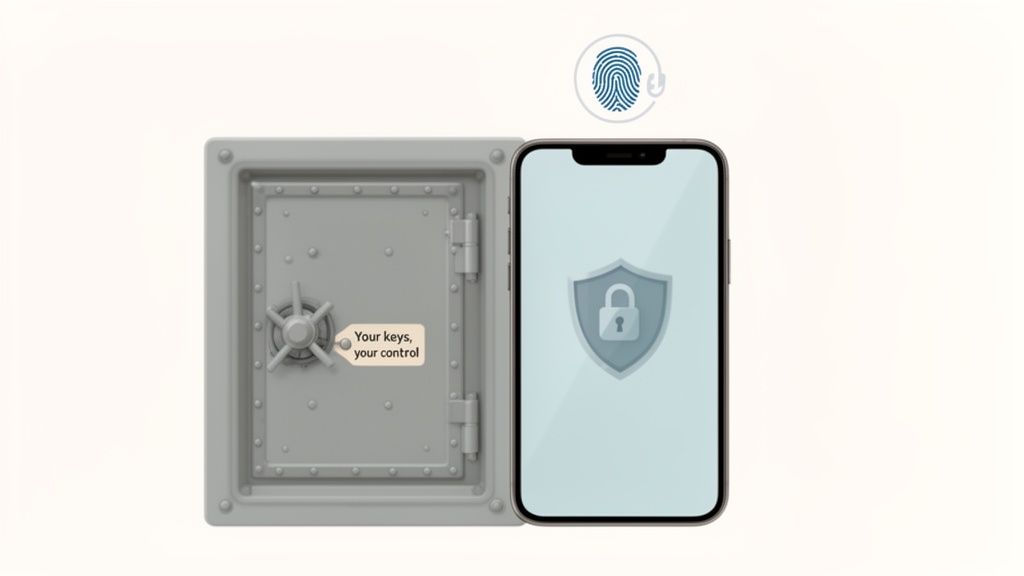
Think of Coinbase Wallet like a high-tech safe you keep at home. Coinbase builds the reinforced steel door and installs the complex locking mechanism, but you're the only person who knows the combination.
This is a world away from how a typical crypto exchange works, where the company holds your assets for you, kind of like a bank. If you want to get into the weeds on this, our guide on a crypto exchange vs wallet breaks it down completely.
This "self-custody" approach is incredibly powerful. It means Coinbase can't touch, freeze, or lose your funds even if they wanted to. Your private keys are created and locked down directly on your device, using its built-in security hardware like the Secure Enclave on an iPhone.
But with great power comes great responsibility. While the wallet software is solid, it can't protect you from things happening outside the app, like getting tricked by a phishing scam or signing a malicious transaction. To truly answer "how secure is Coinbase wallet?", you have to look at both sides of the coin: the app's security and your own.
This is what we call a shared responsibility model. The table below clearly lays out what the wallet handles and what falls squarely on your shoulders.
Ultimately, Coinbase provides the secure vault, but you're the security guard at the door. Your diligence is the final, most crucial layer of defense for your crypto.

To really get a handle on Coinbase Wallet's security, we have to start with one core idea: it's "non-custodial." This isn't just jargon; it's a fundamental concept that completely changes who's in charge of your crypto.
Think of it like the difference between a traditional bank and a personal safe you keep at home. The bank is a custodian. They hold your money in their vault, and while you can access it, they have the ultimate control. They can freeze your account, and their security is what stands between a thief and your cash.
Coinbase Wallet is your personal safe. You, and only you, hold the key. In the world of crypto, that "key" is your set of private keys, which are protected by your 12-word recovery phrase. This isn't just a small detail—it's the entire foundation of the wallet's security design.
When you first set up your Coinbase Wallet, it generates your unique private keys right then and there. These keys are never sent to Coinbase's servers or stored in some online database. Instead, they’re encrypted and kept directly on your phone or computer, taking advantage of the device's own security hardware.
For instance, modern iPhones have a specialized chip called the Secure Enclave. It’s a hardware-based key manager that’s totally walled off from the main processor and the rest of the operating system.
This on-device approach means even Coinbase can't touch, see, or move your funds. They build the app—the interface you use—but they never hold the keys to the vault. This design choice eliminates a massive central point of failure.
This model is a game-changer. An incident involving rogue overseas support agents at Coinbase actually proved the strength of this system. While some customer data was compromised, not a single dollar of wallet funds was at risk because the private keys were never accessible to Coinbase or its staff in the first place.
This kind of personal control is non-negotiable for active traders. If you're copy trading or diving into decentralized finance (DeFi), you need 24/7, unrestricted access to your capital. You simply can't risk getting locked out because an exchange is down for maintenance or has decided to freeze withdrawals. Our guide on what is a DeFi wallet goes deeper into why this control is so critical.
Breaking down the practical differences between these two models makes it crystal clear where the security responsibility falls. It’s not about one being better than the other, but about picking the right tool for the job.
This complete ownership is precisely why the answer to "how secure is Coinbase Wallet?" always comes back to you, the user. The wallet gives you a fortress, but you're the one holding the keys. Its ultimate security depends on how well you protect your device and, most importantly, that sacred recovery phrase.
Beyond its core non-custodial design, Coinbase Wallet isn't just a passive vault; it's an active security system with multiple layers of defense. These aren't just checkbox features. They’re practical tools designed to shield you from both sophisticated external threats and simple, costly human errors.
Think of it like the safety system in a modern car. The non-custodial architecture is the high-strength steel frame, but you also get airbags, seatbelts, and automatic braking. All these components work together to keep you safe on the road. Coinbase Wallet brings this same layered philosophy to protecting your crypto.
These features are engineered to create just enough friction at critical moments, forcing you to pause and double-check what you're doing before you commit to an irreversible on-chain transaction.
The very first security layer you'll bump into is the one protecting the app itself. Before you can even peek at your balances or think about sending funds, the wallet demands you prove it's really you.
This is a non-negotiable security gate. It ensures that if someone gets their hands on your unlocked phone, they can't just open your wallet and go on a spending spree. For this, the wallet cleverly uses your device's own built-in security.
This initial barrier is absolutely crucial. It creates a clear separation between your phone's general security and your wallet's security, adding a vital layer of protection against physical theft.
Coinbase Wallet doesn't just sit back and wait for an attack; it actively tries to steer you away from common crypto scams and traps. It has several built-in mechanisms that act as an early warning system, helping you spot danger before you sign a malicious transaction.
These features are a lifesaver for DeFi traders who are constantly interacting with new DApps and contracts. One wrong signature on a sketchy site can wipe you out, which makes these proactive alerts a massive part of the wallet's value proposition.
A core tenet of crypto security is "don't trust, verify." Coinbase Wallet’s built-in alerts and previews help automate parts of that verification process. It’s like having a digital co-pilot that points out potential hazards before you fly into them.
The wallet uses a few specific tools to make your journey through the on-chain world safer:
These features work together to create a much safer experience, dramatically lowering the odds that a simple mistake will lead to a catastrophic loss.
One of the wallet’s most debated features is the optional encrypted cloud backup for your recovery phrase. This tool lets you save your 12-word phrase to your personal Google Drive or iCloud account, locked behind a password that only you set.
The convenience factor is huge—it gives you a way to get your wallet back if you lose the piece of paper with your phrase on it. At the same time, it introduces a potential online attack vector that simply doesn't exist if your backup is purely offline.
Here’s a look at the trade-offs:
For maximum security, the gold standard is—and always will be—to store your recovery phrase completely offline in multiple secure physical locations. But for users who understand and accept the risk, the cloud backup can be a handy, though less secure, fallback. If you do enable it, the key is to use an incredibly strong, unique password for the encryption.
While Coinbase Wallet gives you a solid, non-custodial foundation, its security features can only protect what happens inside the app. The wild world of DeFi is an open frontier, and that freedom exposes active traders to a whole different class of threats—ones that target your behavior, not the wallet software itself.
Think of it this way: a secure wallet is your shield, but understanding these attack vectors is your sword. Scammers are always cooking up new ways to trick you into willingly signing away your funds. Let's break down their most common tactics.
Phishing is one of the oldest tricks in the book, but it's brutally effective. Forget clunky emails with typos. Scammers now create pixel-perfect clones of popular DeFi apps, NFT marketplaces, and airdrop claim pages. They look and feel exactly like the real deal.
You'll usually find links to these fake sites shared on social media, in a Discord server, or even promoted in search results. When you connect your wallet, the site will hit you with one of two requests: it will either ask for your 12-word recovery phrase (which you should never, ever share) or prompt you to sign what looks like a harmless transaction.
Phishing attacks thrive on urgency and FOMO. A surprise airdrop for a hot new token is a classic lure. Always triple-check URLs and be deeply skeptical of any site asking for your recovery phrase or pushing you toward a "wallet migration" or "security upgrade."
The moment you enter your phrase or sign their malicious transaction, the game is over. The scammer gets full control and will drain your wallet in seconds.
A much sneakier threat is the malicious token approval. When you use a new decentralized exchange (DEX), it asks you to "approve" spending for a certain token, like USDC. This is a normal, necessary step that lets the DEX's smart contract execute your trades.
But scammers have weaponized this mechanism. They'll build a malicious smart contract disguised as a new trading tool, a high-yield staking pool, or an exclusive NFT mint. When you interact with their site, your wallet pops up with an approval request. If you're rushing and not paying close attention, you might accidentally sign an unlimited approval.
This gives the scammer's contract permission to withdraw all of that specific token from your wallet, whenever they want, without needing you to sign anything ever again. It’s like giving a complete stranger a signed blank check.
This is exactly why the transaction previews and approval alerts inside Coinbase Wallet are so critical. They are your last line of defense, showing you precisely what permissions you’re about to grant before you commit.
The beauty of DeFi is that anyone can deploy a smart contract. The danger is... well, that anyone can deploy a smart contract. A flood of new projects launch without getting a formal security audit from a reputable firm.
Interacting with these unaudited contracts is like walking into a building before the safety inspector has signed off on it. It might be fine. Or it might have a critical flaw that an attacker can exploit to drain funds from everyone who deposited assets into it.
Before you jump into a new protocol or liquidity pool, always look for a public security audit. Legitimate projects are proud to share their audit reports from firms like CertiK, Trail of Bits, or OpenZeppelin. No audit? That's a massive red flag.
Finally, never underestimate good old-fashioned social engineering. Scammers haunt community forums like Discord, Telegram, and X (formerly Twitter), often impersonating project developers or support staff.
These fakers will slide into your DMs with "helpful" advice, offer to troubleshoot a problem, or announce a "special giveaway" just for you. Their goal is always the same: to trick you into revealing your recovery phrase, sending them crypto, or clicking a link to their phishing site.
Burn these golden rules into your brain:
By understanding how these scams work, you can shift from being a potential target to a vigilant defender. Your Coinbase Wallet gives you the secure tools, but your awareness is what truly keeps you safe in the DeFi wild west.
Knowing the threats is one thing; doing something about them is another. Fortifying your Coinbase Wallet isn’t about complex technical wizardry. It’s about building a few disciplined habits that can turn a standard digital wallet into a personal financial fortress and dramatically cut down your risk.
This decision tree gives you a simple mental framework for navigating common—and often tricky—DeFi interactions.

As you can see, the path to safety boils down to being extra cautious about two main attack vectors: sketchy phishing links and malicious contract approvals.
The best security comes from layering the wallet's built-in features with your own vigilant practices. When you create multiple layers of defense, a single mistake is far less likely to result in a total wipeout. Let's walk through the most impactful strategies you can put in place today.
If you do only one thing on this list, make it this one. Pairing your Coinbase Wallet with a hardware wallet like a Ledger or Trezor is the single most effective security upgrade you can make. It immediately elevates your setup by keeping your private keys completely offline, even when you’re interacting with online DApps.
Think of it like this: your Coinbase Wallet app becomes the secure "browser" you use to explore DeFi, but the hardware wallet acts as the physical key and signature pad. Every single transaction, no matter how small, has to be physically approved on the hardware device itself.
This simple step neutralizes the most common remote attacks:
Setting this up is easy. You simply import your hardware wallet's public address into Coinbase Wallet. This creates a "watch-only" view, letting you see your balances and initiate transactions. But to actually sign and send anything, you'll need to physically plug in and approve it on your Ledger or Trezor.
Not all of your crypto needs to be on the front lines, exposed to the daily risks of active trading. A time-tested security strategy is to split your funds between a "hot" wallet for daily use and a "cold" wallet for long-term storage.
Your hot wallet is your Coinbase Wallet mobile app, holding only what you need for immediate trading or DeFi activity. Your cold wallet is your hardware wallet, safely storing the rest of your assets for the long haul.
This strategy is all about damage control. If your hot wallet ever gets compromised, the attacker only makes off with your "spending money." Your real savings remain untouched and secure in offline cold storage.
Unlimited token approvals are a ticking time bomb. They're convenient, sure, but they grant smart contracts permanent permission to move your funds. It’s absolutely critical to manage these permissions proactively.
Cleaning up your approvals is like changing the locks on your digital doors. It ensures old, forgotten permissions can't be exploited down the line. For a more detailed guide on what to look for, our checklist for assessing wallet risks can help direct your review.
Finally, the best defense you have is your own diligence. Cultivating a habit of meticulously verifying everything before you click "approve" is your strongest shield against scams.
Recent data shows just how crucial this is. Coinbase Wallet is a self-custody solution, which is exactly what DeFi traders need—not even Coinbase can touch your funds. While the industry saw $2.17 billion stolen in 2023 hacks, personal wallet compromises made up 23.35% of those thefts. This underscores that user-side security is paramount.
Jumping into self-custody can bring up some valid questions. It's totally normal. Getting clear on how everything works is the best way to feel confident about keeping your crypto safe.
Here are some straightforward answers to the questions we hear most often from users trying to get a handle on their wallet's security.
This is a big point of confusion, so let's clear it up. The simple answer is no, Coinbase cannot freeze, access, or move the funds in your Coinbase Wallet. This is true even if your account on the Coinbase.com exchange gets locked for some reason.
Think of them as two completely separate products, because that's what they are. Your Coinbase Wallet is non-custodial, which means the private keys—the actual ownership of your crypto—are stored right on your phone or device, not with Coinbase. This design choice gives you total control over your assets, completely independent of what happens with your exchange account.
Coinbase Wallet has an optional feature that lets you back up your encrypted recovery phrase to your personal iCloud or Google Drive. It’s convenient, for sure, but it's a feature that you need to think about carefully.
It's definitely safer than just saving your phrase in a plain text file on your computer, since it's encrypted with a password only you should know. However, it does open up an online attack vector that simply doesn't exist if you keep your backup completely offline. If a hacker managed to get into both your cloud account and figure out your backup password, your funds would be at risk.
The gold standard for security hasn't changed: write down your 12-word recovery phrase on paper and store it in multiple, secure, offline locations. This classic method completely removes online hackers from the equation.
Losing your phone when it has your wallet on it feels awful, but you need to act fast. Don't panic, but don't delay either.
Your one and only goal is to get control of your assets before anyone else can.
This last step is absolutely critical. It drains the wallet that was on your lost phone, making it completely useless. That way, even if someone eventually breaks through your phone's lock screen, they’ll find nothing but an empty wallet.
Ready to turn on-chain data into actionable trading signals? Wallet Finder.ai helps you discover and mirror the strategies of top-performing crypto traders in real time. Start your free 7-day trial and trade smarter, not harder. https://www.walletfinder.ai