Coinbase Transfer Times: A Quick Guide

Wallet Finder

Blank calendar icon with grid of squares representing days.

February 17, 2026

How long a Coinbase transfer takes is a common question, and the answer is... it depends! A transfer can be over in seconds or take up to a week. The specific timeframe comes down to what you're trying to do.

You'll see wait times range from nearly instant for crypto sent between Coinbase users to 1-7 business days for traditional bank transactions.

Your Guide to Coinbase Transfer Speeds

Figuring out the different speeds for moving money and crypto is key to managing your portfolio without headaches. Whether you're sending Bitcoin to an external wallet, funding your account with cash, or cashing out profits, each action runs on a different clock.

Why the difference?

  • On-Platform Transfers: Transactions happening entirely inside Coinbase's system are incredibly fast.
  • Off-Platform Transfers: Transactions that journey through traditional banking networks or public blockchains add extra steps and time.

Think of it like different mail services. Sending crypto to another Coinbase user is like handing a letter to a coworker—it’s immediate. Sending crypto to an external wallet is like shipping an international package. It has to pass through multiple checkpoints (blockchain confirmations) before it officially arrives.

This chart gives you a quick visual breakdown of what to expect for the most common transfers.
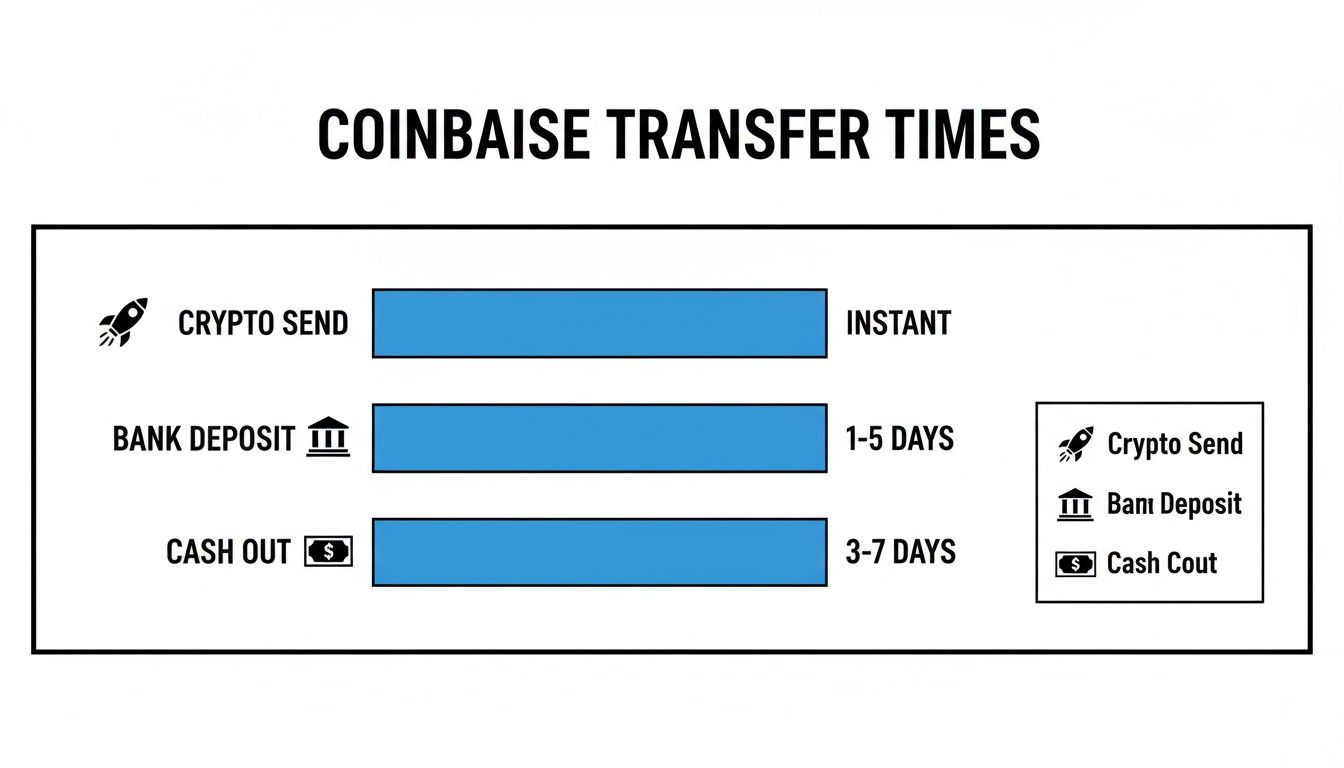
Chart illustrating Coinbase transfer times: crypto send is instant, bank deposit takes 1-5 days, and cash out 3-7 days.

As you can see, there's a clear trade-off. Crypto-native transactions are usually much faster than anything involving traditional bank deposits or cash-outs.

A Quick Breakdown of Timelines

To give you a clearer picture, let's nail down what you can generally expect. Just keep in mind that these are solid estimates, not guarantees. Things like blockchain network congestion or your bank's business hours can always affect the final speed.

Coinbase Transfer Timelines at a Glance

Here’s a table summarizing the typical wait times for the most common actions you'll take on Coinbase.

Transfer TypeTypical TimeframeWhat It Depends On
Crypto to Another Coinbase UserInstantRecipient's email or phone number is correct
Crypto to External WalletMinutes to HoursBlockchain network congestion and transaction fees
Bank Deposit (ACH)3-5 Business DaysYour bank's processing schedule and holds
Bank Withdrawal (ACH)1-3 Business DaysYour bank's processing times
Instant Cash Out (Debit/PayPal)Nearly InstantCard issuer or PayPal system availability

This table makes one thing crystal clear.

Key Takeaway: The single biggest factor determining speed is whether your transaction stays inside the Coinbase ecosystem or has to interact with an external system, like a blockchain or a traditional bank. Internal transfers are almost always your fastest bet.

Understanding What Happens Behind the Scenes

Ever wondered why sending crypto isn't as instant as an email? It all comes down to the security process on the blockchain. When you send crypto from Coinbase to an external wallet, Coinbase acts like a post office—it quickly packages your transaction and hands it off to the blockchain network for delivery.

Think of a blockchain as a digital freight train on a massive, decentralized railway. Your transaction is a package loaded onto a train car. Before that train can reach its destination, it must pass through multiple stations where independent computers, known as "miners" or "validators," confirm its cargo is legitimate.

Each of these stops is called a blockchain confirmation. A transaction isn't considered final and secure until it collects a certain number of these confirmations. This is why a Bitcoin transfer, which usually needs six confirmations, can feel slow compared to a near-instant email.

This robust system prevents fraud and stops anyone from spending the same coin twice, but it also introduces variables that impact how long your Coinbase transfer takes.

The Impact of Network Congestion

Just like a real highway during rush hour, blockchain networks can get seriously clogged. When tons of people try to send transactions at once, the network gets congested. Suddenly, there are more "packages" than space on the "trains."

During these busy times, miners prioritize transactions that offer a higher fee, often called a gas fee. This fee is a tip to process your transaction faster.

You have some control here:

  • Low Gas Fee: Paying a lower fee is like picking standard shipping. Your package will get there eventually, but it’s not a priority.
  • High Gas Fee: Paying a higher fee is like choosing express delivery. You jump to the front of the line, and your transaction gets confirmed much quicker.

This is especially noticeable on popular networks like Ethereum, where a surge in activity can lead to significant delays for anyone who doesn't bump up their fees.

Why Network Choice Matters

Not all blockchains are built the same. Some, like Solana, are designed for lightning-fast, cheap transactions. Others, like Bitcoin, prioritize security and decentralization, which makes them robust but slower.

Massive transaction volumes can also strain an exchange's own systems. During the 2021 bull run, Coinbase processed peaks of $129.73 billion in quarterly volume. This intense pressure sometimes caused delays and failed transfers, leading Coinbase to enforce a stricter one-at-a-time sending policy. You can read more about Coinbase's transfer policies. It’s a perfect example of how internal infrastructure and external network conditions determine transfer speeds.

Moving Money to and from Your Bank Account

While crypto zips around on the blockchain, your traditional money—like US Dollars or Euros—is still tied to the old-school banking system. Understanding how long a Coinbase transfer takes when banks are involved is key for planning your trades and cashing out.

It really boils down to a classic trade-off: speed versus cost.

A diagram illustrates a blockchain process as a train moving colored blocks through Node, Miner, and Confirmation stages.

For most people in the United States, the go-to deposit method is an ACH transfer. This option is usually free, but you’ll need patience. It typically takes 3-5 business days for the cash to land in your Coinbase account and be fully available.

Coinbase often gives you a head start, letting you buy crypto instantly with the funds you deposited. But there’s a catch: you can't send that crypto off Coinbase or withdraw the cash until the original bank transfer officially settles a few days later.

Comparing Fiat Transfer Methods

When you can't afford to wait, Coinbase has faster options. The right choice depends on your urgency and location.

MethodRegionDirectionTypical SpeedKey Consideration
ACH TransferU.S.Deposit/Withdrawal3-5 Business DaysFree but includes a holding period.
Wire TransferU.S.Deposit/Withdrawal1-3 Business DaysFaster than ACH but incurs bank fees.
Instant Debit CardU.S. & OthersWithdrawalNearly InstantSmall fee applies, but funds are immediate.
SEPA TransferEuropeDeposit/Withdrawal1-3 Business DaysStandard for Euro transactions, generally low-cost.

The pattern is clear—if you want your money fast, expect to pay a small fee for convenience.

Key Insight: For withdrawals, using an Instant Debit Card cash-out is the quickest way to get money back into your bank account. A standard ACH withdrawal is free, but it can still take 1-3 business days to show up after Coinbase processes it.

Why Are There Holding Periods?

What’s with the delay on ACH deposits? It's all about security. ACH transfers aren't final right away; they can be reversed for issues like insufficient funds.

To protect everyone, Coinbase places a temporary hold on the deposit. This hold ensures the transaction is finalized and irreversible before you can move the assets off the platform.

Think of it like depositing a paper check. You might see the balance in your account, but you can’t spend all of it until the bank confirms the check has cleared. It’s a necessary step to prevent fraud.

For a deeper dive into these options, our guide to cashing out of Coinbase breaks down how to navigate them safely.

How Fast Can You Send Crypto to Another Wallet?

When you send crypto from Coinbase to an external wallet, the platform itself moves fast. It broadcasts your transaction to the blockchain almost instantly.

But that's where Coinbase's job ends. The actual transfer time is entirely in the hands of the blockchain network you chose. The final speed has less to do with Coinbase and everything to do with the network's design and current traffic.

Native Chains vs. Layer 2 Networks

Your choice of network is the biggest factor affecting both the speed and cost of your transfer. Sending a token on its native Layer 1 blockchain, like the main Ethereum network, can be slow and expensive when it's busy.

To fix this, developers built faster, cheaper "Layer 2" networks on top of these main chains.

Think of a Layer 1 blockchain as a major highway. During rush hour, it gets jammed. A Layer 2 network like Base, Polygon, or Arbitrum is like an express toll lane—it moves much faster because it handles transactions differently.

  • Layer 1 (e.g., Ethereum Mainnet): The most secure and decentralized, but can get congested, leading to higher fees and slower speeds.
  • Layer 2 (e.g., Base, Polygon): Built for speed and low costs, these networks process transactions off the main chain and are usually the better choice for everyday transfers.

When sending crypto from Coinbase, you'll often get to pick which network you want to use. Choosing a Layer 2 option is almost always the right move for a quick, cheap transfer.

Understanding Confirmation Times

For a transaction to be final, it needs to be confirmed by the network's validators. Each network has its own rules for how many "block confirmations" are required.

Bitcoin, for example, is methodical. It has an average block time of 10 minutes, so getting even one confirmation can feel like an eternity.

On the other hand, modern networks like Solana or Base were built for speed, with confirmations happening in seconds. This is a huge reason they've become so popular.

In Q1 2024, Coinbase's internal data showed that 85% of on-chain transfers sent via Coinbase Wallet settled in 30 seconds to 5 minutes. The range comes down to the network selected and gas fees paid. You can find more details from Coinbase about how on-chain settlement times vary by network.

The bottom line is simple: while Coinbase initiates your transfer in moments, the blockchain network you choose is the true driver of speed. For a deeper look, check our guide on how to handle a Coinbase transfer to a wallet.

How to Track and Troubleshoot Delayed Transfers

That sinking feeling when a crypto transfer takes longer than expected? The good news is you can usually figure out what’s going on. Most delays aren’t a sign of a major problem.

The trick is to be your own digital detective. First, grab the transaction's unique ID, called the transaction hash (or TxID). You can find this in your Coinbase account history, in the details of the transfer.

With the TxID, head over to a public tool called a blockchain explorer. Think of it as a universal package tracker for crypto.

Using a Blockchain Explorer

Take the TxID from your Coinbase transaction and paste it into the search bar of the correct explorer. For anything on Ethereum (like ETH or ERC-20 tokens), the go-to explorer is Etherscan.

A diagram shows cryptocurrency moving from a wallet via Layer 2 to Mainnet, arriving as various crypto assets.

The explorer will show your transaction’s status—pending, successful, or failed—and how many confirmations it has.

A transaction isn't final until it racks up enough confirmations. If that number is low or zero, the network is likely congested or the transaction fee wasn't high enough. In these cases, patience is key.

Common Reasons for Delays

If you’ve checked the explorer and things still seem stuck, one of these usual suspects is probably to blame:

  • High Network Congestion: This is the most common culprit. When a blockchain gets busy, everything slows down.
  • Low Gas Fee: Coinbase sets a network fee (gas) for your transaction. If the network gets busy suddenly, the fee might not be competitive enough to get picked up by miners quickly.
  • Security Holds: Coinbase might temporarily pause a large or unusual transfer to double-check that everything is legitimate.
  • Recipient Wallet Issues: The hold-up might not be on your end. The receiving wallet or exchange could have its own internal process for crediting deposits.

If the issue seems to be an account hold on Coinbase's side, our guide on a Coinbase restricted account can offer more insight.

Most delays clear up within a few hours. If your transaction has been "pending" for over 24 hours with no new confirmations, it’s probably time to reach out to Coinbase support with your TxID.

Frequently Asked Questions About Coinbase Transfers

When you're moving crypto or cash, waiting for it to land can be nerve-wracking. Let's clear up some of the most common questions about how long Coinbase transfers take.

An illustration of a blockchain explorer showing transaction confirmations, a magnifying glass inspecting a long ID.

Why Is My Coinbase Transfer Still Pending?

Seeing a "pending" status is almost always a normal part of the process.

  • For Crypto: "Pending" means the transaction is on the blockchain but hasn't received enough confirmations. This happens when the network is busy or the transaction fee wasn't high enough.
  • For Bank Deposits (ACH): "Pending" means the funds are going through the usual security and clearing process in the traditional banking world.

Can I Cancel a Coinbase Transaction?

Once a crypto transaction is sent to the blockchain, it is final and cannot be canceled or reversed. This is a core security feature of decentralized networks.

Because of this, you must double- and triple-check every detail before hitting "send," especially the wallet address. A single wrong character can send your funds into the void forever. For bank withdrawals, you might have a tiny window to cancel before it's processed, but it's not something you should rely on.

Crucial Tip: Never type out a wallet address by hand. Always copy and paste. For big transfers, send a small test amount first to make sure everything arrives safely before you move the rest.

How Can I Make My Coinbase Transfer Faster?

You have quite a bit of control here. Depending on what you're trying to do, you can dramatically speed things up.

Here are a few pro moves:

  • For Sending Crypto: If you’re sending a coin like USDC that lives on multiple networks, choose a faster and cheaper network like Base or Polygon instead of Ethereum. You can turn a multi-minute wait into a transfer that settles in seconds.
  • For Cashing Out: Need your cash now? Skip the free bank transfer. Use an Instant Debit Card or PayPal withdrawal. You’ll pay a small fee, but the money will be in your account in under 30 seconds.
  • For Coinbase-to-Coinbase Transfers: This is the ultimate shortcut. Sending crypto to another Coinbase user with their email or phone number is instant and free because it never touches the blockchain.

Knowing which tool to use for the job puts you in the driver's seat of your transaction speed.


At Wallet Finder.ai, we turn complex on-chain data into clear, actionable signals. Discover profitable wallets, track smart money movements in real time, and get alerts before the market moves. Find your edge in DeFi today with Wallet Finder.ai.