Coinbase Transfer to Wallet: The Ultimate Guide

Wallet Finder

Blank calendar icon with grid of squares representing days.

February 6, 2026

Moving your crypto off Coinbase and into your own wallet is a game-changer. It's the moment you shift from simply owning an IOU for your assets on an exchange to taking full control yourself. This is what we call self-custody, and it’s your ticket to the real, on-chain world of crypto.

Why Bother Moving Crypto Out of Coinbase?

Look, Coinbase is a fantastic, secure place to get your feet wet and buy your first crypto. But at the end of the day, it operates a bit like a bank. They hold the crypto on your behalf, which is convenient, but it also means you're playing in their sandbox with their rules.

Pulling your assets into a personal wallet is the first real step toward true digital ownership. It’s all about control and direct access. When your crypto is in your own wallet, you are the only one who can sign off on a transaction. This drastically cuts down on counterparty risk—that nagging possibility that an exchange could freeze your account, suffer a hack, or even go bust.

The Real Power of Self-Custody

True ownership boils down to one thing: holding your private keys. Your wallet's private key is the master key to your funds. If you don't have it, you don't truly own your crypto. This idea is so fundamental that it's become a mantra in the space: "not your keys, not your crypto."

Taking on this responsibility is incredibly empowering. It insulates you from the meltdowns of centralized companies and throws open the doors to the entire crypto ecosystem. Your personal wallet is your passport to everything from decentralized finance (DeFi) and NFTs to thousands of dApps that you just can't access from your main Coinbase account.

The magic of crypto really happens when you step away from the centralized exchanges. A personal wallet isn't just a digital safe—it's your gateway to participating directly in the on-chain economy, whether that's earning yield in DeFi or scooping up the next hot digital collectible.

Unlocking a Bigger World

Most people make the jump from Coinbase to a wallet because they want to do more than just buy and hold. The rise of specialized wallets proves this point. Take Coinbase Wallet, for example—it now boasts 3.2 million monthly active users who are diving deep into on-chain activities. That group makes up about 37% of Coinbase's total transacting users, a clear signal that people are hungry for DeFi, NFTs, and swaps. You can find more data on this migration to on-chain activity over at sqmagazine.co.uk.

This kind of active participation means you need the right wallet for the job. Here’s a quick breakdown of your main options:

  • Hardware Wallets: These are physical devices like a Ledger that keep your keys completely offline. They offer the best security you can get, perfect for stashing your long-term holdings.
  • Software Wallets: These are desktop programs or browser extensions like MetaMask that strike a nice balance between security and convenience for everyday use.
  • Mobile Wallets: Just like they sound—apps for your phone like Phantom. They're built for ease of use, making it simple to interact with dApps and send payments when you're on the move.

How to Transfer Crypto from Coinbase

Getting your crypto off Coinbase and into your own wallet is a fundamental skill every serious holder needs to master. Once you get the hang of it, a Coinbase transfer to wallet is pretty simple. The core process is nearly identical whether you're on your computer or your phone.

The whole point is to move your assets from Coinbase's control into a wallet where you—and only you—hold the keys. Let's break down exactly how to do it, starting with the single most important piece of the puzzle: your wallet's receiving address.

Finding and Securing Your Receiving Address

Before you even log into Coinbase, the first thing you need to do is grab the destination address from your personal wallet. This could be a hardware wallet, a browser extension, or a mobile app.

  1. Open your personal wallet application or device.
  2. Look for a button labeled "Receive," "Deposit," or "Add Funds."
  3. Click it to display your unique wallet address for a specific blockchain. It will be a long string of characters, often accompanied by a QR code.

Think of this address as your crypto bank account number. This is what you'll give Coinbase to direct the funds. For a deeper dive, our guide on how to find a crypto wallet address covers the process for all major wallet types.

This is non-negotiable: Never, ever type out a wallet address by hand. One slip of the finger and your crypto is gone forever. Always use the copy-paste function or scan the QR code.

The journey from an exchange to your self-custody wallet is what opens the door to the real power of crypto—like DeFi and NFTs.
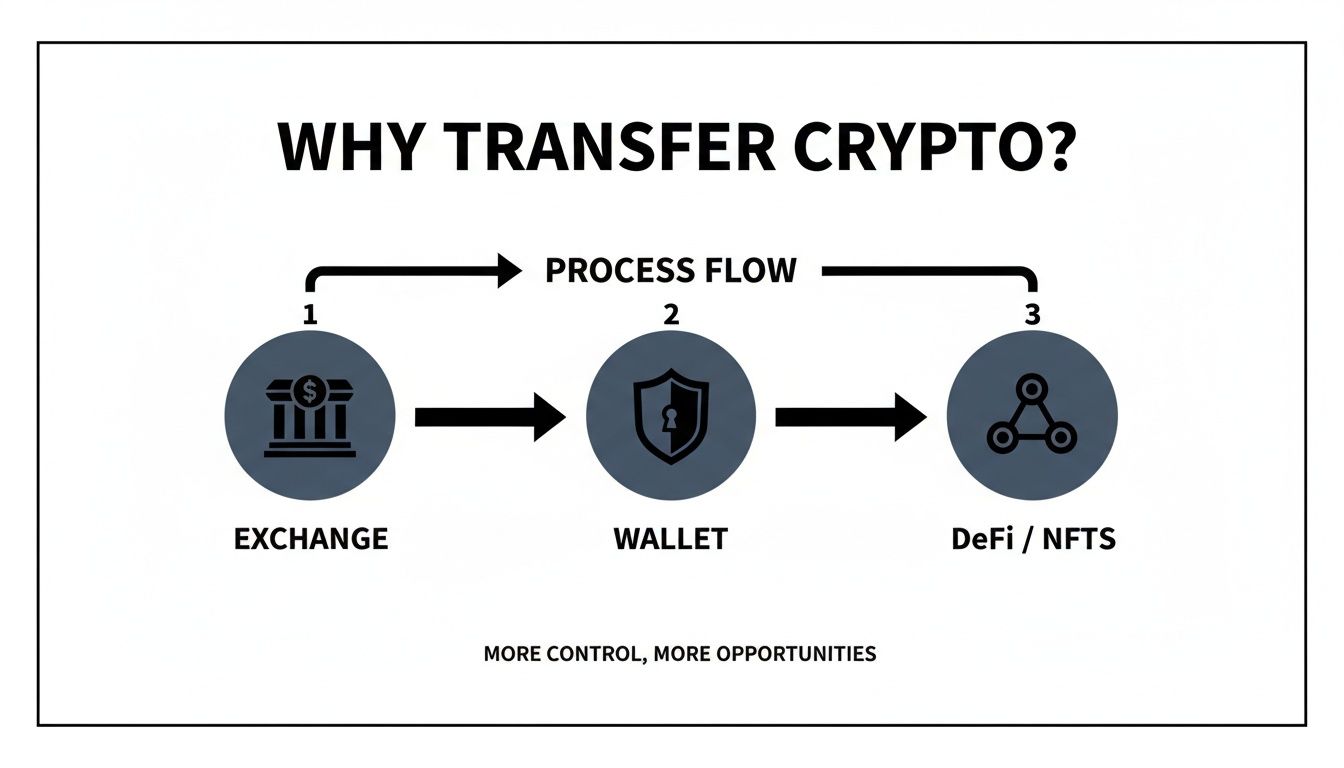
Flowchart illustrating why transfer crypto from an exchange to a wallet for DeFi and NFTs, offering more control.

As the chart shows, this transfer is the bridge you have to cross to truly participate in the decentralized economy.

Pre-Transfer Safety Checklist

Before initiating any transfer, big or small, running through a quick safety check can save you from costly mistakes. This process should become second nature.

Verification StepAction to TakeWhy This Is Critical
Asset MatchConfirm you are sending the exact crypto you intend to (e.g., ETH, not WETH).Sending the wrong asset to an address can result in permanent loss.
Address VerificationCompare the first 5 and last 5 characters of the pasted address with the one in your wallet.This is your best defense against clipboard-hijacking malware that secretly swaps addresses.
Network CongruenceEnsure the network selected on Coinbase (e.g., Ethereum, Polygon) matches your wallet's network.A network mismatch is one of the most common ways funds get lost.
Test TransactionFor large amounts, send a small, "test" transaction first to confirm it arrives safely.The small network fee is cheap insurance against a catastrophic error on the main transfer.

This simple four-step check is a small time investment that provides massive peace of mind.

Initiating the Transfer on Coinbase Web

With your wallet address safely copied to your clipboard, head over to Coinbase on your desktop.

  1. Log into your Coinbase account.
  2. Click the "Send & Receive" button, usually located in the top-right corner.
  3. In the pop-up window, enter the amount of crypto you want to send.
  4. Paste your wallet's receiving address into the "To" field.
  5. Select the correct asset and network (e.g., ETH on the Ethereum network).
  6. Crucially, perform the "first five, last five" character check on the address.
  7. Review the transaction details, including fees, and click "Continue."
  8. Enter your 2FA code to confirm the transfer.

Sending Crypto from the Coinbase Mobile App

The flow on the mobile app is just as intuitive.

  1. Open the Coinbase app and tap the blue transfer button (two arrows) at the bottom.
  2. Tap "Send."
  3. Select the crypto asset you want to transfer.
  4. Enter the amount.
  5. In the "To" field, paste the address or tap the QR code icon to scan it directly from your other wallet's screen.
  6. Select the correct network.
  7. Review the final confirmation screen, then confirm with your 2FA or biometrics.

No matter if you're on web or mobile, once you hit send, the transaction is broadcast to the blockchain. It's now out of your hands and irreversible.

Choosing the Right Network to Avoid Lost Funds

Picking the right network when you transfer crypto from Coinbase to a wallet is easily the most critical decision in the whole process. Get it wrong? Your crypto could be gone forever.

It's a common misconception, but blockchains don't just naturally talk to each other. Sending an asset on one network to a wallet address on a different network is like mailing a package to an address in a country that doesn't exist. It's just... lost.

Think of networks as different highways for your crypto:

  • Ethereum (ERC-20) is the original, ultra-secure superhighway, but it’s notorious for traffic jams and expensive tolls (gas fees).
  • Layer-2s like Polygon, Arbitrum, and Base are express lanes built on top of Ethereum, offering a much faster and dramatically cheaper ride.
  • Solana is an entirely separate highway system with its own unique addresses and rules of the road.

Your receiving wallet is on one of these specific highways. You must select that exact same network on Coinbase when you hit send.

Infographic comparing crypto transfer costs across Ethereum, Polygon, and Solana, indicating suitability levels.

As you can see, this isn't about saving a few pennies. The network you choose can be the difference between paying a few cents or over $20 for the exact same transfer.

Ethereum vs. Layer-2: A Real-World Scenario

Let's say you want to send $100 of USDC to your MetaMask wallet to jump into a new DeFi protocol. When you go to send from Coinbase, you’ll be presented with a dropdown of network options for USDC.

  • Ethereum (ERC-20): This is the mainnet. During busy hours, the gas fee could be anywhere from $5 to $50. The transfer might also take several minutes to confirm.
  • Polygon (MATIC): A popular Layer-2. The fee for that same $100 transfer would probably be less than $0.01, and it would show up in your wallet in seconds.
  • Base: This is Coinbase's own Layer-2, so it's deeply integrated. Fees are also dirt-cheap, often fractions of a cent, with near-instant settlement.

The catch is that your receiving wallet has to be ready for USDC on that specific network. Sending "Ethereum USDC" to a wallet address that's only set up for the "Polygon network" is a recipe for a very bad day.

Always, always confirm your wallet is on the correct network before you even think about copying the address.

The network you choose dictates the speed, cost, and ultimate success of your transfer. A mistake here is rarely reversible. Your goal is to match the sending network on Coinbase with the receiving network in your wallet—no exceptions.

Minimizing Fees and Timing Your Transfer

Choosing the right network is your number one weapon for crushing high fees. Here are a few practical tips to save on every single transfer:

  • Favor Layer-2s: If your wallet and the destination app or protocol support them, always default to networks like Polygon, Arbitrum, or Base.
  • Transfer During Off-Peak Hours: Ethereum gas fees often dip late at night in the US or on weekends when network traffic dies down.
  • Batch Your Transfers: If you need to make several transfers, sending them as one larger transaction can often be more cost-effective than a bunch of small ones.

A jaw-dropping $348 million USDC transfer from Coinbase Institutional to the main exchange is a perfect example of strategic network use. These massive moves often happen right before retail users start bridging over, chasing lower fees.

Ultimately, understanding networks turns a simple transfer into a strategic move. And if you're looking to move assets between different blockchains entirely, you can learn more about how to chain swap crypto in our detailed guide. Mastering this skill gives you the freedom to move your capital efficiently and safely across the entire crypto landscape.

Making Sure Your Crypto Arrives Safely

The moment you hit send on a Coinbase transfer to your wallet, you become the sole guardian of your assets. This is a huge responsibility, and it’s why building a security-first mindset is non-negotiable. Safe habits need to become automatic reflexes to protect your crypto from the constant threats out there.

A hardware wallet and a smartphone screen display a secure Ethereum transaction verification.

Here's the single most effective habit you can adopt right now: always send a small test transaction before moving a large amount. Think of it as paying a tiny insurance premium. Sending just $5 worth of crypto to confirm it lands safely in your wallet is a small price for the peace of mind that your larger transfer won't just disappear into the void.

Your Security Checklist: Non-Negotiable Practices

Once your test transaction is confirmed, you're ready for the main event. But before you send the full amount, you absolutely must verify the wallet address manually. This is your number one defense against clipboard hijacking malware, a nasty type of software that silently swaps your real address with an attacker's when you copy and paste.

  • Manual Address Verification: Always, always compare the first five and last five characters of the address you pasted into Coinbase with the one displayed in your receiving wallet. If they don't match perfectly, stop immediately.
  • Watch Out for Impersonators: Scammers might pose as support agents to trick you into sending funds to a "new" or "safe" wallet. Remember, Coinbase will never call or text you asking for your 2FA codes or to move your assets.
  • A Hardware Wallet is Your Vault: For any amount of crypto you can't afford to lose, a hardware wallet is the gold standard. It keeps your private keys completely offline, making them immune to online hacks and malware.

Your private keys are the ultimate authority over your crypto. A hardware wallet ensures that even if your computer is completely compromised, your funds remain untouchable. The final transaction signature happens on the physical device itself, far away from any prying eyes.

Using Coinbase's Own Tools for Extra Protection

Coinbase gives you a few powerful tools to add extra layers of security to your withdrawals. One of the best is address whitelisting, which they call an "address book." When you enable this feature, you can restrict withdrawals to only pre-approved, vetted addresses.

This means that even if a hacker somehow gets into your account, they can't drain your funds to their own wallet. Coinbase adds a 48-hour hold period after a new address is added, giving you a critical window to spot and shut down any funny business.

Making these habits second nature—test sends, manual address checks, and using platform security features—is what turns you from a passive crypto holder into a proactive defender of your own wealth. For a deeper dive into the platform's security architecture, check out our breakdown of how secure the Coinbase Wallet is and the measures they have in place to protect you.

Using Transfer Data for Smarter Trading

Moving your crypto from Coinbase to a personal wallet is more than just a security step—it's a breadcrumb. For sharp traders, these transfers are a goldmine of market intelligence. Every single transaction is a public data point, and big moves tell a story.

When you see massive outflows from an exchange like Coinbase, it’s often a sign that smart money is accumulating. They’re not selling; they’re getting ready. This isn’t just some abstract theory; it's an edge you can actually use. By watching these transfers, you can get a read on market sentiment before it shows up in the price.

Following the Smart Money

The real skill is turning that raw blockchain data into something you can trade on. When a bunch of fresh wallets suddenly get funded with a ton of crypto from Coinbase, that’s a signal you need to pay attention to.

Is a whale preparing to ape into a new project? Are new, deep-pocketed players taking a position? This is where specialized on-chain tools become essential, helping you cut through the noise and spot the moves that matter.

A huge transfer from an exchange to a private wallet is one of the purest bullish signals you'll ever find. It’s a sign of real conviction. Someone is pulling their assets into self-custody to either hold for the long haul or deploy into DeFi—they're not gearing up to sell.

The sheer volume of this data is staggering, thanks to Coinbase's insane growth. The platform shot up from 1.3 million monthly transacting users in Q2 2020 to 8.7 million by Q2 2025—a massive 570% increase. This boom sent their transaction revenue from $463 million in 2019 to $6.84 billion in 2021. For on-chain analysts and memecoin hunters, every transfer is a clue. You can dig into more of these growth stats over at Backlinko.

Automating Your On-Chain Edge

Let’s be real: trying to track all these wallets by hand is impossible. You’ll burn out. The smart play is to automate your intel gathering with a tool that does the heavy lifting for you.

Platforms like Wallet Finder.ai are built for exactly this. They let you find and follow the most profitable traders out there, so you can see what they're doing in real-time.

Instead of hunting for clues, you can set up instant alerts for when a wallet you're watching gets a deposit from Coinbase or makes a trade. This lets you mirror their moves almost immediately, piggybacking on their research without having to do it all yourself.

Take a look at how Wallet Finder.ai shows you the top-performing wallets, breaking down their profits, win rates, and most recent trades.

By diving into this data, you can quickly spot the consistently profitable traders, throw them on a watchlist, and get automated alerts on their every move.

Here’s how you can turn this into actual trading strategies:

  • Mirror Trading: Get an alert the second a top wallet you follow buys into a new token. This gives you a shot at an early entry.
  • Sentiment Analysis: Watch the net flow of a specific token moving to or from Coinbase. Big outflows can signal growing confidence among holders.
  • New Token Discovery: Set up alerts for when proven, profitable wallets are the very first buyers of a newly launched token, often way before it hits the mainstream radar.

This whole approach closes the loop. You’re no longer just moving crypto around; you’re using the data from those movements to make your next decision. The public blockchain transforms from a boring ledger into your own personal market intelligence feed.

Answering Your Top Coinbase Transfer Questions

Even when you've done everything right, a few "what-if" scenarios can creep in and cause some anxiety when you're moving funds. Let's tackle the most common questions head-on so you can send your crypto with total confidence.

How Long Does a Coinbase Transfer Actually Take?

This is the classic "it depends" answer, but it really boils down to two things: the crypto you're sending and how busy its network is at that moment. There's no single magic number, but here's a general idea of what to expect.

  • Bitcoin (BTC): You're usually looking at a 10 to 60-minute wait. A new block is mined about every 10 minutes, and exchanges and wallets like to see a few of those blocks pass to confirm the transaction is locked in for good.
  • Ethereum (ETH): Much quicker, typically wrapping up in just a few minutes. The big exception is during peak hype, like a massive NFT mint, when the network can get clogged and slow things down.
  • Modern Networks (Solana, Polygon, Base): These were built for speed. Transfers here are almost instant, often finalizing in just a few seconds.

The good news is Coinbase gives you an estimated completion time on the final confirmation screen. If you're impatient, you can also copy the transaction ID (TxID) they provide and paste it into a block explorer like Etherscan for Ethereum or Solscan for Solana to watch it happen live.

What if I Send My Crypto to the Wrong Network?

This is probably the most common—and most painful—mistake in crypto. Sending a token to the wrong network, like sending an ERC-20 token from Coinbase to a Solana address, is a recipe for disaster. In almost every case, those funds are gone forever.

Think of blockchains as totally separate, incompatible railway systems. If you put your cargo on the train headed for New York but it's on the track to Los Angeles, there's no way to switch tracks mid-journey.

Crucial Takeaway: Recovery is almost never an option. This is exactly why you have to triple-check that the network you select on Coinbase is a perfect match for the network your receiving wallet is on.

Can I Cancel a Crypto Transfer After I've Sent It?

The short answer is no. Once a transaction is broadcast and confirmed on the blockchain, it's completely irreversible. This isn't a bug; it's a core feature of how crypto works. There's no central bank to call or "undo" button to click.

This immutability is what gives crypto its power, but it also puts all the responsibility squarely on your shoulders. You are the final check. Make absolutely sure the address, network, and amount are correct before you hit that final confirmation. There are no do-overs.

Do I Need to Add a Memo or Destination Tag?

This is a common point of confusion. Memos (also called destination tags) are almost always required when you're sending certain assets to a centralized exchange, not from one to your own wallet.

Assets like Ripple (XRP) or Stellar (XLM) use these tags because the exchange uses one giant wallet for all its users. The memo is what tells them, "Hey, this deposit belongs to user #12345."

But when you complete a Coinbase transfer to a wallet you control (like MetaMask or a Ledger), you generally do not need a memo. The wallet address is uniquely yours, so no extra identifier is necessary.


Ready to turn on-chain data into your trading edge? Wallet Finder.ai helps you discover and track the most profitable wallets, so you can mirror their strategies in real time. Start your 7-day trial and see what the smart money is doing. Find your next winning trade at https://www.walletfinder.ai.