Stop Loss Robinhood: Your Guide to Protecting Trades

Wallet Finder

Blank calendar icon with grid of squares representing days.

January 3, 2026

A stop loss on Robinhood is an automated order to sell a stock if it drops to a specific price. It's a critical safety net that helps you limit potential losses without having to watch the market 24/7, especially when things get volatile.

This guide will break down exactly how to use stop, stop-limit, and trailing stop orders to trade with more confidence.

Protecting Your Trades on Robinhood

Navigating the markets, especially with the wild swings in meme stocks and options, can feel like a high-wire act. A stop loss isn't a complex tool for Wall Street pros; it's a practical way for every investor to manage risk. We'll cut through the jargon to give you a hands-on manual for trading smarter.

Getting a grip on these order types is one of the most important things you can do to protect your portfolio from a sudden market drop.

This decision tree helps visualize your goal, whether it’s protecting profits or limiting potential losses.

As the flowchart shows, your objective—locking in gains or preventing deeper losses—determines which protective order makes the most sense.

Why Risk Management Matters More Than Ever

The need for these tools became crystal clear when millions of new traders flooded the platform. In the third quarter of 2025 alone, Robinhood was handling a staggering 26.8 million funded accounts and pulled in $730 million from transactions—a 129% jump from the previous year.

With crypto trading exploding over 300% during that boom, it's no wonder stop-loss orders became a hot topic. As volatility spiked, so did the need for a plan B. You can dig into more of the numbers behind Robinhood's growth over at Finance Magnates.

A well-placed stop-loss order is the difference between a manageable loss and a catastrophic one. It takes emotion out of the equation, forcing you to stick to your risk management plan when the market turns against you.

Quick Guide to Robinhood's Protective Orders

To get started, it helps to have a quick overview of the main protective orders available on Robinhood. Each one serves a different purpose, from basic loss prevention to more dynamic ways of protecting your profits. The right one really depends on your strategy and how a particular stock is behaving.

Here’s a summary table to keep things straight.

Order TypeCore FunctionBest Use Case
Stop OrderTriggers a market sell order once a stock hits your set price.Getting out of a falling stock quickly, even if the final sale price isn't exact.
Stop-Limit OrderBecomes a limit sell order once a stock hits your stop price.Controlling the minimum price you're willing to accept, which helps avoid selling too low in a flash crash (slippage).
Trailing StopFollows a rising stock price by a set dollar amount or percentage.Locking in profits as a stock climbs, giving it room to grow while protecting your gains.

Think of these as three different tools in your trading toolkit. You wouldn't use a hammer to turn a screw, and you wouldn't use a simple stop order when a trailing stop is what you really need to let your winners run.

How to Set a Standard Stop-Loss Order

The standard stop-loss order is your first line of defense in risk management. This is your most fundamental tool on Robinhood for getting out of a trade when the price turns against you.

Think of it like an emergency exit. You buy a stock at $50, hoping it’ll climb to $60. But you’re only willing to lose $5 per share. In this case, you’d set a stop-loss order at $45. If the stock price falls and hits $45, Robinhood automatically triggers a market order to sell your shares.

The key word here is market order. Once your $45 stop price is hit, the order goes through at the next available price. In a fast-moving market, this might be slightly below your stop price—a phenomenon traders call slippage.

Placing the Order: Step-by-Step

Here’s exactly how to set a stop loss on Robinhood:

  1. Navigate to the stock's detail page.
  2. Tap the Trade button, then choose Sell.
  3. In the top right corner, tap the order type dropdown (it usually defaults to "Market Order").
  4. Select Stop Order from the list.
  5. Enter your Stop Price—the price that will trigger the sale.
  6. Input the number of shares you want to sell.
  7. Review the order details and swipe up to confirm.

The beauty of a standard stop-loss is its simplicity. It works best for highly liquid stocks—the big names with tons of daily buyers and sellers—where high volume typically means less slippage.

A stop order is an instruction to trade a stock at the next available market price once it has traded at or through your "stop price." It's not a guarantee you'll get that exact price, but it ensures your exit order is placed automatically.

Figuring out where to place your stop price is part art, part science. A common technique is to set it just below a recent support level. This technical analysis approach helps you avoid getting stopped out by normal price fluctuations while still protecting you from a real trend reversal.

Of course, deciding how much capital to risk is just as important. That's a whole topic on its own, which you can dive into with our guide on position sizing for high volatility trades. It’ll help you connect the dots between where you place your stop and how many shares you should be trading.

Using Stop-Limit Orders for Price Control

While a standard stop-loss offers a quick exit, its main weakness is slippage. If a stock's price suddenly nosedives, your market order could execute at a price way lower than your stop price. This is where the stop-limit order on Robinhood gives you an extra layer of control.
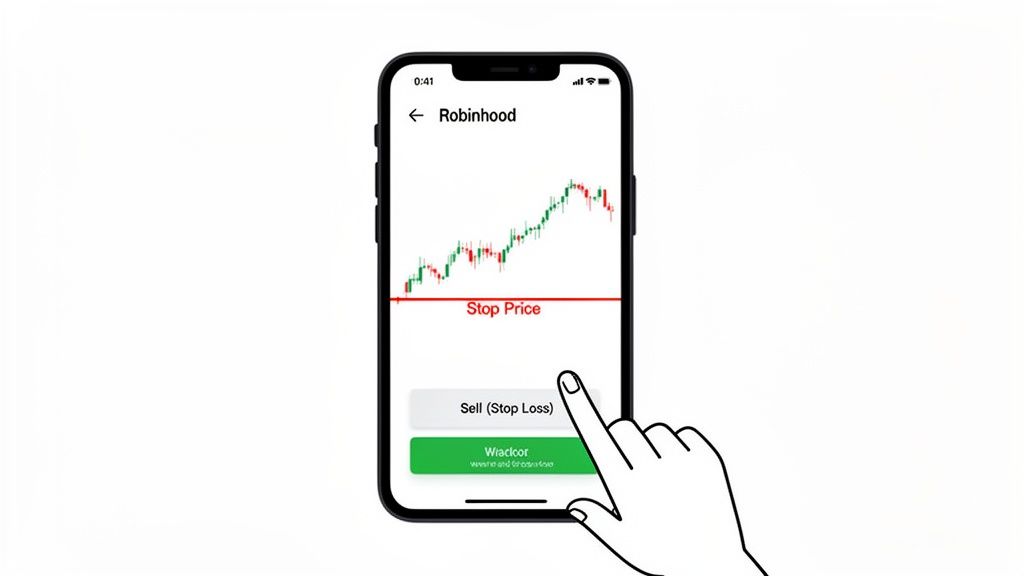
A hand taps 'Sell (Stop Loss)' on the Robinhood app, displaying a stock chart and stop price line.

A stop-limit is a two-part command. First, you set a stop price (the trigger), just like a regular stop-loss. Then, you add a limit price—the absolute lowest price you're willing to accept.

The Stop and Limit Price Explained

Let's walk through a real-world scenario. Say you own shares of a tech company trading at $150. You want to protect your investment but have decided you won't sell for less than $138.

Here's your stop-limit setup:

  • Stop Price: You might set this at $140. Once the stock falls to this price, your sell order becomes active.
  • Limit Price: You'd set this at $138. This tells Robinhood, "My order is active, but only sell my shares if you can get $138 per share or better."

If the stock drifts down to $140, your order is triggered. As long as a buyer is willing to pay at least $138, your shares will sell. This prevents you from getting a terrible price during a "flash crash" where the price might briefly plunge to $135.

The real power of a stop-limit order is price certainty. It guarantees your trade executes at or above your specified limit, shielding you from extreme slippage in volatile markets.

This control is critical, particularly when trading options. Robinhood's own documentation mentions that P/L charts can be theoretical because fast-moving markets can cause standard stop-loss orders to fill at a fraction of what you expected. A stop-limit provides a solid price floor, reducing this risk. You can get more insight into how Robinhood explains its profit and loss charts on their support page.

Balancing Protection and Execution

The main risk with a stop-limit order is that it might not execute at all. If the stock price gaps down—let's say it opens at $137 after bad news—your order would trigger at $140, but it wouldn't fill because the current price is below your $138 limit. You'd be left holding the shares as the price potentially drops further.

Setting the right price range between your stop and limit is key.

StrategyStop-Limit SpreadBest For
ConservativeSet the limit price just below the stop (e.g., Stop $140, Limit $139.50)Highly liquid stocks with low volatility, which increases the chance of a fill.
AggressiveSet a wider spread (e.g., Stop $140, Limit $138)More volatile stocks, giving the order more breathing room to execute during a sharp drop.

This order type gives you more granular control than a simple market order, but it operates differently than a standard limit order. You can explore a deeper comparison in our guide on placing a Robinhood limit order. Ultimately, picking the right spread is a balancing act between ensuring execution and protecting your capital.

Locking In Profits with a Trailing Stop Order

Stop and stop-limit orders are fantastic for cutting losses, but what about protecting gains when a stock is on a tear? This is where the trailing stop order shines. Think of it as a dynamic tool that lets your winners run while automatically putting a safety net under your accumulated profits.

Candlestick chart illustrating stop and limit price levels for a stop-limit order in trading.

Unlike a fixed stop-loss, a trailing stop follows a stock’s price as it climbs. You set the "trail" as either a fixed dollar amount or a percentage below the stock's highest price since you placed the order. It's a powerful strategy for trend-following traders.

Percentage vs. Dollar Amount Trails

Should you use a percentage or a dollar amount? A percentage trail adapts to the stock's value, while a dollar amount provides a fixed cushion.

Let's walk through an example. Imagine you bought a stock at $100, and it's run up to $150. You want to lock in most of that $50 gain but still give the stock room to climb.

  • Percentage Trail: You set a 10% trailing stop. Your trigger to sell is at $135 (10% below the $150 peak). If the stock hits $160, your stop automatically adjusts upward to $144 (10% below the new peak), locking in more profit.
  • Dollar Trail: You set a $15 trailing stop. Your sell trigger starts at $135 ($150 - $15). If the stock climbs to $160, your stop moves up with it to $145 ($160 - $15), keeping that fixed dollar gap.

The order only triggers if the price drops by your specified amount from its highest point. As long as it keeps rising, your safety net rises with it.

A trailing stop takes the emotion out of selling. It removes the temptation to get greedy and hold on for too long, systematically capturing the bulk of an upward trend while protecting you from a sudden reversal.

Finding the Right Trail Distance

Setting the trail distance is more art than science. Too tight, and you risk getting stopped out by normal daily price wiggles. A tiny 2% trail on a volatile tech stock could easily trigger on minor intraday noise.

Too wide—say, 25%—and you're giving back a huge chunk of profits before the order executes. A good starting point is to set the trail just outside the stock's average daily volatility range.

This concept of securing gains is critical for all asset classes. For anyone trading more volatile assets, mastering these exit strategies is essential. You can see how these concepts apply elsewhere in our guide on when to take profits in crypto. A disciplined strategy like this prevents a profitable trade from turning into a loser.

Understanding Robinhood’s Stop Order Limitations

Placing stop orders on Robinhood has specific quirks and limitations that can trip you up. Knowing these rules is key to avoiding costly mistakes.

The biggest limitation is that Robinhood stop orders only work during regular market hours. Your stop-loss, stop-limit, and trailing stop orders are dormant during pre-market (4:00 AM – 9:30 AM ET) and after-hours (4:00 PM – 8:00 PM ET) sessions.

If a stock you own tanks overnight due to bad news, your stop order is useless until the market opens. By then, the price could have gapped down far below your trigger point.

A financial graph illustrates an upward trend with a trailing stop-loss, marked by a padlock at 5%.

This exposure to "gap risk" is a fundamental trade-off of the platform.

A Unique Catch for Options Traders

For options traders, there's another critical detail: when you set a stop-loss on an options contract, the trigger is based on the price of the option itself (the premium), not the price of the underlying stock.

You can't automatically sell a call option if the underlying stock drops from $50 to $48. You must set your stop based on the option's premium—for example, selling if the premium falls from $2.50 to $1.75. This makes it much harder to automate exits based on the stock's chart.

Missing Advanced Order Types

Robinhood lacks the sophisticated conditional orders found on more professional platforms.

  • No OCO (One-Cancels-the-Other) Orders: You can't place a profit-taking limit order and a protective stop-loss on the same position simultaneously. You have to pick one, then manually manage the other.
  • No Bracket Orders: You can't attach a stop-loss and a take-profit order to your entry order in one go, making it impossible to fully automate your trade plan.

The lack of OCO and bracket orders means you have to be much more hands-on with your trade management on Robinhood. You have to actively watch your positions to place your exit order after you get filled.

The PFOF Model and How It Affects Execution

Robinhood's business model is built on Payment for Order Flow (PFOF). They route your orders to high-frequency trading (HFT) firms, who pay Robinhood to execute them. This practice has come under fire regarding execution quality during volatile periods.

Some traders have raised concerns about how this affects stop-loss orders, particularly for options. Without underlying stock price triggers or OCO brackets, a sudden crash can turn your stop order into a market order that fills at a terrible price. You can find discussions on these issues from other traders on Robinhood's order handling on Hacker News.

Knowing these limitations helps you use the platform effectively. Here’s a quick comparison.

Robinhood vs Professional Trading Platforms

While Robinhood is fantastic for accessibility, it differs from platforms built for active traders.

FeatureRobinhoodProfessional Platforms
Trading Hours for StopsRegular market hours onlyOften support extended hours
Options Stop TriggersBased on option premium onlyCan offer triggers based on the underlying stock price
Conditional OrdersNone (No OCO or Brackets)Standard features (OCO, Brackets, etc.)
Order RoutingPrimarily PFOFDirect-access routing and advanced routing options available

Ultimately, Robinhood's simplicity comes at the cost of control. For many investors, these limitations aren't a dealbreaker. But for those relying on precise, automated risk management, they are critical factors.

Common Questions About Robinhood Stop Losses

Even after you get the hang of stop orders, some situations can be tricky. Let's walk through the most common questions about using a stop loss on Robinhood.

Can I Set a Stop Loss on Crypto in Robinhood?

No. Robinhood currently does not support stop-loss, stop-limit, or trailing stop orders for any cryptocurrencies. When trading crypto on the platform, your only tools are market and limit orders.

This is a significant drawback for active crypto traders who rely on automated orders to navigate extreme volatility. You are required to manually watch your positions to manage risk.

Why Did My Stop Loss Order Execute Below the Stop Price?

This is a classic and often frustrating experience caused by slippage. When your stop price is hit, a standard stop-loss instantly becomes a market order. In a fast-moving market, there's a tiny delay between the trigger and the execution.

Imagine you set a stop at $50. The price hits $50, triggering your order, but in that split second, the next available buyer is only offering $49.85. Your order will fill at that lower price. To avoid this, use a stop-limit order, which puts a floor on the price you'll accept. The trade-off? If the stock gaps down past your limit, your order might not fill at all.

A stop-loss order doesn't guarantee a specific sale price; it guarantees an execution. It’s a command to sell at whatever the best available price is once the trigger is hit, and that can definitely be different from your stop price.

Does a Stop Loss Guarantee I Won't Lose Money?

Absolutely not. A stop-loss is a crucial risk management tool, but it's no magic shield. Its job is to limit your potential loss, not eliminate it.

It's particularly vulnerable to two big risks:

  • Overnight Gaps: A stock might close at $100, and you have a stop set at $95. If bad news breaks overnight, the stock could open the next morning at $80. Your order will trigger and sell at or near $80, blowing past your intended $95 exit.
  • Flash Crashes: During extreme volatility, the price can nosedive so fast that slippage becomes a major issue, leading to a much larger loss than planned before your order can get filled.

Can I Place a Stop Loss Outside of Market Hours?

You can set up a Good-Til-Canceled (GTC) stop-loss order anytime—middle of the night, weekends, you name it.

But here's the catch: it will only become active during regular market hours, which are 9:30 AM to 4:00 PM Eastern Time.

These orders are completely dormant during pre-market and after-hours trading. This is a critical limitation to remember, as it leaves you exposed to big price moves that happen when the main market is closed.


Ready to stop guessing and start learning from the pros? Wallet Finder.ai gives you a transparent look into the strategies of top-performing crypto traders. Track their moves in real time, analyze their win rates, and get instant alerts so you never miss an opportunity. Start your 7-day trial and trade smarter at https://www.walletfinder.ai.