Mastering Robinhood Limit Orders

Wallet Finder

Blank calendar icon with grid of squares representing days.

January 3, 2026

A Robinhood limit order is your secret weapon for trading with precision. It lets you name your price—the exact amount you’re willing to pay for a stock or the minimum you’ll accept to sell it. Think of it as your personal price negotiator, ensuring you never overpay or sell for less than you want.

Understanding the Robinhood Limit Order
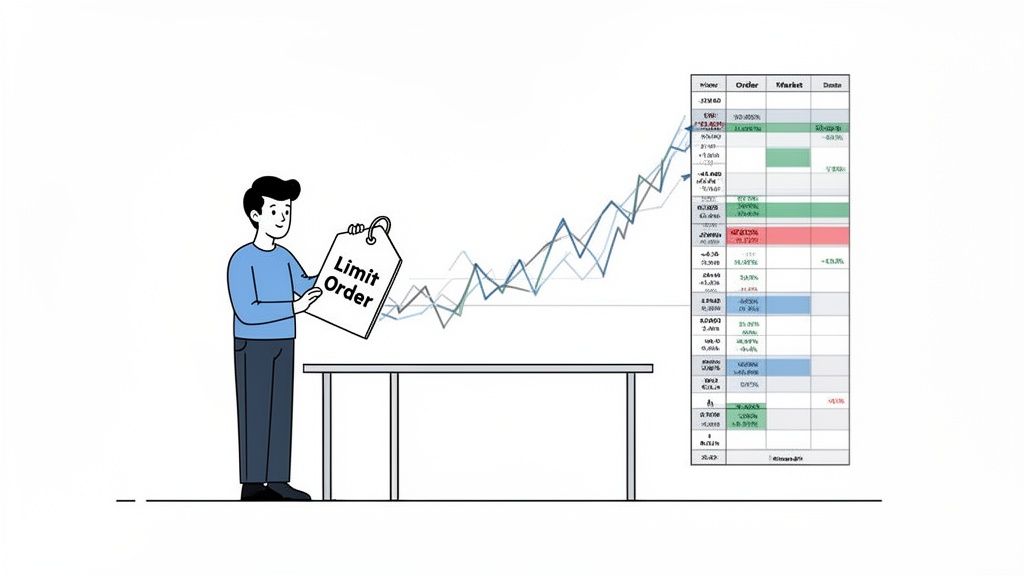
A cartoon man holds a 'Limit Order' tag, illustrating stock market trading and financial data.

Imagine the stock market as a massive, chaotic auction. A standard market order is like yelling, "I'll take it at whatever the current price is!" It’s fast, but you might pay more than intended, especially in a volatile market. That frustrating price difference is called slippage.

A limit order changes the game. It's a firm, non-negotiable bid. You're telling your broker, "I will only buy this stock if the price hits $50 or lower," or "I will only sell this stock if it climbs to $55 or higher." You set the terms.

How Your Order Works

Once you set a limit order on Robinhood, it doesn't execute instantly unless your price is already available. It gets added to the market's "order book"—a digital list of all buy and sell orders for that stock. Your order then waits for the market to meet your condition.

Here’s the mechanism in action:

  • For a Buy Limit Order: Your trade will only execute if the stock's market price falls to or below your limit price.
  • For a Sell Limit Order: Your order only executes if the stock's market price rises to or above your limit price.

This simple control over your entry and exit points is the foundation of strategic trading, protecting your capital from the market's whims.

The Core Advantage: Price Certainty

The number one reason to use a limit order is price certainty. You eliminate the risk of overpaying or selling for a disappointing price. This is crucial when trading stocks with low trading volume or during volatile periods when prices fluctuate rapidly.

A limit order is your safety net. By setting a specific price, you guarantee that if your trade executes, it will be at your desired price—or better. Never worse.

This control separates strategic trading from reactive guessing. Let's compare it directly to a market order.

Limit Order vs Market Order At a Glance

Use this table to decide which order type best fits your trading goals and the current market conditions.

FeatureLimit OrderMarket Order
Price ControlTotal Control. You set the max buy or min sell price.No Control. Executes at the current best available price.
Execution CertaintyNot Guaranteed. Fills only if your price is met.Guaranteed. Executes immediately if liquidity exists.
Best ForVolatile markets, patient traders, precise entry/exit.High-volume stocks, urgent trades, when speed is paramount.
Primary RiskThe order may never fill if the market moves away.Slippage; you may pay more or sell for less than expected.

Ultimately, choosing between them comes down to a trade-off: price vs. speed. For disciplined traders, the price control of a limit order is almost always the smarter choice.

How to Place a Limit Order on Robinhood

Placing a Robinhood limit order is a straightforward process you can master in minutes. Whether on mobile or desktop, you can set up your trades with pinpoint accuracy.

Let's walk through the exact steps.

Setting a Limit Order on the Mobile App

The Robinhood app is designed for on-the-go trading. Here’s a step-by-step guide:

  1. Select Your Stock: Open the app, search for the stock, and tap to open its detail page.
  2. Initiate the Trade: Tap the green Trade button, then select Buy or Sell.
  3. Choose Order Type: In the top right corner, tap the default order type (usually "Market Order") and select Limit Order from the menu.
  4. Set Your Limit Price: Enter the maximum price you'll pay per share (for a buy) or the minimum price you'll accept (for a sell).
  5. Enter Share Quantity: Type in the number of shares you want to trade.
    • Good for Day (GFD): The order is active until market close. If unfilled, it's canceled.
    • Good 'til Canceled (GTC): The order remains active for up to 90 days or until it's filled or canceled.
  6. Review and Submit: Double-check all details—stock, action (buy/sell), price, and shares. If correct, swipe up to place your order.
  7. Using the Web Platform

    Placing an order on the Robinhood website offers a larger interface to view market data.

    • Find Your Stock: Log in and use the top search bar to find your desired stock.
    • Open the Order Panel: The order panel is on the right side of the screen. Select Buy or Sell.
    • Switch to Limit Order: Click "Order Type" and change it from "Market Order" to "Limit Order."
    • Enter Details: Fill in your Limit Price, the number of Shares, and select your Time in Force (GFD or GTC).
    • Confirm and Submit: Click "Review Order," verify the summary, and click "Submit" to place your trade.

    Pro Tip: To increase the chance of a buy order filling, check the bid-ask spread. Setting your limit price slightly above the current bid can make your order more attractive to sellers, potentially speeding up execution without significantly altering your entry point.

    What Happens After You Place Your Order

    So, you’ve submitted your Robinhood limit order. What happens next? Your order enters a high-speed, regulated system designed to find you the best possible price.

    First, your order is routed to market makers—large trading firms that provide liquidity to the market. They compete to fill your trade while honoring the National Best Bid and Offer (NBBO). This SEC rule ensures your trade executes at the best available price across all U.S. exchanges. It's why you sometimes get "price improvement"—if a better price appears while your order is processing, you get that better deal.

    The Role of Market Makers and PFOF

    How does Robinhood offer commission-free trading? Through a common practice called Payment for Order Flow (PFOF).

    Here's the breakdown: Robinhood sends your order to market makers, who pay Robinhood a fraction of a cent for the right to execute it. The market maker profits from the tiny "bid-ask spread." It all happens in milliseconds.

    This diagram shows the key information you provide that instructs the market makers.

    Diagram showing how to place a limit order, specifying price, shares, and time.

    When you set your price, shares, and duration, you're giving the system crystal-clear instructions.

    How Limit Orders Benefit the System

    Limit orders are highly valuable in this model because they provide specific, actionable data for firms like Citadel Securities, which handles a significant portion of Robinhood's order flow.

    PFOF from retail orders accounted for over 70% of Robinhood's total revenue in 2021, highlighting its importance. For you, the trader, this system means your well-placed limit order has a very high chance—often over 95%—of being filled at or better than the best market price. To learn more, you can explore the mechanics of Robinhood's order flow.

    The key takeaway is simple: a limit order doesn't just protect you. It instructs the entire market system on your exact terms, ensuring that if your trade executes, it will be at your specified price or an even better one, thanks to the NBBO.

    Troubleshooting Unfilled Limit Orders

    Illustration showing a magnifying glass over a 'Limit Order' document, detailing order execution statuses and a clock.

    It’s frustrating: you set a perfect Robinhood limit order, but it just sits there, unfilled, as the opportunity vanishes. This isn't a glitch; it's the market signaling that your conditions haven't been met.

    Let's break down the common reasons why and what you can do.

    Common Reasons for Unfilled Orders

    ReasonWhy It HappensActionable Solution
    Price Never Reached Your LimitThe most common cause. The market price must touch or pass your limit price for the order to become eligible to fill.Re-evaluate your price. If your analysis has changed, consider adjusting your limit price closer to the current market.
    Low Liquidity (Trading Volume)Even if the price is met, there may not be enough buyers or sellers available to complete your trade, common in thinly traded stocks.Check the stock's average daily volume. If it's low, be prepared for slower fills or consider trading more liquid assets.
    You Are Behind in the QueueOrders at the same price are filled on a "first-in, first-out" basis. If many orders were placed before yours, they get priority.To get ahead, you can cancel and replace your order with a slightly more competitive price (e.g., a penny higher for a buy).
    Partial Fills OccurredYour order was partially filled, but not enough shares were available at your price to complete it. The remainder of your order stays active.Decide if you want to wait for the rest to fill, cancel the remaining portion, or adjust the price to secure the shares.

    Think of your limit price as a hard line in the sand. The market doesn’t care if it gets close; if your price isn't met or beaten, the order stays pending.

    Understanding concepts like cumulative volume delta can also provide insight into whether buyers or sellers are in control, which directly impacts order flow and the likelihood of your order filling.

    Advanced Strategies Using Limit Orders

    A financial chart illustrating a profit locking strategy with scale, showing colored horizontal bars, a diagonal trend, and 'set-and-forget' automation.

    Once you master the basics, a Robinhood limit order becomes a powerful strategic tool. These advanced techniques help you automate decisions and improve your average entry and exit prices.

    Using Level II Data to Set Smarter Limits

    Level II market data provides a look into the "order book"—a live list of all buy (bid) and sell (ask) limit orders at various price levels. This is a game-changer for setting effective limits.

    Thanks to Nasdaq TotalView, Robinhood provides this powerful data to its users. By analyzing this data, you can spot:

    • Support Levels: Large clusters of buy orders that can act as a price floor.
    • Resistance Levels: Large clusters of sell orders that can act as a price ceiling.

    Actionable Tip: Place your buy limit order just above a strong support level or your sell limit order just below a heavy resistance level to dramatically increase the probability of your order getting filled.

    Scaling Into and Out of Positions

    Instead of executing one large trade, "scaling" involves breaking your trade into smaller pieces using multiple limit orders at different price points.

    Scaling is the art of averaging. By spreading out your orders, you can achieve a much better average price, reducing the risk of a single poorly timed entry or exit.

    Example: Scaling into a Position
    You want to buy 100 shares of a stock currently trading around $52. Instead of one large order, you could set:

    • Buy 25 shares at $51.50
    • Buy 25 shares at $51.00
    • Buy 25 shares at $50.50
    • Buy 25 shares at $50.00

    If the stock dips, your orders begin to fill, giving you a better average cost. To refine your price levels, consider using technical buy and sell indicators.

    The Set-and-Forget Approach

    Use "Good-til-Canceled" (GTC) limit orders to put your trading plan on autopilot. This removes emotion and enforces discipline.

    • Buying the Dip: If you're long-term bullish on a stock but want a better entry, set a GTC buy limit order below the current price. If the market has a bad day, your order can trigger automatically.
    • Locking in Profits: If a stock you own is performing well, set a GTC sell limit order at your profit target. If the stock spikes, your order executes, securing your gains without greed or hesitation.

    Common Mistakes to Avoid With Limit Orders

    A small mistake with a Robinhood limit order can lead to a missed opportunity or an unwanted trade. Here are the most common pitfalls to avoid.

    Key Mistakes and How to Prevent Them

    1. Chasing the Price:

      • Mistake: Setting your limit price too close to the current price of a fast-moving stock. The price can blow past your limit before it can fill.
      • Solution: Be patient. Let the price come to you. If you miss a move, wait for the next setup rather than chasing momentum.
    2. Forgetting About Old Orders:

      • Mistake: A "Good-til-Canceled" (GTC) order can stay active for up to 90 days. A forgotten order might execute weeks later on a sudden price move, pulling you into a trade you no longer want.
      • Solution: Regularly review your pending orders in Robinhood. Cancel any that no longer align with your current strategy.
    3. Mismanaging Position Sizing:

      • Mistake: Focusing only on the entry price while risking too much capital on a single trade.
      • Solution: Practice proper risk management. Learning position sizing for high-volatility trades is essential to ensure that one bad trade doesn’t significantly damage your account.
    4. Trading Outside Regular Hours:

      • Mistake: Ignoring the risks of pre-market or after-hours trading. Low liquidity leads to wider bid-ask spreads, making fills more difficult and costly.
      • Solution: Be extra cautious with limit orders outside the main 9:30 AM to 4:00 PM EST session. The NBBO protections are less effective, and price volatility can be extreme. For more details, see how Robinhood handles market data.
    5. Always remember: a limit order controls your price, but only you can control your risk.

      Frequently Asked Questions

      Let's tackle some of the most common questions traders have when they start using a Robinhood limit order.

      Can I Change a Robinhood Limit Order After Placing It?

      Yes, absolutely. As long as your order has not yet been executed, you have full control.
      You can easily edit or cancel a pending order.

      1. Navigate to the stock's detail page in the app.
      2. Find your pending order listed below the chart.
      3. Tap on the order to see options to "Edit" or "Cancel" it.
        This flexibility is crucial for adapting to real-time market changes.

      How Long Does a Good-til-Canceled (GTC) Order Last?

      A Good-til-Canceled (GTC) order on Robinhood remains active for up to 90 calendar days.
      If your price condition is not met within that three-month period, Robinhood will automatically cancel the order. This feature prevents old, forgotten orders from executing unexpectedly. If you still want to make the trade after 90 days, you will need to place a new order.

      Why Did My Order Fill at a Better Price?

      This is called price improvement, and it’s a great outcome. Your limit price represents the worst price you are willing to accept.
      Due to regulations like the National Best Bid and Offer (NBBO), brokers are obligated to execute your trade at the best price available across all exchanges at that moment. This means you might buy for less or sell for more than your limit, but you will never get a price that is worse than the one you specified.


      Ready to find trading opportunities before the crowd does? Wallet Finder.ai helps you track the moves of top-performing traders on the blockchain in real time. Discover winning wallets, copy their trades, and get instant alerts so you never miss a beat. Start your free trial at https://www.walletfinder.ai.