Trading With Gekko: A Practical Guide

Wallet Finder

Blank calendar icon with grid of squares representing days.

February 16, 2026

Gekko is a powerful, open-source platform that lets you automate your crypto trading strategies. The best part? It's completely free. You can backtest strategies against historical data, run risk-free paper trades, and deploy live bots on major exchanges—all without paying a single subscription fee.

Why Gekko Is a Top Choice for Automated Trading
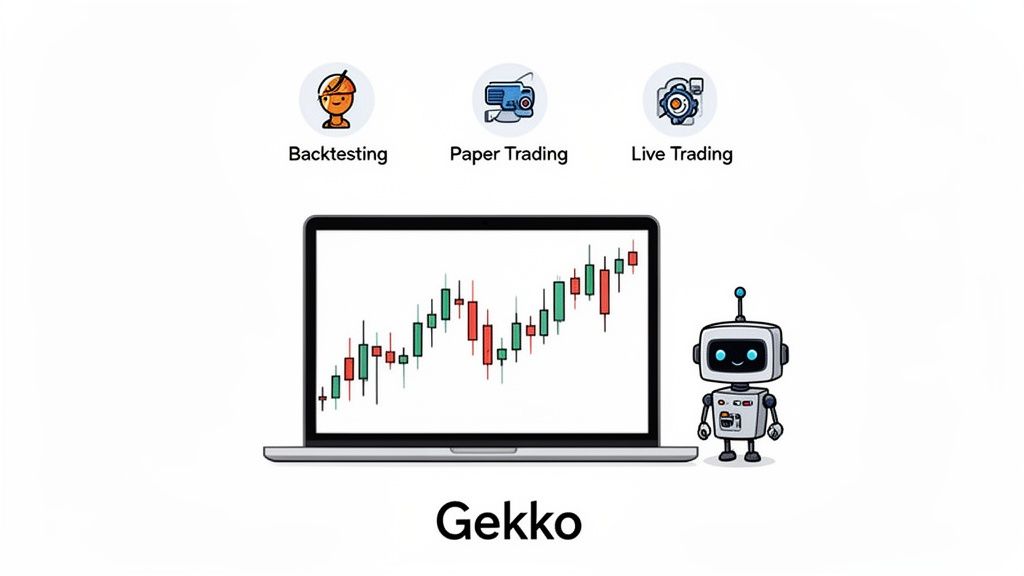
Gekko trading platform features, including backtesting, paper trading, and live trading, shown with a laptop displaying a candlestick chart and a robot.

Diving into automated crypto trading can feel like a huge leap, but Gekko makes the process surprisingly straightforward. It's a self-hosted trading bot that you run on your own machine, which means you keep full control over your data, strategies, and API keys. For traders who value security and customization, this autonomy is a game-changer.

Unlike many commercial bots that trap you in their closed ecosystem, Gekko is totally transparent. Because it's open-source, you can dig into the code, see exactly how it ticks, and even tweak it to fit your unique trading style. This makes trading with Gekko more than just a task—it's a hands-on learning experience.

Core Capabilities at a Glance

The platform is built on three core pillars that guide you through the entire trading workflow, from a spark of an idea to live execution. Each piece has a specific job, ensuring you can build, test, and launch your strategies with confidence.

  • Backtesting Engine: This is your time machine. It lets you see how your strategy would have performed against historical market data. It’s the perfect first step to filter out ideas that just don't work.
  • Paper Trader: Found a strategy that looks promising? Now you can take it for a spin in a simulated live market. The paper trader uses real-time data to execute trades without touching your actual funds—think of it as a final dress rehearsal.
  • Live Trading Bot: After your strategy has proven itself in backtesting and paper trading, you're ready to go live. Deploy your bot to execute trades automatically on an exchange with your own capital.

This step-by-step process is designed to minimize risk and build your confidence. You get to fine-tune your approach at every stage, which seriously boosts your chances of success when you finally put real money on the line.

By letting you simulate trades against both past and present market conditions, Gekko helps you validate strategies and manage risk before you ever commit real capital. It’s all about swapping emotional guesses for data-driven decisions.

What You Need to Know About Gekko's Maintenance Status

Every guide about Gekko, including the one you're reading, should address the most important fact about the platform upfront: the original Gekko repository was archived on GitHub in April 2020, which means the core project is no longer receiving updates, bug fixes, or new exchange integrations from its original developer. This doesn't mean Gekko is unusable. It means you need to understand what this status implies before you invest significant time in it.

Archived status on GitHub means the repository is read-only. No new commits, no issue responses, no pull requests being merged. The codebase is frozen at whatever state it was in when the developer stopped maintaining it. For a trading bot that connects to live exchange APIs, this creates a specific and predictable set of problems over time.

Exchange APIs change. Binance has updated its REST API multiple times since 2020, and while the core endpoints Gekko uses still function, several response formats have changed enough to cause intermittent errors in Gekko's order parsing. Bitfinex overhauled its API entirely, breaking Gekko's Bitfinex connector in ways that are not fixable without modifying the source code. Coinbase Pro became Coinbase Advanced Trade with a completely new API, meaning the original Gekko Coinbase connector no longer works at all against the current exchange.

Node.js compatibility is a related issue. Gekko was written against Node.js 8 and 10. Running it on current LTS versions of Node.js (18 or 20 as of 2025) will produce deprecation warnings and in some cases outright failures in certain npm dependencies that have dropped support for older APIs. The workaround is to use a Node version manager like nvm to install and switch to an older Node.js version specifically for Gekko, which adds complexity to the setup process no beginner guide mentions.

The community has responded to this with several forks, the most actively maintained being Gekko Plus and Gekko Develop. These forks have patched some of the broken exchange connectors and updated dependency compatibility. If you are planning to use Gekko seriously for live trading rather than educational backtesting, starting from a maintained fork rather than the original repository is the more pragmatic choice. Search GitHub for "gekko fork 2024" to find currently active versions and check the commit history to verify they're genuinely maintained before investing setup time.

None of this invalidates Gekko as a learning platform. The backtesting engine, the paper trading functionality, and the strategy development workflow are all still fully functional with exchanges that haven't broken their API compatibility. The educational value of building and testing strategies in Gekko is undiminished. The practical limitation is on live trading with exchanges that have updated their APIs since 2020.

Gekko Trading Bot Feature Overview

To really get a feel for what makes trading with Gekko so effective, it helps to see its main functions laid out. This table breaks down what each feature does and why it's so important for your trading workflow, giving you a clear map of the tools at your disposal.

FeatureDescriptionPrimary BenefitStrategy BacktestingSimulates strategy performance on historical price data.Validate ideas and identify potential profitability without financial risk.Paper TradingRuns the bot with live market data but without real money.Test strategy performance in real-time market conditions safely.Live TradingExecutes automated trades on a connected crypto exchange.Automate your strategy to capitalize on market opportunities 24/7.Web InterfaceProvides a browser-based dashboard to manage bots and view data.Easily monitor performance and manage your bots from anywhere.

Each of these components works together to create a robust, end-to-end system for algorithmic trading.

Setting Up Your Gekko Trading Environment

A config file, a laptop displaying 'git clone' and 'npm install' commands, and a security key.

Before you can unleash your bot on the markets, you need to build its home. Think of this setup process as laying the foundation for your automated trading operation—it needs to be stable, secure, and completely under your control. While there are a few technical hurdles, getting Gekko running is a surprisingly straightforward process.

The entire platform runs on Node.js, which is just a fancy way of saying it uses JavaScript to execute trading logic quickly and efficiently. You’ll also need Git, a tool developers use to manage code, which we’ll use to download the Gekko source code directly from its official home on GitHub.

Core Installation Steps

Getting Gekko up and running boils down to three main phases: installing the prerequisites, grabbing the Gekko code, and then pulling in all the specific software libraries it depends on.

  1. Install Node.js and Git: First, head to the Node.js website and download the LTS (Long Term Support) version; it's the most stable. Then, grab an installer for Git from its official site. Both are simple, "next, next, finish" installations.
  2. Clone the Gekko Repository: Open your command prompt or terminal. Navigate to a folder where you want to keep the bot, then run this command: git clone https://github.com/askmike/gekko.git. This will download the entire project into a new folder called gekko.
  3. Install Dependencies: Jump into that new directory by typing cd gekko. Once inside, run npm install --only=production. This command reads a configuration file and automatically downloads all the necessary code libraries Gekko needs to function.

If those commands complete without any errors, you have successfully installed the core software.

Configuring Your Connection to an Exchange

The brain of your Gekko setup lives in a single configuration file. This is where you tell the bot which exchange to watch, what crypto pair to trade, and which strategy to apply.

  1. Find the file named sample-config.js in the gekko directory and make a copy of it.
  2. Rename that copy to config.js—this is the actual file Gekko looks for when it boots up.
  3. Open config.js in a text editor. Locate the config.watch block to define the market.

For a real-world example, here’s how you’d set up a bot to trade the BTC/USDT pair on Binance:

// Gekko config file for Binance BTC/USDTconfig.watch = {// The exchange Gekko will connect toexchange: 'binance',// The currency to tradecurrency: 'USDT',// The asset to tradeasset: 'BTC'}

This snippet tells Gekko to start pulling market data for Bitcoin against Tether on Binance. To place trades, you'll need to add your exchange API keys.

Securing Your Exchange API Keys

API keys are essentially a username and password for your bot, letting it talk directly to your exchange account. Protecting them is absolutely critical.

Your API keys are the lifeline to your exchange account. Never share them, commit them to public code repositories like GitHub, or store them in plain text where they can be easily accessed.

When you create new API keys on an exchange, always give them the minimum permissions necessary:

  • Trading Permissions: The bot definitely needs this to place orders.
  • Reading Permissions: It also needs to read market data and see your balance.
  • Withdrawal Permissions: NEVER enable withdrawal permissions for an API key used by a bot. This is your most important safety net.

Many exchanges also let you whitelist specific IP addresses for your API keys. If your bot is running on a server with a static IP, this adds a massive layer of security.

Troubleshooting Common Setup Issues

Even with the best instructions, you might hit a snag. Most setup problems are common and have simple fixes.

Common ProblemSolutionnpm install failsThis is almost always due to an old version of Node.js or npm. Make sure you have the latest LTS version installed. You can also try clearing the npm cache with npm cache clean --force before trying again.Connection errors to exchangeDouble-check that your API keys are copied perfectly into config.js. Also, make sure the exchange name (e.g., binance, kraken) is spelled correctly and is one that Gekko supports.Bot starts but does nothingCheck your config.watch block. Is the currency and asset pair valid for your exchange? For example, trying to trade BTC/USD on an exchange that only offers a BTC/USDT pair will cause the bot to idle.

With these steps complete, you've built a fully functional Gekko environment, ready for the next crucial phase: backtesting your strategy.

Testing Your Strategies with a Backtester

You've got Gekko set up and plugged into an exchange. Now it's time to turn your ideas into a working strategy. But before risking real money, you must backtest.

Backtesting is like a time machine for your trading bot. It runs your strategy against historical market data, showing you exactly how it would have performed. It’s your trading simulator and your first line of defense against deploying a bot that’s doomed to fail. Without this step, you're flying blind.

Firing Up Your First Backtest

Before you can test anything, you need data. Gekko has a built-in importer that makes this a breeze. You just tell it what you want, and it pulls the historical candle data directly from your exchange.

Here's the actionable workflow:

  1. Navigate to the "Local Data" tab in the Gekko UI.
  2. Select your desired exchange, currency, and asset pair (e.g., Coinbase, BTC/USD).
  3. Choose a date range and click "Import" to download the data locally.
  4. Once complete, go to the "Backtest" tab.
  5. Select the dataset you just imported.
  6. Choose a pre-built strategy to test (e.g., MACD, RSI).
  7. Adjust the strategy’s parameters as needed.
  8. Click "Backtest" and analyze the results.

Backtesting isn't just a cool feature; it’s your main reality check. A strategy that seems flawless on paper can easily fall apart when it meets actual market volatility. This is where you discover those fatal flaws, safely.

Looking Beyond the Final Profit Number

When the backtest finishes, Gekko spits out a detailed report. It’s easy to just glance at the final profit and loss, but that’s a rookie mistake. The real gold is buried in the other metrics.

The most important comparison is your bot's performance against a simple "buy and hold" strategy over the same timeframe. If your strategy lost 10% while the market crashed by 40%, your bot was a massive success because it protected your capital. Relative performance is often a much better indicator than absolute profit.

Know the Limits: Why a Backtest Isn't a Crystal Ball

As critical as it is, Gekko’s backtester isn't perfect. It's a simulation, and it makes a few assumptions that won't always match the chaos of a live market. Understanding these limitations is key to setting realistic expectations.

LimitationHow It Affects Your ResultsWhat to Do About ItSlippageThe backtester assumes your orders fill instantly at the candle's closing price. In real life, large orders can push the price, resulting in a worse fill.Be more conservative with your profit targets, especially if your strategy trades frequently on low-liquidity pairs. Always paper trade first.Trading FeesThe simulation is basic. It doesn't account for complex fee tiers like maker/taker models or exchange-specific rebates.A good rule of thumb is to set your fee percentage slightly higher in the backtest than what you actually pay. This builds a realistic buffer into your results.Order Book DataBacktests run on candle data (OHLC). They don't see the full order book, including the bid-ask spread or market depth at any given moment.Accept that strategies based on tiny price movements might behave differently live. This is another reason why paper trading is a non-negotiable next step.

Because of these factors, you should always view backtesting results as an optimistic best-case scenario. To get a better handle on these core concepts, check out our complete guide on how to backtest trading strategies.

The Overfitting Trap: When Great Backtest Results Are a Warning Sign

The backtester limitation table in this article correctly identifies slippage, fees, and order book data as known gaps. There is a fourth limitation that is harder to explain and more dangerous than all three combined: overfitting. It's the reason most traders who develop strategies in Gekko see strong backtest performance and then watch those same strategies lose money in live markets. The pattern is so consistent it has a name — the backtest-to-live gap — and Gekko's parameter-adjustable strategy system makes it unusually easy to fall into.

Overfitting occurs when you adjust a strategy's parameters so many times, across the same historical dataset, that the strategy no longer describes a real market phenomenon. It describes the noise in your test data. The parameters have essentially memorized the specific quirks of the past, and when the market produces new data that doesn't match those memorized quirks, the strategy fails.

Here's how it happens in practice with Gekko. You run a backtest of the RSI strategy with the default 14-period RSI, buy signal at 30, sell signal at 70. The result shows a modest 8% return over six months, compared to a buy-and-hold return of 22%. Disappointing. You adjust the RSI period to 9, the buy threshold to 25, the sell threshold to 75. Now the result shows 31%. You run it again with slightly different thresholds and get 38%. You've found the "optimal" parameters.

What you've actually done is find the parameter combination that happened to produce the most profitable signals given the exact price movements in that specific six-month dataset. The next six months will have different price movements. The parameters that captured the past will have zero predictive advantage over any other parameter combination for the future. The 38% backtest return is an artifact of data mining, not a real edge.

The Walk-Forward Test That Exposes Overfitting

The standard defense against overfitting is walk-forward testing, and it's the single most valuable methodology you can add to your Gekko workflow. The process is straightforward.

Take your total historical dataset and split it into two portions. The first 70% to 80% is your in-sample data, which is where you optimize your parameters. The remaining 20% to 30% is your out-of-sample data, which you treat as completely untouchable during optimization. Once you've found parameters that perform well on the in-sample period, run a single backtest on the out-of-sample period without changing anything. This out-of-sample result is the honest performance estimate for your strategy.

If your strategy shows strong in-sample performance and weak or negative out-of-sample performance, the strategy is overfit. Start over. If it shows reasonable performance in both periods, that's genuine evidence of a real pattern in the data.

Practically, if you're working with two years of hourly BTC data, use the first 18 months for optimization and the final 6 months as your untouched validation set. Any parameter combination that produces over 25% better results in-sample than out-of-sample should be treated with serious skepticism. The closer the two results are to each other, the more likely the strategy is capturing something real rather than memorized noise.

The Parameter Count Problem

Every additional parameter you add to a Gekko strategy multiplies the overfitting risk. A strategy with two adjustable parameters (say, RSI period and threshold) has a relatively limited search space. A strategy with five parameters (RSI period, RSI threshold, volume confirmation, trailing stop percentage, and minimum hold time) has an exponentially larger search space, and the probability that some combination in that space produces excellent backtest results purely by chance grows substantially with each additional parameter.

A reliable heuristic: if your strategy requires more than three or four free parameters to produce a good backtest, the good backtest result is more likely to be the result of overfitting than a real trading edge. Simpler strategies with fewer moving parts, tested across multiple different time periods and asset pairs, provide more honest evidence of a real edge than complex strategies optimized on a single dataset.

Optimizing Your Backtesting Workflow

Having a slick backtesting workflow is your secret weapon when trading with Gekko. The goal is to test and discard bad ideas quickly so you can zero in on a strategy that actually works. The single biggest thing you can do to speed things up is to pre-download all the historical data you need.

This is the core loop you're trying to perfect: getting data, running the test, and analyzing the outcome.

A three-step diagram outlines the strategy validation process: Data, Backtest, and Analyze.

When you tighten up this flow, you create a rapid feedback loop that makes developing profitable strategies so much easier.

Finding the Computational Sweet Spot

The granularity of your data—the candle size—has a massive impact on how long a test takes. While running a backtest on 1-minute candles over a full year sounds incredibly thorough, it’s usually overkill for your first pass and can be painfully slow.

A better approach is to start wide and then zoom in:

  1. Start Wide: Begin your backtests with larger candle sizes, like 1-hour or 30-minute intervals. This provides a quick, high-level look at strategy performance.
  2. Analyze and Iterate: If the strategy shows promise, move to the next step. If not, discard the idea and move on.
  3. Zoom In: Re-run the test on more granular data, like 5-minute or 1-minute candles, to refine your parameters and validate the results.

The goal is rapid iteration, not perfection on the first try. A fast, "good enough" backtest is way more valuable than a slow, perfect one when you're still just trying to see if an idea has legs.

Running a backtest with around 1,000 historical candles is often the sweet spot for computational efficiency on most systems. A backtest using 1-minute candles can take several hours, whereas switching to 5-minute candles cuts that down dramatically.

Building Your Local Data Library

Having a stash of historical market data right on your machine is a complete game-changer. It lets you run test after test without waiting on network latency, turning Gekko into a powerful, self-contained research lab.

Here are the best ways to build your library:

  • Gekko’s Importer: The built-in importer under the "Local Data" tab works great for smaller date ranges. It's straightforward and perfect for quick tests.
  • Community Datasets: Search for community-maintained repositories online. You can often find SQLite database dumps for major exchanges like Binance that contain years of data across dozens of trading pairs.
  • Data Vendors: For institutional-quality data, you could use paid providers, but this is usually unnecessary for most retail traders working with Gekko.

By building up this local library, you can test your strategies across all market conditions without frustrating download delays. For those looking to build more sophisticated setups, you might want to explore some of the top tools for scaling backtesting systems to take your workflow even further.

Finding and Using Historical Crypto Data

Any great trading strategy is built on a foundation of even better data. You need a solid library of historical market information before you can even think about running meaningful backtests. While Gekko can import data directly from exchanges, it's slow and often unreliable for multi-year datasets.

The most efficient route? Build a local library of pre-packaged data. This completely changes your workflow from a sluggish, network-dependent chore into a rapid-fire research process.

Sourcing Pre-Packaged Gekko Datasets

Instead of downloading data one candle at a time, you can grab ready-to-use SQLite database dumps for all the major exchanges. These are comprehensive trading histories you can just drop right into your Gekko setup.

You'll find datasets for major players like Binance, Bitfinex, Poloniex, GDAX, and Kraken, all neatly organized by exchange and trading pair. The full, uncompressed collection can top 21 GB and is usually updated daily, ensuring you’re always backtesting against the most current market info. You can find these community-maintained Gekko datasets with a quick online search.

Having a local data library is a game-changer. You can run dozens of backtests in the time it would normally take to download just one dataset from an exchange. It speeds up your strategy development cycle immensely.

Managing Large Datasets Effectively

Once you've downloaded these files, you need a smart way to manage them. You’ll generally find two types of files for any given market:

  • Full History Files: These are massive archives containing every bit of data for a trading pair, sometimes spanning years. Use these for your big, comprehensive backtests.
  • Recent Period Files: These are much smaller, consolidated files covering just the last year or quarter. They're perfect for quick, focused tests on current market conditions.

Here’s a practical workflow that works best:

  1. Use the recent files for your initial, rapid-fire testing.
  2. Once a strategy looks promising, run a final, more intense backtest against the full history file to validate it.

This two-step approach gives you the best of both worlds—speed when you need it and thoroughness when it counts. For those interested in pulling data from other sources, our guide on choosing a crypto price API offers some great pointers on sourcing market data. By combining these methods, you'll be well-equipped for trading with Gekko.

Deploying Your Bot and Managing Risk

A robot deploys trading strategies, featuring paper and live trades with stop-loss and security.

You’ve backtested your strategy, and the numbers look good. It’s tempting to go live immediately, but any serious Gekko trader knows there's one last, crucial dress rehearsal: paper trading.

Paper trading is your bot's final exam. It executes your strategy using live market data but without risking a single dollar. This is where you'll see how your bot really behaves when faced with real-time volatility and the quirks of live order books. Let it run for at least a week to ensure its performance aligns with your backtesting results.

Going Live With Confidence

Once your strategy proves itself in a live simulation, you're ready to deploy with real capital. This is a simple change in your config.js file—switching from paper trading to live trading and plugging in your secured API keys. But "going live" is more than a technical step; it's a commitment to active risk management.

Your most important line of defense is a stop-loss. Don't even think about running a bot without one. Many of Gekko's built-in strategies come with stop-loss parameters you can activate. This is non-negotiable. It’s the safety net that automatically cuts a losing position at a price you decide, saving your capital from a catastrophic nosedive.

One of the biggest mistakes traders make is to "set it and forget it." Your live bot needs eyes on it, especially when it's new. Check in daily. Make sure it's executing trades correctly and behaving as designed.

Essential Risk Management Practices

Effective risk management is what separates traders who last from those who blow up their accounts. It’s a constant cycle of observing and tweaking.

  • Position Sizing: Start small. Seriously. Allocate just a tiny fraction of your trading capital to the bot at first. You can gradually scale up as you gain confidence in its real-world performance.
  • Performance Monitoring: Keep a close watch on the trade logs and performance metrics. Is it over-trading? Are the drawdowns deeper than your backtests predicted? These are red flags.
  • Market Condition Awareness: No strategy is king forever. A strategy built for a bull run might get shredded in a choppy, sideways market. Stay aware of the broader market context and be ready to pull the plug if conditions change.

Integrating On-Chain Intelligence for an Edge

To take your Gekko trading to the next level, move beyond basic technical indicators and start feeding your bot smarter, external signals. This is how you turn a reactive bot into a proactive one that can front-run market movements.

Imagine this workflow:

  1. Use a platform like Wallet Finder.ai to track the on-chain moves of highly profitable crypto wallets.
  2. The tool detects a whale making a huge buy and sends you an alert.
  3. Build a custom Gekko plugin that listens for these specific alerts.
  4. When the signal comes through, it acts as a trigger, telling your bot to automatically open a long position on that same token.

This isn't just trading; it's an advanced, automated copy-trading system that uses raw on-chain intelligence to get ahead of the crowd.

Common Questions About Trading With Gekko

Once you start digging into automated crypto trading, you're bound to run into a few questions. This section tackles some of the most common challenges traders face head-on.

Can I Run Multiple Gekko Bots At The Same Time?

Absolutely, and it's something most serious traders end up doing. You can easily run several instances of Gekko at once to trade different pairs, experiment with various strategies, or manage accounts on separate exchanges.

The simplest way is to just launch each bot in its own terminal window. But for a more reliable server setup, a process manager like PM2 is highly recommended. It helps you keep everything organized, monitor your bots, and even restart them automatically if one crashes. All you need is a unique configuration file for each instance.

What Are The Best Strategies To Use With Gekko?

Gekko comes loaded with a few pre-built strategies based on classic technical indicators like RSI, MACD, and Bollinger Bands. These are fantastic starting points, but there is no single "best" strategy. The ideal approach depends heavily on the market, the asset, and your risk tolerance.

The most successful traders I know almost always start with a standard strategy, backtest it like crazy across different market conditions, and then tweak its parameters or combine indicators to build a system that truly fits their style.

Eventually, many advanced users take the leap and start writing their own custom strategies in JavaScript to get total control.

How Can I Integrate On-Chain Signals Into Gekko?

This is where things get really interesting. Pulling in external data, like on-chain signals, is one of Gekko's most powerful advanced capabilities. The standard way to do this is by building a custom plugin. This plugin acts as a middleman, fetching data from an external API—like an alert from a wallet tracking service.

For example, when your plugin gets a signal—let's say a major token purchase from a wallet you're tracking—it can fire off a trade advice ('long' or 'short') to Gekko's main engine. Gekko takes it from there and executes the trade. It does require some basic JavaScript knowledge, but it completely changes the game, turning Gekko from just a technical analysis tool into a bot that can react to real-time, on-chain intelligence.

Is Gekko still safe to use given that it hasn't been updated since 2020?

The safety question has two distinct dimensions. For backtesting and paper trading, Gekko remains fully functional and safe. The backtesting engine operates entirely on local data with no exchange connectivity required, so the maintenance status is irrelevant. You can develop and test strategies without any exposure to the abandoned exchange integrations.

For live trading, the picture is more nuanced. The original repository's connectors for exchanges that have updated their APIs since 2020 (including Coinbase, which migrated to a completely new API, and Bitfinex) are broken or partially broken. Binance's connector still functions for basic orders but has documented intermittent parsing errors on some response formats. The practical solution is to use an actively maintained fork rather than the original repository. Search GitHub for current Gekko forks and verify the commit history shows recent activity before building a live trading setup on top of it. Running live capital through an unmaintained connector against a live exchange is a risk that has nothing to do with your trading strategy and everything to do with infrastructure reliability.

Why did my Gekko backtest show 40% returns but the bot is losing money live?

This is almost certainly overfitting. When you adjust a strategy's parameters repeatedly against the same historical dataset until the results look good, the parameters stop describing a real market pattern and start describing the specific noise in that particular dataset. Those memorized noise patterns don't repeat in new market data, so the live performance diverges from the backtest.

The diagnostic test is walk-forward validation. Split your historical data into a 70 to 75% in-sample optimization set and a 25 to 30% out-of-sample validation set. Optimize parameters only on the in-sample data, then run a single unmodified backtest on the out-of-sample data. If the out-of-sample result is significantly worse than the in-sample result, the strategy is overfit and the parameters need to be simplified or the strategy reconceived entirely. A second red flag is parameter count: strategies requiring more than three or four free parameters to produce good backtest results are disproportionately likely to be capturing historical noise rather than a real, repeatable edge.

What is the minimum cost to run a Gekko trading bot reliably 24/7?

Running Gekko on a personal laptop or desktop is not reliable for live trading due to sleep states, power interruptions, and connection drops that cause missed stop-losses and trade execution failures. The minimum production-grade setup is a VPS with 1 vCPU and 1GB RAM, available from providers including DigitalOcean, Linode, and Vultr for $4 to $6 per month. Add PM2 as a free process manager to keep the bot running after terminal sessions close, handle automatic restarts on crashes, and forward logs for daily review. Configure PM2 restart alerts via Telegram so any crash during a live position triggers an immediate notification. Total ongoing cost is $48 to $72 per year for a server that is up continuously with no sleep states or local power dependency. Any live position that misses a stop-loss due to a local machine outage will cost more than a year of VPS hosting in a single trade.

Discover and act on those critical on-chain signals with Wallet Finder.ai. Start tracking smart money movements and turn them into automated trading opportunities today. Learn more at Wallet Finder.ai.