7 Best Meme Coin Trading Tools for 2026
Discover the 7 best meme coins trading platforms and tools for 2026. Get actionable insights, find winning wallets, and trade smarter on CEXs and DEXs.

February 20, 2026
Wallet Finder

February 15, 2026

When you search for a "crypto wallet kraken," you're looking at two distinct tools. First is your account on the Kraken exchange, where Kraken manages your crypto. Second is the separate, non-custodial Kraken Wallet app, where you have full control. This guide focuses on the self-custody wallet, giving you true ownership of your digital assets.
The Kraken ecosystem offers two ways to manage your crypto, and understanding the difference is crucial for your security and freedom.
This distinction is the most important concept in crypto. With the non-custodial Kraken Wallet, you—and only you—are in charge.
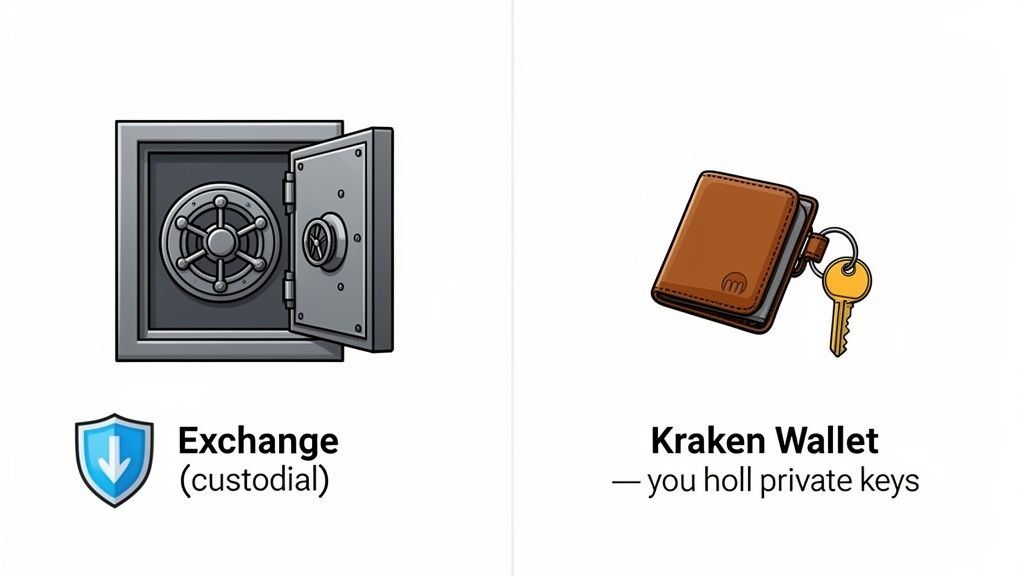
Self-custody means you hold the private keys to your crypto. These keys are the master password that unlocks your funds on the blockchain. If you lose them, your assets are gone forever. No one can help you recover them.
The core idea behind a non-custodial wallet is simple but incredibly powerful: "Not your keys, not your crypto." By holding your own keys with the Kraken Wallet, you gain true digital ownership, with no middlemen.
This absolute ownership is your gateway to the decentralized web. The wallet's primary functions are designed to give you complete control:
While secure storage is a key feature, the true power of the Kraken Wallet is unlocked when you connect to the world of Decentralized Finance (DeFi). It serves as your passport to an open financial system.
This is where you can lend, borrow, trade, and earn yield without needing permission from any bank or central authority. Understanding this concept is the first step toward using your wallet for more advanced on-chain strategies and analysis.
Writing down your 12-word recovery phrase on paper is step one. But if you're holding serious money in your Kraken Wallet, paper is not enough. It burns, floods ruin it, ink fades, and worst of all, family members can find it.
Professional crypto holders use layered security strategies that protect against every disaster scenario, from house fires to sophisticated thieves. These methods require more effort upfront but eliminate the nightmare of losing six figures because your dog chewed up the wrong piece of paper.
Paper is your enemy for long-term storage. Fireproof safes? They protect against flames but not floods or the safe itself getting stolen. The solution professional holders use is metal seed phrase storage.
Products like Cryptosteel, Billfodl, or Blockplate let you stamp or engrave your 12 words into stainless steel or titanium. These survive house fires (up to 1,400°F), flooding, corrosion, and physical impact. A metal backup stored in a hidden location becomes essentially indestructible.
Real scenario: You store $50,000 worth of ETH in your Kraken Wallet. Your house floods. Paper backup? Destroyed. Metal backup hidden in your garage? Perfectly readable, funds recovered in 10 minutes.
The investment is $50-150 for a quality metal backup device. If you're holding more than $5,000 in crypto, it's mandatory insurance.
Here's a mistake that destroys people: keeping all recovery phrase backups in one location. Your house burns down with both your phone and your backup. Everything is gone.
The professional approach is geographic distribution:
Location 1: Metal backup at home (fireproof, hidden location like garage or basement)Location 2: Paper backup in bank safe deposit box (completely separate physical location)Location 3: Encrypted digital backup (see next section) stored on encrypted USB drive at trusted family member's house
This three-point distribution means no single disaster can wipe you out. House burns? Bank backup intact. Bank closes? Home backup intact. Both destroyed in some apocalyptic event? Family member has encrypted digital backup.
Yes, this is extreme. But when you're holding five or six figures in self-custody, extreme is appropriate.
Earlier I said never store your recovery phrase digitally. That's still true for unencrypted storage. But there's one exception: properly encrypted digital backups using military-grade encryption.
Here's how to do it safely:
The key is the encryption passphrase. Even if someone steals the USB drive, they cannot decrypt it without the passphrase. You must memorize this passphrase or store it separately (never with the USB drive).
This creates a scenario where an attacker would need: (1) physical access to your USB drive, (2) your encryption passphrase, and (3) knowledge that the drive contains a crypto recovery phrase. That's three separate barriers.
Most holders never bother with this level of security. Then they lose everything in a freak accident and wonder why they didn't spend three hours setting up proper backups.
For extremely large holdings ($500K+), some users implement Shamir's Secret Sharing. This splits your recovery phrase into multiple parts (typically 3-5) where any 2-3 parts can reconstruct the original phrase.
Example: You split your 12-word phrase into 3 shares. You give one to your lawyer, one to a family member, and keep one yourself. Your phrase can be recovered by combining any 2 of the 3 shares.
This means:
Kraken Wallet doesn't natively support Shamir, but you can generate Shamir shares using tools like Seedtool and then use those shares to reconstruct your phrase if needed.
This is overkill for most users. But if you're a whale, it's the gold standard.
Deciding where to store your crypto is one of the most important choices you'll make. With Kraken, you have two clear options: the traditional custodial exchange and the non-custodial Kraken Wallet. They serve different needs, and the right choice depends on your strategy and desired level of responsibility.
The Kraken exchange is like a high-security bank vault run by experts. It's ideal for active traders who need speed, liquidity, and a streamlined user experience. Kraken's systems handle security, and their support team can help with account recovery.
The Kraken Wallet is your personal, impenetrable safe—and only you have the key. This is the best choice for long-term holders (HODLers), DeFi users, and anyone wanting to explore Web3 without a middleman. It provides total freedom but also demands total responsibility for your security.
So, how do you choose? This table breaks down the fundamental differences to help you match the right tool to your goals, whether you're day trading or exploring decentralized apps.
FeatureKraken Exchange (Custodial)Kraken Wallet (Non-Custodial)Asset ControlKraken holds the keys and secures your assets.You hold the private keys and have full control.Best ForFrequent trading, beginners, easy fiat on-ramps.DeFi, NFTs, long-term holding, Web3 exploration.Security ResponsibilityRely on Kraken's institutional-grade security.You are solely responsible for securing your keys.DeFi AccessLimited to what the exchange offers.Direct, unrestricted access to all DeFi protocols.RecoveryPassword reset and customer support.Requires your secret recovery phrase; no support can help if lost.
This isn't about which option is "better" but what’s better for you. An active trader would find the non-custodial wallet inefficient for frequent trades, while a DeFi enthusiast would feel restricted by the exchange's curated environment.
Let’s get practical. Here’s a breakdown for different types of crypto users. You may even find that a hybrid approach works best for you.
The choice boils down to a classic trade-off: convenience vs. control. The exchange offers convenience managed by a trusted company, while the wallet provides absolute control managed entirely by you.
Many savvy users adopt a hybrid strategy: they keep a "hot" trading portfolio on the exchange while securing the majority of their assets in a personal wallet for long-term holding and DeFi. For a deeper dive, read our guide on crypto exchange vs wallet.
Ultimately, understanding the strengths of each tool allows you to build a smarter, more secure crypto strategy that fits your goals.
Getting your non-custodial Kraken Wallet running is straightforward, but it requires your full attention during the security steps. This guide will walk you through creating a secure foundation for managing your crypto.

The purpose of a self-custody wallet is to give you total control, which means security is 100% your responsibility. Let's set it up correctly from the start.
Follow these actionable steps to create and secure your new wallet.
This password protects the app, but the next step is the most critical part of your crypto security.
The app will now display your 12-word secret recovery phrase. This is the master key to all crypto in your wallet. It is the only way to restore your funds if you lose or replace your device.
Think of your secret recovery phrase as the deed to your house. Anyone who has it owns everything inside. You must protect it above all else, as no customer support team can help you if it's lost.
Follow these best practices to secure your phrase:
Once you’ve confirmed you've written down your phrase and stored it safely, your wallet setup is complete. You're ready to receive assets and explore self-custody.
In crypto, security is paramount. When using a non-custodial wallet like Kraken's, you trust its code to be an unbreakable fortress for your assets. That trust must be earned.
Kraken addresses this by having its wallet code rigorously audited by independent security firms. These auditors act as ethical hackers, attempting to find and exploit any potential weaknesses. This battle-testing ensures the wallet’s defenses are solid before it reaches your device, giving you peace of mind.

While the wallet's code is secure, its on-chain privacy operates on a principle of pseudonymity, not anonymity. Your real name isn't attached to your wallet address, but every transaction is publicly visible on the blockchain.
This is a core design feature of public blockchains like Ethereum and Solana. All activity is permanently recorded on a public ledger for anyone to inspect.
Think of your wallet address as a public bank statement. It shows every transaction but doesn't have your name on it. This public-by-default nature is what makes powerful on-chain analysis possible.
This transparency is a double-edged sword: it’s great for verification but also means your financial activity is open to analysis. To better understand the keys securing this system, read our guide on what a seed phrase wallet is.
Connecting your Kraken Wallet to DeFi protocols opens up massive opportunities—and equally massive risks. Every time you approve a token swap, connect to a new dApp, or interact with a smart contract, you're granting permissions that could be exploited.
Most users have no idea how many unlimited token approvals they've granted or which contracts have permission to drain their wallets. This section covers the security practices that separate cautious DeFi users from those who get rugged.
When you swap tokens on Uniswap or deposit into a lending protocol, you must "approve" the smart contract to access your tokens. Most users just click "approve" without reading what they're authorizing.
Here's what actually happens: you're often granting unlimited approval for that contract to spend that specific token from your wallet. Not just the amount you're swapping right now—unlimited access forever.
Real scenario: You approve Uniswap to swap 100 USDC. But the approval is actually for the maximum possible amount (2^256 - 1, basically infinite). If that Uniswap contract is ever exploited by a hacker, they can drain every USDC in your wallet without your permission.
This is how many DeFi hacks work. Users approved a contract months ago, forgot about it, and then that contract gets exploited. Suddenly their entire wallet is drained.
The solution is regular token approval audits using Revoke.cash. This free tool shows you every single token approval you've ever granted from your wallet address.
How to protect yourself:
Do this monthly if you're active in DeFi. Every unused approval is a potential attack vector.
Example: You used a DeFi protocol called "SushiSwap" six months ago. You've still got unlimited USDC approval. That approval costs you nothing... until SushiSwap gets hacked and drains your wallet. Revoking unused approvals eliminates this risk.
The gas fee to revoke approvals (usually $2-10 on Ethereum, $0.01 on Polygon) is the cheapest insurance you'll ever buy.
WalletConnect is how your Kraken Wallet connects to dApps. It's also the #1 vector for phishing attacks on mobile wallets.
Here's how the scam works: You visit a fake website that looks identical to a real DeFi protocol (like a fake Uniswap site). You scan a WalletConnect QR code. Your wallet connects. The site immediately requests a malicious transaction that drains your wallet. You approve it thinking you're making a swap.
Money gone. No recourse.
Protection strategies:
Always verify URLs: Real Uniswap is app.uniswap.org, not unisvvap.org or uni-swap.org. Check three times before connecting.
Bookmark real dApp URLs: Never click links from Discord, Telegram, or Twitter. Always use your saved bookmarks.
Read every transaction carefully: Before signing any transaction, read what you're approving. "Set Approval For All" or "Transfer Ownership" are instant red flags.
Disconnect after use: In Kraken Wallet settings, manually disconnect from dApps when you're done. Don't leave active WalletConnect sessions open.
One moment of carelessness clicking a phishing link can cost you everything in your wallet. No joke.
You check your Kraken Wallet and see a new token you never bought: "FREE NFT CLAIM" or "AIRDROP BONUS" worth $5,000. Exciting, right?
Wrong. This is a dusting attack. Scammers send tiny amounts of worthless tokens to thousands of wallets. The token has a malicious smart contract. When you try to sell or transfer it, the contract drains your real tokens.
Or the token's name is actually a phishing link. "Visit-unisvvap-to-claim-5000-USDT.eth". Users visit the fake site, connect their wallet, and get drained.
Never interact with tokens you didn't intentionally buy or receive from a known source. Don't try to sell them. Don't try to transfer them. Just hide them in your wallet and move on.
In Kraken Wallet, you can hide spam tokens by tapping the token and selecting "Hide." This removes them from your main view without interacting with the malicious contract.
NFT scams are even worse. You receive an NFT airdrop that looks valuable. You list it for sale on OpenSea. The "buyer" sends you a link to "verify ownership" or "complete the sale." You connect your wallet. A transaction pops up. You sign it. Wallet drained.
This is SetApprovalForAll phishing. By signing that transaction, you gave the scammer permission to transfer all NFTs in your wallet to themselves.
Golden rule for NFTs:
Legitimate projects don't airdrop NFTs to random wallets and then ask you to "verify" to claim them.
This public on-chain data is a goldmine of strategic intelligence. The same transparency that reveals your moves also exposes the strategies of every other trader, whale, and institution. Smart traders can turn this into an advantage.
Here’s how it works:
While the wallet’s security protects your funds from theft, the blockchain’s transparency creates an ideal environment for strategic analysis. By understanding how these elements work together, you can turn public information into a private trading edge.
Kraken Wallet supports 12+ blockchains, but most users only ever touch Ethereum. They're missing out on the benefits of multi-chain strategies: cheaper transactions, faster finality, and access to tokens that don't exist on ETH.
But moving assets between chains is where users make catastrophic mistakes. Send ETH to your Solana address? Gone forever. Use the wrong bridge? Funds stuck in limbo. This section covers how to operate across chains safely and efficiently.
Bridges let you move assets from one blockchain to another (like sending ETH from Ethereum to Arbitrum). Kraken Wallet supports swaps within the app, but you'll often need dedicated bridge services for certain routes.
Canonical bridges (official): These are operated by the Layer 2 or blockchain itself. Examples: Arbitrum Bridge, Optimism Bridge, Polygon Bridge. They're the safest option because they're directly controlled by the network.
Pros: Maximum security, no third-party riskCons: Slower (can take 7 days to withdraw from Arbitrum to Ethereum), more expensive
Third-party bridges (like Hop, Stargate, Synapse): These are fast and support more routes, but they add smart contract risk. If the bridge gets hacked, your funds can be lost mid-transfer.
Pros: Fast (minutes instead of days), support complex routesCons: Smart contract risk, higher fees, potential exploits
Real example: The Wormhole bridge was hacked in 2022 for $320 million. Users who had funds in transit during the hack lost everything. Canonical bridges have never been hacked because they're simpler and directly secured by the network.
Use canonical bridges for large amounts ($10K+). Use third-party bridges for small, time-sensitive transfers only.
This is the #1 way people permanently lose funds: sending tokens to the right address but on the wrong network.
Example: You have ETH on Ethereum mainnet. You want to send it to your friend's address. Your friend gives you their address, but they're expecting it on Polygon. You send it on Ethereum. They can't access it on Polygon. Your funds are technically there, but they're on the wrong chain and they don't have a Polygon wallet setup.
Even worse: You send USDC from Ethereum to a Coinbase deposit address, but you use the Polygon network to save on fees. Coinbase only monitors Ethereum for deposits. Your USDC sits on Polygon, and Coinbase says they never received it. Funds are effectively lost until Coinbase adds Polygon support (which could be never).
Protection:
The $3 gas fee for a test transaction can save you from losing a $50,000 mistake.
Different chains have wildly different fee structures. Understanding this lets you save hundreds of dollars on transactions.
Ethereum (Mainnet):
Polygon:
Arbitrum / Optimism (Ethereum L2s):
Solana:
Base:
If you're doing a large swap on Ethereum and gas is $150, wait. Check back in 6 hours when US markets sleep. You'll pay $15 instead.
Set up gas price alerts using tools like WatchTheGas or GasNow to get notified when Ethereum gas drops below your target price.
Once your Kraken Wallet is funded, you can move beyond simple holding and into strategic on-chain trading.
Every move you make—a swap, a transfer, a DeFi interaction—is recorded on the blockchain. For a savvy trader, this isn't a privacy issue; it's an open playbook. Your self-custody wallet is your ticket to this game, transforming from a simple storage device into an active tool for market intelligence.
The key is learning to interpret the blockchain's data. Specialized platforms do the heavy lifting, sifting through millions of transactions to highlight profitable wallets and patterns. They act as a search engine for "smart money."
Here's an actionable list of what you can do with these tools:
This approach is built on a foundation of solid security. After all, you can't trade if your funds aren't safe.
Connecting your Kraken Wallet to DeFi protocols opens up massive opportunities—and equally massive risks. Every time you approve a token swap, connect to a new dApp, or interact with a smart contract, you're granting permissions that could be exploited.
Most users have no idea how many unlimited token approvals they've granted or which contracts have permission to drain their wallets. This section covers the security practices that separate cautious DeFi users from those who get rugged.
When you swap tokens on Uniswap or deposit into a lending protocol, you must "approve" the smart contract to access your tokens. Most users just click "approve" without reading what they're authorizing.
Here's what actually happens: you're often granting unlimited approval for that contract to spend that specific token from your wallet. Not just the amount you're swapping right now—unlimited access forever.
Real scenario: You approve Uniswap to swap 100 USDC. But the approval is actually for the maximum possible amount (2^256 - 1, basically infinite). If that Uniswap contract is ever exploited by a hacker, they can drain every USDC in your wallet without your permission.
This is how many DeFi hacks work. Users approved a contract months ago, forgot about it, and then that contract gets exploited. Suddenly their entire wallet is drained.
The solution is regular token approval audits using Revoke.cash. This free tool shows you every single token approval you've ever granted from your wallet address.
How to protect yourself:
Do this monthly if you're active in DeFi. Every unused approval is a potential attack vector.
Example: You used a DeFi protocol called "SushiSwap" six months ago. You've still got unlimited USDC approval. That approval costs you nothing... until SushiSwap gets hacked and drains your wallet. Revoking unused approvals eliminates this risk.
The gas fee to revoke approvals (usually $2-10 on Ethereum, $0.01 on Polygon) is the cheapest insurance you'll ever buy.
WalletConnect is how your Kraken Wallet connects to dApps. It's also the #1 vector for phishing attacks on mobile wallets.
Here's how the scam works: You visit a fake website that looks identical to a real DeFi protocol (like a fake Uniswap site). You scan a WalletConnect QR code. Your wallet connects. The site immediately requests a malicious transaction that drains your wallet. You approve it thinking you're making a swap.
Money gone. No recourse.
Protection strategies:
Always verify URLs: Real Uniswap is app.uniswap.org, not unisvvap.org or uni-swap.org. Check three times before connecting.
Bookmark real dApp URLs: Never click links from Discord, Telegram, or Twitter. Always use your saved bookmarks.
Read every transaction carefully: Before signing any transaction, read what you're approving. "Set Approval For All" or "Transfer Ownership" are instant red flags.
Disconnect after use: In Kraken Wallet settings, manually disconnect from dApps when you're done. Don't leave active WalletConnect sessions open.
One moment of carelessness clicking a phishing link can cost you everything in your wallet. No joke.
You check your Kraken Wallet and see a new token you never bought: "FREE NFT CLAIM" or "AIRDROP BONUS" worth $5,000. Exciting, right?
Wrong. This is a dusting attack. Scammers send tiny amounts of worthless tokens to thousands of wallets. The token has a malicious smart contract. When you try to sell or transfer it, the contract drains your real tokens.
Or the token's name is actually a phishing link. "Visit-unisvvap-to-claim-5000-USDT.eth". Users visit the fake site, connect their wallet, and get drained.
Never interact with tokens you didn't intentionally buy or receive from a known source. Don't try to sell them. Don't try to transfer them. Just hide them in your wallet and move on.
In Kraken Wallet, you can hide spam tokens by tapping the token and selecting "Hide." This removes them from your main view without interacting with the malicious contract.
NFT scams are even worse. You receive an NFT airdrop that looks valuable. You list it for sale on OpenSea. The "buyer" sends you a link to "verify ownership" or "complete the sale." You connect your wallet. A transaction pops up. You sign it. Wallet drained.
This is SetApprovalForAll phishing. By signing that transaction, you gave the scammer permission to transfer all NFTs in your wallet to themselves.
Golden rule for NFTs:
Legitimate projects don't airdrop NFTs to random wallets and then ask you to "verify" to claim them.
Let's make this practical. Imagine using an analytics tool like Wallet Finder.ai to monitor wallets moving funds from Kraken.
You spot a "smart money" wallet withdrawing a large amount of ETH from Kraken. A short time later, that wallet uses the ETH on a decentralized exchange to buy a new, low-cap token. The token's price then jumps 300%.
By setting up an alert on that wallet, you would have been notified the instant it made that trade. This gives you a critical window to research the token and decide if you want to follow the move with your own Kraken Wallet. You are essentially leveraging the research and timing of a proven trader.
This isn't about blind copying. It's about using public, verifiable data to generate high-quality trade ideas. Because Kraken has immense trading volume, the wallets connected to it are a rich source for this type of analysis.
This strategy, often called copy trading or social trading, transforms the blockchain from a dry ledger into a dynamic network of investment strategies. Instead of relying solely on your own research, you can learn from the actions of traders who consistently outperform the market.
By taking your Kraken Wallet on-chain and connecting to analysis tools, you can build a more informed and proactive trading strategy. You’re no longer just reacting to headlines; you're finding opportunities based on the real-time moves of the market's sharpest players. Learn more about crypto on-chain analysis in our article.
Migrating from MetaMask (or any other wallet) to Kraken Wallet is straightforward—you don't "move" anything, you just import your existing recovery phrase.
Here's the process:
Critical point: This doesn't move your funds. Both apps now control the same wallet. Your tokens, NFTs, and transaction history will appear identically in both apps because they're accessing the same blockchain addresses.
If you want to exclusively use Kraken Wallet, you can delete MetaMask after importing. But there's no requirement to do so—many users keep both installed for different use cases.
Security warning: Importing your phrase into multiple apps increases risk. If either app is compromised, your funds are at risk. Only import into wallets you completely trust.
Yes, absolutely. Kraken Wallet is a completely standalone application. You don't need a Kraken exchange account to download, install, or use it.
The wallet works independently for:
The connection to Kraken exchange is optional and only matters if you want to move funds between your exchange account and your wallet. Even then, you'd just withdraw from the exchange to your wallet address like you would to any other wallet.
Many users choose Kraken Wallet purely for its security, multi-chain support, and DeFi access without ever creating a Kraken exchange account.
No. This is the entire point of non-custodial wallets. Your funds are on the blockchain, not on Kraken's servers.
Even if Kraken (the company) completely ceased to exist tomorrow:
Your crypto doesn't exist "in" Kraken Wallet. The wallet is just an interface for viewing and managing assets that live on the blockchain. As long as Ethereum, Solana, Polygon, etc. exist, your funds exist.
This is the fundamental difference between custodial (exchange) and non-custodial (self-custody) wallets. With the exchange, Kraken holds your keys. If they disappear, so do your funds. With the wallet, you hold the keys. Kraken disappearing is irrelevant.
SIM swap attacks target your phone number to gain control of accounts that use SMS for 2FA. While Kraken Wallet itself doesn't use SMS, the attack can still affect you if your phone number is linked to your email or iCloud account.
Here's how the attack works:
Protection strategies:
Use a PIN/password with your carrier: Call your mobile provider and set up a "port protection" PIN. Any request to port your number requires this PIN. Without it, no port can happen.
Don't use phone number for email recovery: Remove your phone number from your email account recovery options. Use alternative recovery methods only (backup email, security keys).
Disable iCloud backup for sensitive apps: In iPhone settings, turn off iCloud backup for Kraken Wallet specifically. This prevents encrypted wallet data from syncing to cloud.
Use app-based 2FA, never SMS: For any accounts linked to crypto (email, exchange accounts), use Google Authenticator or Authy for 2FA, never SMS.
Consider a dedicated crypto phone: Some serious holders buy a cheap prepaid phone with a number that's never shared publicly and used only for crypto-related accounts.
SIM swaps are increasing because carriers have poor verification processes. Taking these steps makes you an unattractive target.
Yes, but only with your 12-word recovery phrase. The app password (the PIN or biometric you use to open the app daily) is separate from your recovery phrase.
Scenario 1: You forgot the app password but have your recovery phraseSolution: Delete the Kraken Wallet app, reinstall it, and import your wallet using your 12-word phrase. You'll create a new app password during the import process. Your funds and transaction history will reappear exactly as they were.
Scenario 2: You forgot both the app password and your recovery phraseSolution: None. Your wallet is permanently inaccessible. This is the "not your keys, not your crypto" reality. No customer service team can help you. No password reset exists. Your funds are lost forever.
This is why the recovery phrase backup step is absolutely critical. The app password is a convenience feature for daily access. The recovery phrase is the master key that actually controls your funds.
If you're unsure whether you still have your recovery phrase, test it now while you still have app access:
This confirms your recovery phrase is correct and readable. Do this annually as a safety check.
Not currently. As of early 2026, Kraken Wallet is a hot wallet (software wallet) only. It doesn't support connecting to hardware wallets like Ledger or Trezor.
This means your private keys are generated and stored on your phone. This is less secure than a hardware wallet, where keys are generated and stored on an offline device that never touches the internet.
If you're holding large amounts ($50K+), consider this strategy:
Hot wallet (Kraken Wallet): Keep $1K-$10K here for active DeFi, NFTs, and daily trading. Maximum convenience, accepts the higher risk.
Cold wallet (Ledger/Trezor): Keep the bulk of your holdings ($40K+) here. No DeFi access, maximum security.
Exchange (Kraken, Coinbase): Keep active trading capital here ($5K-$20K). Convenience for fiat on/off ramps.
This three-tier approach balances security, convenience, and accessibility. Never put six figures in a hot wallet on your phone. The risk of malware, phishing, or phone theft is too high.
You have now officially moved your assets on-chain, where only you hold the keys.
Ready to turn on-chain data into your trading advantage? Wallet Finder.ai helps you discover the market's top-performing wallets, analyze their strategies, and get real-time alerts on their trades. Stop guessing and start mirroring the pros. Begin your 7-day free trial at Wallet Finder.ai and trade smarter.