
Master Google Trend API Python for Crypto Signals
Unlock crypto signals using google trend api python. This 2026 guide covers pytrends, alternatives, queries, rate limits, and data visualization for traders.
You spot a token after it explodes, pull up the chart, and wonder why it looked invisible a few days earlier. A lot of traders make the same mistake. They watch price, volume, and wallet flows, but they ignore search behavior until the move is already obvious.
Search demand is one of the cleanest off-chain signals you can add to a crypto workflow. When people start searching a token name, a chain, or a strategy before liquidity fully rotates, that attention often shows up before the chart looks mature. That’s why google trend api python is worth learning properly, not as a toy script but as a repeatable input into trading research.
Why Google Trends Is a Secret Weapon for Crypto Traders

The first clue for a crypto move doesn’t always come from price. It often comes from attention. Search activity captures curiosity from people who aren't yet in the market, are just hearing a narrative, or are starting to investigate a token after seeing it mentioned in chats, videos, or news feeds.
That matters because crypto trades on narrative as much as fundamentals. A rising search pattern for terms like a chain name, a memecoin ticker, or a DeFi strategy can tell you that demand is broadening beyond a small cluster of on-chain insiders. If you're only screening DEX prints and wallet labels, you're missing that layer.
What search data adds to on-chain analysis
On-chain data tells you who is acting. Google Trends helps you estimate what the crowd is starting to care about.
That combination is useful in a few situations:
- Early narrative detection when a chain ecosystem starts attracting attention before majors on Crypto Twitter push it everywhere.
- Regional insight when a token is gaining traction in specific countries before that demand looks global.
- Theme expansion when related searches reveal adjacent keywords, wrappers, bots, or apps attached to the main trade.
Search interest won't replace order flow analysis. It gives context to order flow, which is often what separates noise from a narrative with room left.
For Python users, the common entry point has been pytrends, an unofficial library first released in 2017 with over 1.2 million downloads as of early 2026, according to the pytrends package listing on PyPI. That same source notes that pytrends supports up to five keywords per query and exposes datasets like Interest Over Time and Interest by Region.
Why Python is the right interface
Manual checks in the Google Trends website are fine for curiosity. They aren't enough for trading.
You want scripts that can:
- pull term sets on a schedule
- compare ecosystem keywords across time windows
- save raw data for later validation
- join trend data with wallet, PnL, and token datasets
Python does that well because pandas gives you a clean path from pull to feature engineering to alert logic. The trap is that most guides stop at a single working request. For trading, that’s the easy part. Reliability is the hard part.
Setting Up Your Trend Analysis Environment
Start simple. Install the base tools, make one connection, and force yourself to use the correct request pattern from the beginning. Most pytrends errors come from skipping setup details that look minor but aren't.
Install the minimum stack
You only need a few packages to begin:
- pytrends for the unofficial Google Trends interface
- pandas for DataFrame handling
- python-dotenv if you want cleaner environment variable management later
pip install pytrendspip install pandaspip install python-dotenvProper pytrends usage requires build_payload() before extraction, supports historical timeframes back to January 1, 2004, and commonly uses sequential processing to avoid rate-limiting issues, as described in this ScraperAPI guide to Google Trends scraping.
If you’re organizing multiple scripts and credentials, this short guide to a Google Sheets API key workflow is also a practical reference for keeping config cleaner across small data projects.
Create the client the right way
A clean initialization looks like this:
from pytrends.request import TrendReqimport pandas as pdpytrends = TrendReq(hl='en-US', tz=360)Two parameters matter immediately:
hl='en-US'sets the interface languagetz=360sets timezone offset in minutes
Keep those stable across runs. If you change your setup midstream, comparisons get messier and debugging becomes harder than it needs to be.
Build the payload before every query
This is the part beginners skip. pytrends doesn't infer your active request context well enough for sloppy usage. You need to define the payload before calling an extraction method.
kw_list = ["solana", "base"]pytrends.build_payload(kw_list=kw_list,cat=0,timeframe='today 12-m',geo='',gprop='')Then pull data:
iot = pytrends.interest_over_time()print(iot.tail())A safe starter script
Use this as a baseline before you add loops, retries, or proxies:
from pytrends.request import TrendReqimport pandas as pdpytrends = TrendReq(hl='en-US', tz=360)kw_list = ["solana", "base"]pytrends.build_payload(kw_list=kw_list,cat=0,timeframe='today 12-m',geo='',gprop='')iot = pytrends.interest_over_time()if 'isPartial' in iot.columns:iot = iot.drop(columns=['isPartial'])print(iot.head())print(iot.describe())Practical rule: Get one keyword set working end to end before you automate anything. A script that runs once and saves clean output is more valuable than a larger script that fails unpredictably.
Environment choices that make life easier later
A few habits help immediately:
- Pin your package versions in a requirements file so notebook behavior doesn't drift.
- Save raw pulls to CSV or parquet before you transform them.
- Keep keyword lists explicit instead of loading random ad hoc inputs from multiple files.
- Separate exploration from production. Notebooks are for testing. Scheduled scripts are for pipelines.
That separation matters because your exploratory code will tolerate manual reruns. Production code won't.
Mastering Core Google Trends Queries in Python
Most traders only use one method, interest_over_time(), and leave a lot of value on the table. The stronger workflow uses several query types for different jobs: tracking narratives, mapping geography, surfacing adjacent terms, and scanning the daily attention tape.
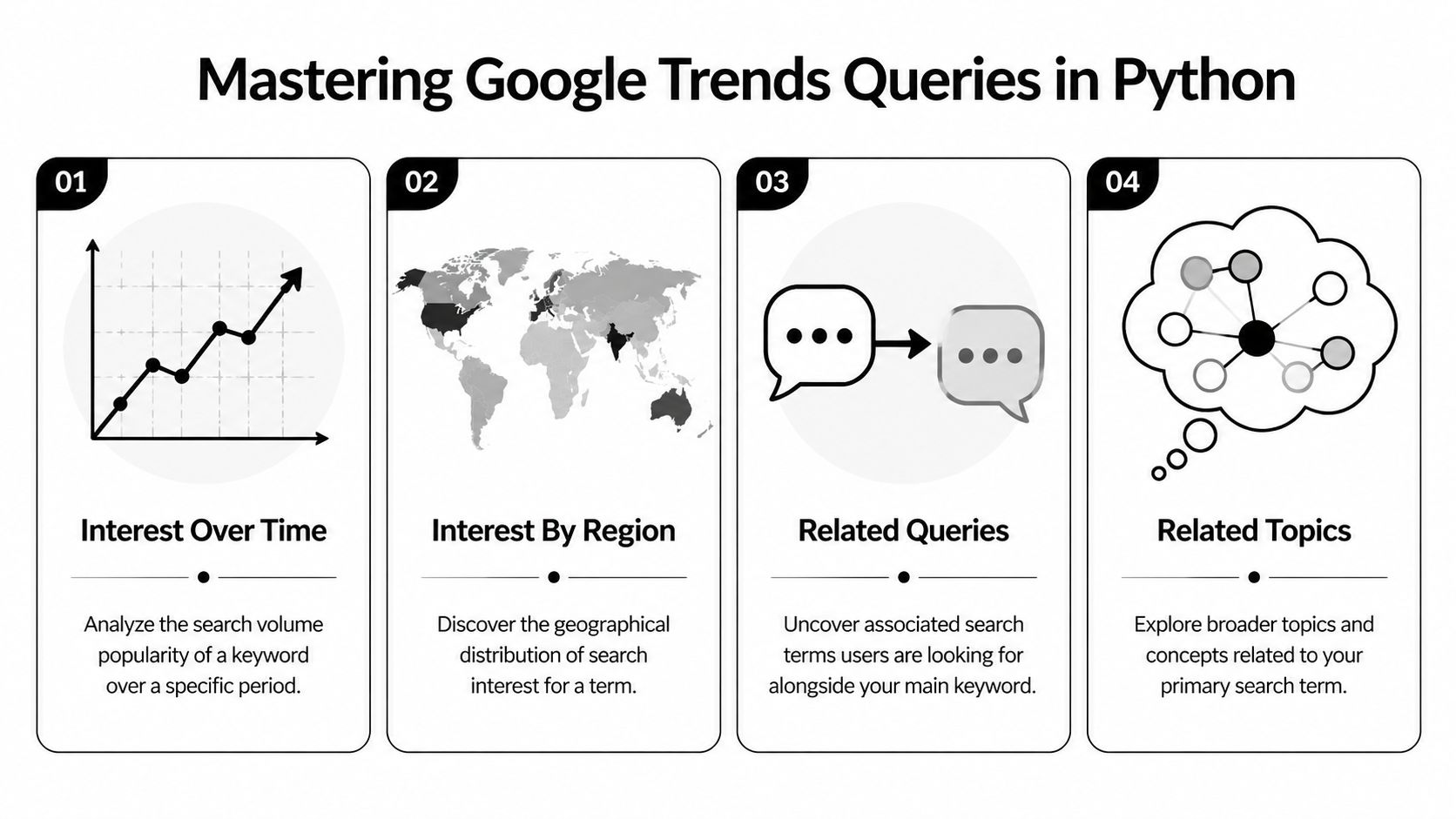
Interest over time
This is the main chart and a common initial request. It returns indexed search interest across the timeframe you request.
from pytrends.request import TrendReqimport pandas as pdimport matplotlib.pyplot as pltpytrends = TrendReq(hl='en-US', tz=360)kw_list = ["solana", "base"]pytrends.build_payload(kw_list, timeframe='today 12-m', geo='')trends_df = pytrends.interest_over_time()if 'isPartial' in trends_df.columns:trends_df = trends_df.drop(columns=['isPartial'])print(trends_df.tail())trends_df[kw_list].plot(figsize=(10, 5), title="Search Interest Over Time")plt.xlabel("Date")plt.ylabel("Indexed Interest")plt.show()Use this for:
- tracking whether a token name is sustaining interest or fading after a spike
- comparing ecosystem narratives
- building watchlists around rising themes instead of isolated tickers
One useful extension is to compute your own smoothed signal:
signal_df = trends_df.copy()signal_df["solana_rolling"] = signal_df["solana"].rolling(52).mean()signal_df["base_rolling"] = signal_df["base"].rolling(52).mean()The weekly default aggregation makes a 52-week rolling average a sensible long-horizon smoother when you're studying momentum rather than intraday noise.
Interest by region
If a token starts showing concentrated search interest in a particular geography, that's a clue worth checking against exchange access, local communities, and language-specific influencer clusters.
pytrends.build_payload(["solana"], timeframe='today 12-m', geo='')region_df = pytrends.interest_by_region(resolution='COUNTRY', inc_low_vol=True)print(region_df.sort_values("solana", ascending=False).head(10))This output is useful for:
- spotting where a narrative is hottest
- deciding whether a regional social scrape is worth running
- filtering false positives when global interest looks flat but one market is active
For subnational views, pytrends can also return more detailed geographic breakdowns where available.
Related queries
Related queries are one of the best discovery tools in a crypto workflow. They reveal what users are searching alongside your seed term. That’s how you move from a known narrative to possible breakout subtopics.
pytrends.build_payload(["solana"], timeframe='today 3-m', geo='')rq = pytrends.related_queries()top_queries = rq["solana"]["top"]rising_queries = rq["solana"]["rising"]print("Top queries")print(top_queries.head())print("\nRising queries")print(rising_queries.head())The trading use case is straightforward. Start with a broad term like a chain name or sector. Then inspect rising related searches for protocol names, bot names, wallet apps, or strategy terms that deserve their own pull.
When related queries start naming specific assets or products, you're no longer measuring broad curiosity. You're measuring where attention is trying to land.
Related topics
Related topics are broader than related queries. They help when users don't search the exact token string but are clearly moving into the same concept cluster.
pytrends.build_payload(["defi"], timeframe='today 3-m', geo='')rt = pytrends.related_topics()top_topics = rt["defi"]["top"]rising_topics = rt["defi"]["rising"]print("Top topics")print(top_topics.head())print("\nRising topics")print(rising_topics.head())Use this when you're mapping a narrative rather than screening one ticker. For example, a chain thesis might branch into bridges, launchpads, wallets, and memecoin tooling before any single coin dominates attention.
Trending searches
Trending searches are less precise for portfolio research, but they’re useful for context. They tell you what the broader search environment looks like right now.
daily_df = pytrends.trending_searches()print(daily_df.head(20))This helps with:
- identifying whether crypto is entering general public attention
- understanding whether your token is competing with other major narratives
- building lightweight alerts around major topic shifts
A query map for traders
| Method | What it answers | Best trading use |
|---|---|---|
interest_over_time() | Is attention rising, stable, or fading? | Trend persistence |
interest_by_region() | Where is demand clustering? | Geo validation |
related_queries() | What exact searches are expanding around this term? | Token discovery |
related_topics() | What concept cluster is forming? | Narrative mapping |
trending_searches() | What is the broader public searching now? | Macro attention context |
Start tracking smart money today
Join thousands of traders using WalletFinder.ai to find profitable wallets and copy their trades.
Start Free Trial →

