L Tron Scanner: A Trader's Guide to TRONSCAN & Beyond

Wallet Finder

Blank calendar icon with grid of squares representing days.

April 21, 2026

When searching for l tron scanner, users often anticipate a single tool. This is frequently incorrect.

Sometimes they mean a physical scanner made by L-Tron, a company that builds law-enforcement hardware. Other times they mean a Tron scanner, which in crypto usually means a blockchain explorer such as TRONSCAN. Those are completely different categories. If you mix them up, the search results feel confusing, and the trading advice won’t make sense.

For traders, the useful path starts with the second meaning. A blockchain explorer turns raw on-chain activity into something you can inspect, verify, and act on. That’s where the edge comes from.

The L Tron Scanner What Are You Really Searching For

If you typed l tron scanner, there’s a good chance search intent split in half right away.

On one side, there’s L-Tron, the hardware company. On the other, there’s Tron, the blockchain network. Search engines often blur them together because the words look close, but they serve totally different users.
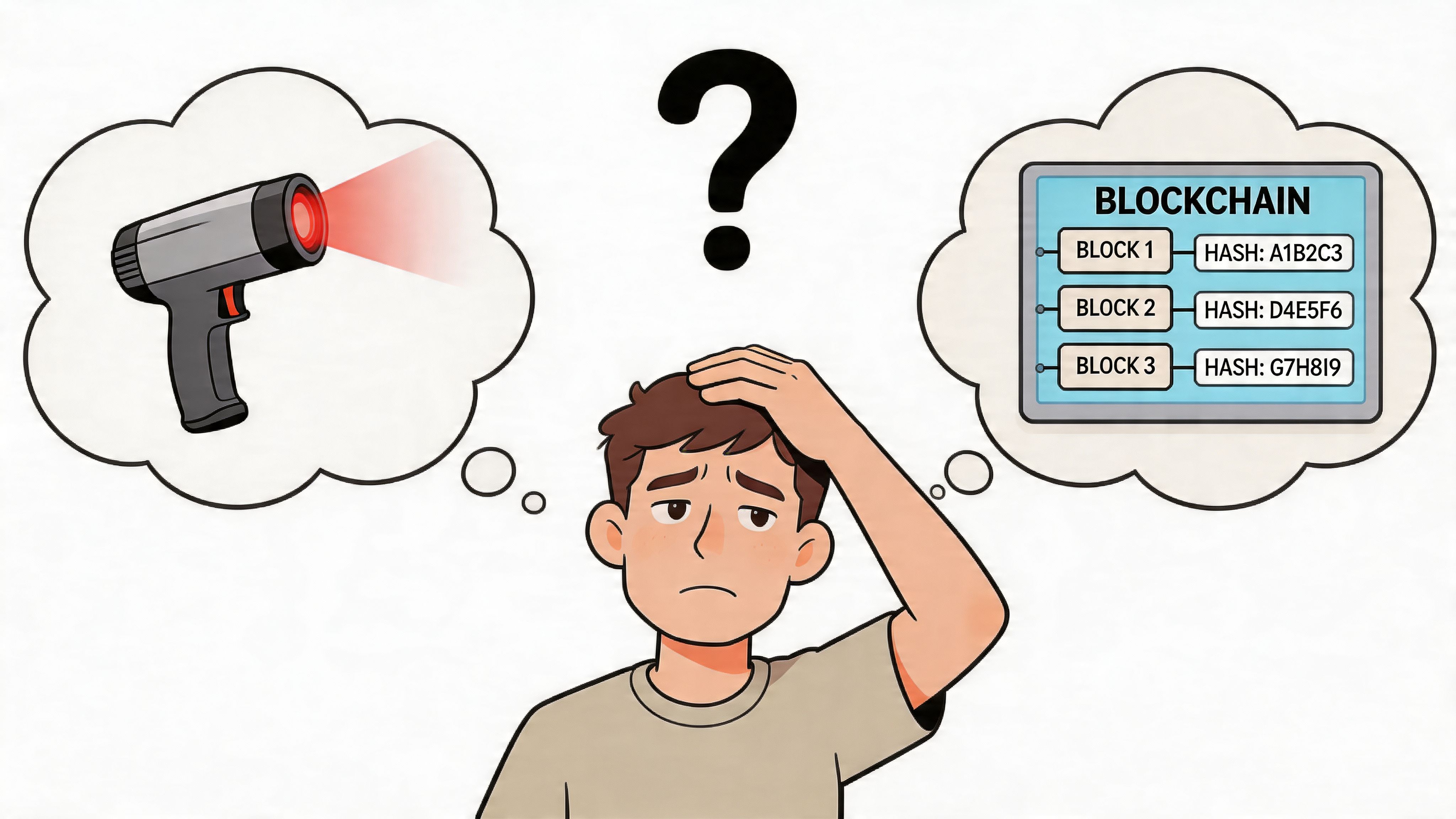
A confused young man pondering the connection between a laser scanner and blockchain technology illustrated in bubbles.

The hardware meaning of L-Tron

L-Tron makes physical scanning devices used in field workflows, especially by law enforcement. One verified example is the L-Tron 4910LR Driver’s License Scanner, which was developed around two decades ago for officers who needed something more reliable than bulky retail-style scanners. It captures data from the PDF417 barcode on driver’s licenses and fills electronic citation and reporting systems to reduce errors and roadside time, according to L-Tron’s 4910LR scanner FAQ.

That’s useful context if you landed here from a hardware search.

The crypto meaning traders actually need

If you’re a trader, though, the practical question isn’t about scanning a driver’s license. It’s about scanning a blockchain.

You’re probably trying to answer questions like these:

  • Which wallet bought this token first
  • Did a whale move funds before the chart reacted
  • Is this transaction real, pending, or failed
  • How concentrated is token ownership
  • What contract is this wallet interacting with

Those questions point to a blockchain explorer, not a handheld scanner.

Simple rule: If your goal is identity capture in the field, you want L-Tron hardware. If your goal is reading on-chain activity on TRON, you want a blockchain explorer.

That distinction matters because the rest of your workflow changes with it. Hardware scanners are built for patrol and reporting environments. Blockchain explorers are built for transparency, verification, and trading research.

What Is a Tron Blockchain Scanner

A Tron blockchain scanner is really a blockchain explorer. Think of it as a searchable public ledger interface.

The blockchain itself stores transactions, wallet addresses, token transfers, smart contract interactions, and blocks. But in raw form, that data isn’t pleasant to read. An explorer organizes it so humans can search it quickly.
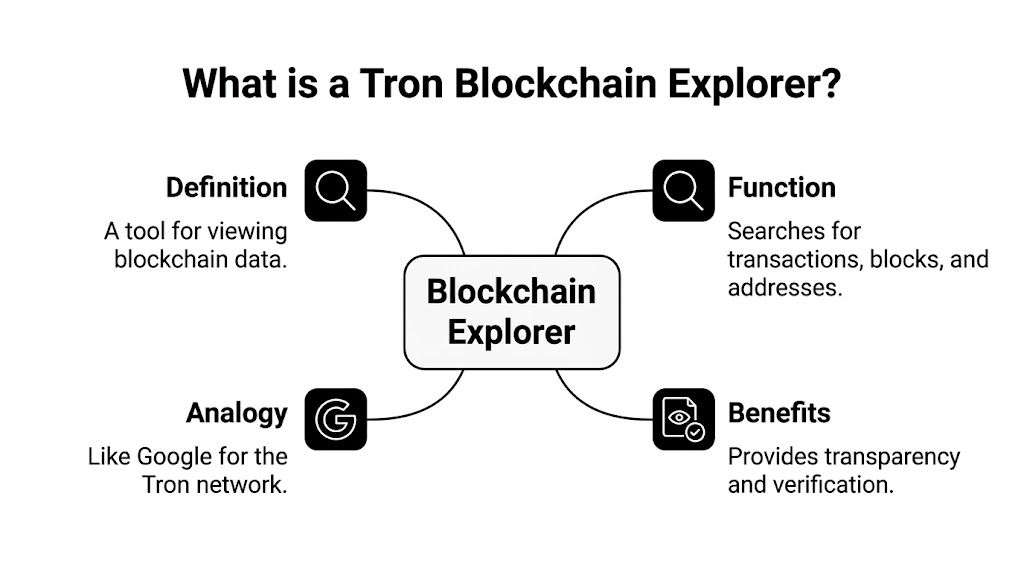
An infographic diagram explaining the function, definition, and benefits of a Tron blockchain explorer.

A useful analogy

The easiest way to understand a Tron scanner is to compare it to a search engine.

Google doesn’t create the internet’s pages. It helps you find them. A blockchain explorer doesn’t create transactions. It helps you locate and interpret them.

That’s why traders rely on explorers during research. Without one, the chain is still public, but most of the important context stays hidden behind hashes and contract data.

What you can search for

A good Tron explorer lets you search several core objects:

Search targetWhat it tells youWhy traders care
Wallet addressBalance, activity history, token holdingsTrack whales, smart money, and project wallets
Transaction hashWhether a transfer or swap succeeded and where funds movedVerify entries, exits, and suspicious flows
Token contractSupply-related details, transfer activity, holder distributionCheck concentration risk and token behavior
BlockA batch of confirmed transactionsUseful for timing and confirmation context

Why this matters in live trading

Charts show price. Explorers show behavior.

That difference is where many beginners get stuck. They stare at a token chart and ask whether buyers are accumulating. The chart can hint at that. The chain can often show the wallets doing it.

The explorer gives you evidence, not just price action.

A Tron scanner also helps separate rumor from fact. If someone claims a team wallet hasn’t moved, or that a whale bought heavily, you can inspect the address and see what happened. That habit alone can save you from following bad narratives.

The core idea to keep in mind

An explorer doesn’t predict the market for you. It shows the footprints that people and contracts leave behind.

Once you understand that, your workflow changes. You stop asking only, “What is the price doing?” and start asking, “Who is moving on-chain, and what are they doing before the crowd notices?”

How to Find Wallets and Transactions on TRONSCAN

Theory only helps if you can use it fast. The main skill is learning how to move from a transaction to a wallet, and from a wallet to a pattern.

A basic explorer workflow starts with the search bar.

Screenshot from https://tronscan.org/#/

Start with the search bar

Open TRONSCAN and paste one of three things into the search field:

  1. A wallet address
  2. A transaction hash
  3. A token or contract address

If you’re new to this, start with a transaction hash. It’s the easiest object to verify because it refers to one specific on-chain event.

Reading a transaction page

When the transaction page opens, slow down and read top to bottom. New traders often jump straight to a token name and miss the important fields.

Focus on these first:

  • Status tells you whether the transaction completed successfully or failed.
  • From and To show the sending and receiving addresses or contract interaction points.
  • Token or asset details help you verify what was transferred or swapped.
  • Timestamp places the event in market context.
  • Energy and bandwidth usage matter because TRON uses a resource model that can affect how transactions execute.

A common beginner mistake is thinking every transfer to a contract is a simple send. It often isn’t. It may be a swap, staking action, approval, or some other contract call. The explorer page helps you identify that difference.

Practical rule: Don’t label a transaction from the wallet list alone. Click into it and confirm the actual contract interaction.

Move from the transaction to the wallet

Once you’ve checked the transaction, click the sender or receiver address. That opens the wallet page, which is where the useful context starts.

The wallet page typically helps you inspect:

  • Token balances, including common TRON token standards
  • Recent transfers and contract interactions
  • Patterns of repeated activity
  • Resource usage, which can hint at how actively the address operates on-chain

If you want an additional walkthrough of explorer basics, this guide to a Tron block explorer is a helpful companion.

What to look for on a wallet page

Don’t try to read everything at once. Use a simple sequence.

First, check whether the wallet looks like a personal trading wallet, a project wallet, a contract-related address, or an exchange-linked address. You won’t always know immediately, but transaction rhythm gives clues.

Then review the transaction history for repetition:

  • Is the wallet buying one token repeatedly
  • Is it moving funds in and out quickly
  • Does it interact with the same contracts again and again
  • Does it receive from many addresses or mostly just one

That rhythm matters more than a single transfer.

Here’s a helpful visual walk-through before you try it yourself:

A beginner-friendly workflow

Use this compact routine each time you investigate activity:

StepActionWhy it matters
1Paste TXID into searchConfirms the event is real
2Review status and transfer detailsFilters out failed or misleading activity
3Click the wallet addressGives you broader context
4Scan token balances and historyReveals ongoing behavior
5Compare several recent transactionsHelps identify strategy, not noise

If you repeat that process often enough, you’ll stop seeing isolated transfers and start seeing wallet behavior.

Actionable Use Cases for Crypto Traders

Raw explorer skills become valuable when you attach them to a trading decision. The goal isn’t to admire on-chain data. The goal is to reduce uncertainty before you enter, size, or exit a trade.

Following high-signal wallets

You notice a wallet bought into a token before a broader social-media push. That doesn’t automatically make the wallet “smart money,” but it does make it worth tracking.

Open the wallet and check whether it has a history of entering early, rotating quickly, or repeatedly interacting with similar contracts. Then compare recent purchases across time. If the activity looks deliberate rather than random, add that address to your watchlist.

A broader primer on that process appears in this guide to a TRON blockchain explorer.

When a wallet matters, its next few transactions often matter more than the one that got your attention.

Checking holder concentration before you buy

A token can look active on a chart and still be structurally dangerous.

Suppose you find a trending asset on TRON. Before you buy, inspect the token page and holder distribution. If too much supply appears controlled by a small cluster of wallets, the setup may be fragile. You don’t need a precise threshold to make that useful. You’re looking for obvious imbalance, not fake precision.

Watch for signs like these:

  • A few wallets dominate holdings and could pressure price if they sell
  • Project-linked addresses hold large allocations without clear labeling
  • Transfers between top holders suggest internal reshuffling rather than organic demand

Spotting accumulation instead of reacting late

Some wallets don’t ape into a token once. They build a position through repeated smaller actions.

That can show up as a sequence of buys over time, often with limited immediate distribution back out. If you see one wallet doing this, that’s interesting. If you see several unrelated wallets doing it around the same period, that’s stronger context.

Look for a pattern like this:

  1. A wallet sends funds into a trading address.
  2. It interacts with the same token contract more than once.
  3. It doesn’t fully exit after the first move.
  4. Other active wallets begin showing similar behavior.

That doesn’t guarantee a breakout. It does tell you that accumulation is a better explanation than random noise.

Verifying “whale” claims before you chase

Crypto feeds love the word whale. Most of the time, the label gets used before anyone checks the wallet.

Open the claimed address. Review whether the wallet controls meaningful capital across multiple tokens, whether the transaction size is unusual relative to its own history, and whether the move is a buy, transfer, or internal reshuffle. That distinction can save you from buying on headlines that don’t hold up on-chain.

The Limits of Raw Blockchain Explorers

Explorers are essential, but they’re not built to think for you. They expose data. They don’t naturally rank it by trading relevance.

That creates a signal problem. You can find almost anything, but finding the right thing fast is hard.

Where explorers slow traders down

The biggest friction points usually show up after the first layer of research:

  • No built-in prioritization: You can inspect a wallet, but you can’t easily sort the whole ecosystem by trading quality.
  • Manual comparison work: To compare several wallets, you often bounce between tabs and piece the story together yourself.
  • Limited alerting flow: If a tracked wallet moves, a raw explorer usually isn’t designed as an active notification tool.
  • Weak strategy context: You can see transactions, but not necessarily whether a wallet has shown consistent execution across time.
  • Noise overload: Contract calls, transfers, internal movement, and genuine entries can blur together.

Why this matters in fast markets

A raw explorer is excellent for verification. It’s weaker for filtering.

That difference matters because traders don’t just need access to data. They need triage. When dozens of wallets interact with a token, the problem isn’t visibility alone. The problem is deciding which addresses deserve attention first.

An explorer answers, “What happened?” A trader also needs help answering, “What should I monitor next?”

Tasks that become tedious by hand

Some jobs are possible with enough patience, but not efficient:

TaskRaw explorer experience
Track many wallets at onceRequires repeated manual checks
Evaluate wallet qualityYou infer from history rather than using performance-based filters
Watch for timely movesOften depends on constant monitoring
Compare token participation across walletsTime-consuming and easy to miss context

That’s why experienced on-chain traders rarely stop at the explorer layer. They use explorers to verify facts, then rely on additional tooling to organize, rank, and alert on what matters.

Supercharge Your Search with Wallet Finder ai

Once you’ve felt the friction of raw explorers, the next logical step is adding an analytics layer on top of the chain.

That’s the role of Wallet Finder.ai. Instead of asking you to manually inspect endless addresses, it helps surface wallets, trades, and token activity in a way that’s easier to act on.

Screenshot from https://www.walletfinder.ai/

What changes when you add an analytics layer

The difference isn’t access. TRONSCAN already gives you access.

The difference is workflow. On a raw explorer, you discover one address, then investigate manually. On an analytics platform, you can start by filtering for the kinds of wallets and behaviors you care about, then drill into the strongest candidates.

That shift helps in several ways:

  • Wallet discovery becomes faster because you aren’t starting every session from scratch.
  • Monitoring becomes more usable when tracked addresses can trigger timely alerts.
  • Cross-wallet comparison gets easier because the platform is built for ranking and research, not just lookup.

TRONSCAN vs. Wallet Finder.ai for Traders

FeatureTRONSCAN (Raw Explorer)Wallet Finder.ai (Analytics Platform)
Primary roleLook up on-chain recordsTurn on-chain activity into trader-ready research
Wallet lookupYes, one address at a timeYes, plus broader discovery workflows
Transaction verificationStrongStrong, with additional analytical context
Finding high-signal walletsManualDesigned to support discovery and filtering
Comparing multiple walletsTediousMore structured
Alerts on tracked activityLimited as a native research workflowBuilt for active monitoring
Best use caseConfirm facts on-chainFind, track, and act on wallet behavior faster

When to use each tool

Use TRONSCAN when you need ground-truth verification. It’s the public record.

Use an analytics platform when your real bottleneck is time, ranking, and wallet selection. That’s especially true if your process involves copy trading, watching repeat winners, or trying to detect early moves across many addresses.

The explorer is your microscope. The analytics layer is your radar.

For serious traders, those tools aren’t substitutes. They’re complements. One confirms. The other helps prioritize.

Conclusion From Raw Data to Actionable Trades

The phrase l tron scanner confuses two completely separate tools. One is L-Tron hardware built for field ID scanning. The other is what traders need, a Tron blockchain explorer that helps you inspect wallets, transactions, tokens, and contract activity.

Once you know the difference, the workflow gets cleaner. You can use TRONSCAN to verify a transfer, inspect a wallet, check token distribution, and test whether a market narrative holds up on-chain. That alone puts you ahead of traders who rely only on charts and social feeds.

The bigger leap comes from treating explorer data as the starting point, not the finish line. Raw blockchain records are public, but they’re noisy. Traders who organize that noise into signals usually make faster, better decisions.

The edge isn’t just seeing the chain. It’s knowing where to look, what to ignore, and how to react before the crowd catches up.


If you want to move from manual wallet checking to a faster research workflow, Wallet Finder.ai helps you discover active wallets, monitor trades, and turn on-chain activity into signals you can use.