7 Best Meme Coin Trading Tools for 2026
Discover the 7 best meme coins trading platforms and tools for 2026. Get actionable insights, find winning wallets, and trade smarter on CEXs and DEXs.

February 20, 2026
Wallet Finder

February 14, 2026

Connecting your Coinbase.com account to your Coinbase Wallet is one of the simplest and most powerful moves you can make. It creates a direct, secure pipeline between the exchange where you buy crypto and the self-custody wallet where you explore DeFi, dApps, and NFTs.
Think of it as building a private, high-speed bridge. This link eliminates the tedious and stressful process of manually copying and pasting long wallet addresses. One wrong character in a manual transfer, and your crypto could be lost forever. Linking your accounts removes that risk entirely.
Before we dive into the "how," let's quickly cover the "why." Your Coinbase.com account and your Coinbase Wallet are two separate tools designed for very different jobs. Understanding this is key to managing your assets effectively.
The main Coinbase platform is a custodial exchange, meaning Coinbase secures your private keys for you. It's fantastic for easily buying, selling, and trading crypto with traditional currency. In contrast, the Coinbase Wallet is a self-custody (or non-custodial) wallet. You control the private keys, granting you full ownership and direct access to the decentralized web.
Linking them transforms your exchange into an instant on-ramp for your DeFi adventures.
To make it crystal clear, here’s a breakdown of the core differences between the two platforms.
FeatureCoinbase.com Account (Exchange)Coinbase Wallet (Self-Custody)Control of KeysCustodial (Coinbase manages them for you)Non-custodial (You own and control them)Primary UseBuying & selling crypto with fiat (USD, EUR, etc.)Interacting with dApps, DeFi, and NFTsSecurityProtected by Coinbase account security (password, 2FA)Your responsibility (via a 12-word recovery phrase)Asset AccessSupports assets listed on the Coinbase exchangeSupports thousands of tokens on multiple networks
The exchange is your gateway into the crypto world; the wallet is your passport to explore it. Linking them makes moving between these two worlds seamless.
When you link your Coinbase exchange account to Coinbase Wallet, you're granting the wallet app specific API permissions to interact with your exchange account. Most guides say this creates a "secure connection" and leave it at that, which doesn't tell you anything about what the wallet can actually do once connected. Understanding the exact permission scope is essential for evaluating the security tradeoff you're making in exchange for convenience.
The primary permission the link grants is read access to your exchange balances and write access to initiate withdrawals from exchange to wallet. In plain language, the wallet can see how much of each asset you hold on the exchange, and it can create withdrawal transactions that move those assets from the exchange to the wallet address you control. This is the core functionality that enables the "transfer from Coinbase" feature inside the wallet app.
What the link explicitly cannot do is equally important. The API permission does not allow the wallet to initiate trades on the exchange, modify your exchange account settings, or access your Coinbase password or two-factor authentication codes. The wallet also cannot push funds back from your wallet to your exchange account through the link — that direction requires a manual deposit using your exchange deposit address, same as depositing from any external wallet.
Beyond transaction capabilities, the link also shares certain metadata between the two platforms. Your Coinbase Wallet app can see your recent transaction history on the exchange specifically for the assets you choose to transfer, which helps the wallet display accurate "available balance" information when you're pulling funds. This history access is read-only and limited to transactions relevant to the withdrawal functionality.
The connection also shares your account authentication state during the initial linking process and when refreshing the connection if it expires. This is how the wallet knows you're authorized to pull funds without requiring you to re-enter your password every single time. The authentication token the wallet stores is time-limited and can be revoked from your exchange account settings at any point.
What doesn't get shared is anything related to your wallet's activity. The exchange doesn't receive information about which dApps you connect to, what transactions you make with your wallet, or which tokens you interact with in DeFi. The data flow is one-directional: exchange to wallet for withdrawal purposes only. Your wallet's privacy and activity remain separate from your exchange account.
Granting these permissions creates a larger attack surface than keeping the two accounts completely isolated. If someone compromises your Coinbase exchange account credentials — through phishing, password reuse, or any other method — they can use the linked connection to drain your exchange balance to any Coinbase Wallet address. They can't steal your wallet's existing funds because they don't have your wallet's recovery phrase, but they can empty the exchange side through the link.
The defensive measure is ensuring your exchange account has extremely strong security: a unique password, authenticator app-based 2FA (not SMS), and ideally a hardware security key. The link amplifies the importance of exchange security because now it's protecting not just your exchange holdings but also the gateway to move those holdings into your wallet.
The convenience benefit is significant — eliminating manual address copying removes a huge error vector and saves time. Whether that benefit outweighs the expanded attack surface depends on your security posture and how you use the connection. For users who already maintain strong exchange security, the added risk is minimal. For users with weak exchange security, the link exposes them to additional theft vectors they might not have considered.
The biggest benefits of linking your accounts are speed and security. Let's be honest, manually copying a 42-character wallet address is nerve-wracking. The direct link establishes a verified connection, completely removing the risk of sending funds to the wrong address.
When Coinbase introduced this feature, it was a massive quality-of-life improvement. Before, moving funds was a clunky, multi-step process. According to company data from the launch, user-reported transfer errors dropped by an estimated 40% after the feature went live. You can read more about the initial rollout on the official Coinbase blog.
So, what does this look like in practice? Imagine a popular NFT is about to mint, or you spot a high-yield staking opportunity that won't last long. Time is critical.
It's the difference between being a spectator and a participant in a market that moves at the speed of light.
For users managing crypto on the go, linking your Coinbase.com account via the Coinbase Wallet mobile app is a game-changer. The process is simple and works almost identically on both iOS and Android, turning your phone into a streamlined crypto command center.
This connection establishes a secure API link, authorizing your Wallet to "pull" funds from your Coinbase account. Your private keys never leave your device, and your Coinbase.com password is not stored in the wallet.
Before you start, ensure both your main Coinbase app and the Coinbase Wallet app are updated to the latest version. An outdated app is the most common cause of connection issues.
This simple authorization transforms a clunky, multi-step process into an efficient one.
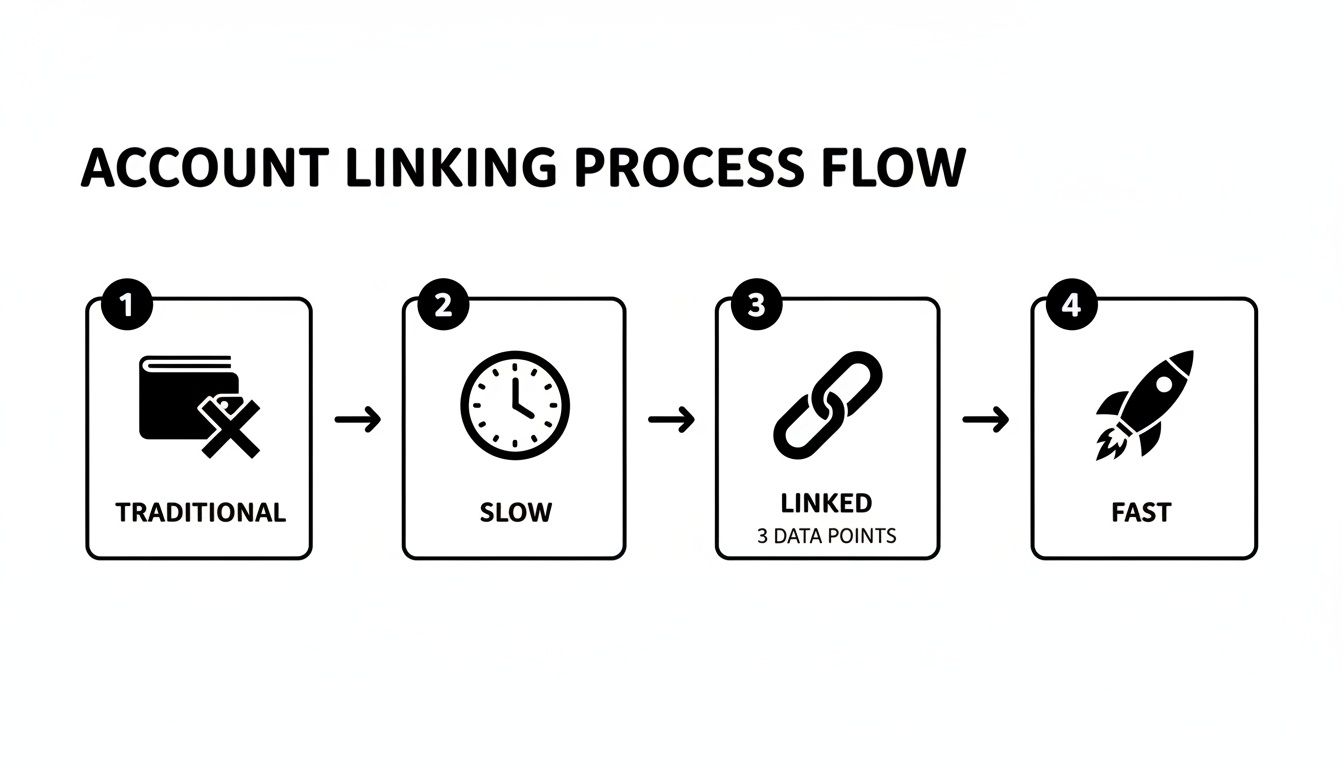
As you can see, it’s a clear evolution from a slow manual transfer to a swift, direct connection.
Once authenticated, your accounts are connected. You should see a confirmation, and the option in your settings menu will now reflect your linked status.
The real magic happens when you need to fund your wallet. Instead of going to the exchange to push crypto out, you can now pull funds directly from within the Wallet app. This "pull" method is not only faster but also more intuitive.
For example, if you need more ETH to mint an NFT, simply tap "Add funds" or "Buy or transfer" inside your wallet, choose "Transfer from Coinbase," select the asset and amount, and confirm. The funds typically arrive almost instantly, ready to use. This makes funding your self-custody wallet seamless, which is crucial for time-sensitive DeFi activities.
For a deeper dive, check out our guide on how to move crypto from Coinbase to your wallet.
If you primarily interact with DeFi on a desktop or laptop, linking your accounts through the Coinbase Wallet browser extension is the most efficient workflow. It creates a direct bridge between your exchange funds and the dApps you use in Chrome, Brave, or other supported browsers.
The browser extension's layout may differ slightly from the mobile app, but the core process is the same: authorize a secure connection via a sign-in pop-up window.
One of the most common issues here is an aggressive pop-up blocker. Because the sign-in occurs in a separate window, your browser might block it automatically.

If nothing happens when you click to connect, look for a "Pop-up blocked" icon in your browser's address bar. Click it and select "Always allow pop-ups and redirects from [Coinbase.com]" to proceed.
Pro Tip: After a successful connection, your balances might not update immediately. A simple browser refresh (Ctrl+R or Cmd+R) will usually force the extension to fetch the latest data from your account.
With your accounts linked, you can pull crypto from your Coinbase account directly from the wallet extension without ever leaving the dApp you're using. The key advantages are:
This setup consolidates your entire crypto workflow within your browser, creating a powerful and streamlined experience.
Even a simple process can have hiccups. Hitting a "Connection Failed" error is frustrating, but the cause is usually easy to fix. Before diving into complex solutions, run through this quick pre-flight check.
Initial Troubleshooting Checklist:
If the basics don't work, you might be facing a more specific issue. One of the most common is seeing a zero balance after successfully linking. Don't panic—this is almost always due to funds being on hold.
Your "available to send" balance is different from your total balance. It excludes any funds from recent bank deposits that are still within their standard 3-7 business day settlement period. The system is designed to prevent transfers until funds have fully cleared.
Another frequent problem is an authentication loop, especially on desktop. This is typically caused by a cluttered browser cache or an overzealous pop-up blocker interfering with the sign-in window.
The fastest fix is to clear your browser's cache and cookies. Then, temporarily disable your pop-up blocker for Coinbase.com. This almost always breaks the loop and allows the authentication window to function correctly.
If your funds are clear but transfers are still blocked, the issue could be related to account limitations. Learn more about resolving this by reading our guide on what a Coinbase restricted account means.
The article mentions the 3-7 business day hold on recent bank deposits, but Coinbase's hold system is actually more complex than a single flat waiting period. Understanding the layers helps you predict exactly when funds will become available and avoid the frustration of seeing balance that you can't access.
Coinbase applies holds based on several factors simultaneously: your account age, your transaction history, the deposit method, and the specific asset you deposited fiat to purchase. A brand new account buying crypto for the first time will have longer holds than an established account with a history of successful deposits and withdrawals. ACH bank transfers have different hold periods than debit card purchases. Bitcoin purchased with a bank transfer might have a different availability timeline than Ethereum purchased the same way.
The first layer is the payment method hold. ACH bank transfers from US banks typically take 3-7 business days to fully clear, during which the crypto you purchased is visible in your account but marked as unavailable for withdrawal. Debit card purchases clear much faster — often within 24-48 hours — because the payment confirmation happens nearly instantly, though Coinbase still applies a brief hold as a fraud prevention measure.
The second layer is account trust level, which Coinbase doesn't explicitly publish but which clearly exists based on how different users experience different hold durations for identical transactions. Accounts with long histories of deposits that were never reversed, with consistent trading activity, and with completed identity verification tend to have shorter holds than brand new accounts or accounts with past chargebacks.
This trust layer explains why some users report their debit card purchases being available immediately while others with the same deposit method still see holds. Coinbase is dynamically adjusting hold duration based on perceived fraud risk, and an account that's been in good standing for years represents lower risk than an account created yesterday.
The third layer is asset-specific risk assessment. Some cryptocurrencies have additional holds beyond the payment clearing period because Coinbase considers them higher risk for various reasons — maybe the asset has higher volatility, or maybe Coinbase's reserves of that asset are managed more conservatively. This rarely exceeds the standard payment hold, but it can add an extra day in some cases.
The confusion comes from Coinbase showing you two different balance numbers that aren't clearly labeled. Your "total balance" includes everything you own, including held funds. Your "available balance" or "available to send" is what you can actually withdraw right now. The linking process and the wallet app can only pull from the available balance, which is why you might see funds in the exchange that the wallet says aren't available yet.
To check your available balance accurately, log into Coinbase.com on a desktop browser and navigate to the Assets page. Click on the specific cryptocurrency you want to transfer. The detail view shows both your total balance and your available balance. If there's a gap, it tells you exactly why funds are held and when they're expected to become available. This is more detailed than what the mobile app shows and eliminates guesswork.
The practical workaround for holds is planning ahead. If you know you need funds in your wallet for a time-sensitive opportunity, move those funds from the exchange to your wallet as soon as they become available rather than waiting until the last minute. Keep a working balance in your wallet that covers typical transaction needs so you're not dependent on pulling from the exchange under time pressure.
Use this table to quickly diagnose and solve the most common linking issues.
Problem / SymptomLikely CauseActionable Solution"Connection Failed" ErrorOutdated app or poor internet.Update both apps, toggle Wi-Fi/cellular, and restart your device.Incorrect or $0 Balance DisplayedFunds from recent bank deposits are on hold.Wait for the standard 3-7 business day hold period to complete. Your "available to send" balance will update automatically.Authentication Loop on DesktopBrowser cache is full or a pop-up blocker is interfering.Clear your browser's cache and cookies. Temporarily disable your pop-up blocker for Coinbase.Transfers Are BlockedYour account may have specific restrictions.Check for emails or notifications from Coinbase and review steps for resolving a restricted account.
Following these steps should resolve the vast majority of connection problems, getting you back on track quickly.
Linking your Coinbase exchange and Wallet creates incredible convenience, but this should never come at the expense of security. Your overall defense is only as strong as its weakest link. If an attacker gains access to your Coinbase.com account, a linked wallet becomes an easy next target.
Your most critical defense is strong multi-factor authentication (MFA) on your Coinbase.com account. While SMS codes are better than nothing, they are vulnerable to SIM-swap attacks. You should upgrade to a more robust method.

Beyond MFA, practice good digital hygiene. Use a strong, unique password for your Coinbase.com account—one you haven't used anywhere else. A password manager is an essential tool for generating and storing complex passwords securely.
Next, enable the security features built into the wallet app itself:
These settings are your last line of defense if your device is lost or stolen.
The link between your exchange and wallet is a permission you grant, not a permanent bond. It is wise to review these permissions periodically.
To do this, log into Coinbase.com on a desktop browser, navigate to Settings, and click the Activity tab. You will see a list of authorized applications, including Coinbase Wallet. If you ever have security concerns, you can revoke access with a single click to instantly sever the connection.
For a deeper dive, read our full guide on how secure the Coinbase Wallet is.
One of the most effective security features Coinbase offers is address whitelisting for withdrawals. When enabled, you can only withdraw crypto to addresses you've manually added to an approved whitelist, and new addresses require a 48-hour waiting period before they become active. This protects against unauthorized withdrawals even if someone compromises your password and 2FA — they can't send your funds to their own address because that address isn't whitelisted.
What almost nobody realizes is that linking your Coinbase Wallet completely bypasses this security feature. The linked connection creates a pre-authorized pathway that ignores the whitelist entirely. If you have address whitelisting enabled for normal withdrawals but you've linked your wallet, an attacker who gains access to your exchange account can drain your balance to your Coinbase Wallet without the 48-hour delay or whitelist approval, because the wallet link is treated as a different type of transfer that isn't subject to withdrawal restrictions.
This isn't a bug or an oversight — it's how the feature is designed to work. The entire purpose of linking is to eliminate friction and make moving funds instant and easy. Address whitelisting creates friction by design, so the link has to bypass it to deliver its core value proposition. But this tradeoff is never explained in the linking flow or in any of the official documentation.
When you enable address whitelisting without a linked wallet, your security model is: even if my password and 2FA are compromised, the attacker can't steal my funds because they can't add their address to the whitelist without waiting 48 hours, which gives me time to detect the breach and freeze my account. This is a strong defense against both external attackers and malicious insiders at Coinbase itself.
When you link your wallet, your security model changes to: my exchange funds are protected by my password and 2FA, and my wallet funds are protected by my recovery phrase. If an attacker gets my exchange credentials, they can move funds from exchange to wallet immediately. If they don't have my recovery phrase, they can't access the wallet to spend those funds. If they do have my recovery phrase, they can access both the newly transferred funds and anything that was already in the wallet.
The critical question is whether an attacker who can compromise your exchange credentials can also compromise your wallet recovery phrase. If both are stored in the same password manager, or if you've reused passwords such that one breach exposes both, then the linked wallet doesn't add security — it just adds a step the attacker has to take before stealing everything. If your wallet recovery phrase is stored completely separately and securely (ideally on paper in a safe or in a hardware wallet), then the link doesn't significantly weaken your security because the attacker still can't access the final destination.
If you want both the convenience of linking and the security of address whitelisting, the configuration is: keep address whitelisting enabled for regular withdrawals, link your wallet for small routine transfers, and maintain a separate whitelisted address (perhaps a hardware wallet) for large withdrawals that you do manually. This gives you instant access to move small amounts through the link while preserving the whitelist protection for larger amounts that you're willing to wait 48 hours to withdraw.
You can also limit the risk by never keeping large balances on the exchange in the first place. If your typical exchange balance is a few hundred dollars that you're moving in and out regularly, the bypass doesn't expose you to catastrophic loss. If you're holding tens of thousands on the exchange waiting for the right moment to deploy it, the linked wallet becomes a meaningful vulnerability that address whitelisting would otherwise protect against.
Here are answers to some of the most frequently asked questions about linking a Coinbase account and Wallet.
Yes, the connection is designed with security as a priority. It uses a secure API that only has permission to initiate transfers from your exchange account to your wallet. The link never exposes your wallet's private keys or your Coinbase.com password. However, your overall security depends on you. Use strong passwords and enable the highest level of multi-factor authentication available on both your exchange account and your wallet.
No, Coinbase does not charge a specific fee for moving crypto from your main exchange account to your Coinbase Wallet. You will still be responsible for paying standard network fees (or "gas fees") when you send crypto out of your self-custody wallet to another address, as this is a fundamental part of how blockchains operate. Remember, you can only transfer your available balance—funds from recent bank deposits will be on hold and cannot be moved until they clear. For a visual guide on the process, you can see a video walkthrough.
You have full control and can disconnect your accounts at any time from your Coinbase.com security settings.
If a vulnerability is discovered in the Coinbase Wallet app itself — a critical security bug that could allow attackers to steal funds from wallet users — the linked connection to your exchange account creates an additional attack vector. An attacker who can exploit the wallet app might be able to use the stored API credentials to access your exchange account and pull funds even if they don't have your exchange password.
This risk is mitigated by several factors. First, Coinbase Wallet is non-custodial, meaning Coinbase doesn't have access to your private keys and any exploit would need to run on your local device, not on Coinbase's servers. Second, the API permissions are limited to withdrawal functions, not trading or account modification. Third, any such exploit would likely be detected and patched quickly given Coinbase's security infrastructure and bug bounty program.
The defensive measure is keeping your Coinbase Wallet app updated to the latest version immediately when updates are released. Security patches are often pushed as updates, and delay in updating leaves you vulnerable to known exploits. Also consider keeping only moderate balances on the exchange — if your exchange account rarely holds more than you'd need for a week or two of trading, the potential loss from a wallet exploit triggering an exchange drain is limited.
No, the link is all-or-nothing. You either grant full withdrawal permission for all assets on your exchange account, or you don't link at all. There's no way to limit the link to specific coins, specific maximum amounts, or specific time windows. Once linked, the wallet app can initiate transfers of any asset in any amount up to your available balance.
This lack of granularity is a common feature request but hasn't been implemented. The workaround for users who want some transfer convenience without full exposure is maintaining two separate Coinbase exchange accounts — one primary account for larger holdings that stays unlinked, and one secondary trading account for smaller amounts that you link to your wallet. You manually move funds from the primary to the secondary account when you need to load your wallet, keeping the bulk of your exchange holdings isolated from the link.
This setup adds friction but gives you control over exposure. The secondary account essentially acts as a buffer or escrow that limits how much an attacker could drain through the wallet link even if they fully compromised both your wallet app and your secondary exchange account.
The link functionality works with your standard Coinbase.com account balances but does not directly integrate with Coinbase Pro (which has been sunset and migrated to Advanced Trade) or the Advanced Trade interface. If you hold funds in your Advanced Trade account, you need to first transfer them to your main Coinbase account before you can pull them into your Coinbase Wallet through the link.
This creates an extra step for active traders who primarily use Advanced Trade for its lower fees and more sophisticated order types. The workflow is: trade on Advanced Trade, transfer to main Coinbase account (no fee for this internal transfer), then pull from main account to wallet through the link. You can't skip the middle step and pull directly from Advanced Trade to wallet.
The technical reason is that Advanced Trade and the main Coinbase account are separate balance systems despite being part of the same overall Coinbase product suite. The wallet link API only has access to main account balances, not trading account balances. This separation is intentional from a security and accounting perspective but creates the transfer step for users who don't realize they need to consolidate before linking.
No, the connection is one-to-one. You can only link a single Coinbase Wallet to a single Coinbase.com account at a time. If you wish to connect a different wallet, you must first unlink the current one. To do so, log into Coinbase.com on a web browser, navigate to Settings > Activity, find the "Coinbase Wallet" connection, and revoke its access.
Knowing which wallets are making the smartest moves is the first step to better trading. With Wallet Finder.ai, you can track smart money in real-time, dig into complete trading histories, and get instant alerts on winning strategies. Stop guessing and start mirroring the pros. Start your 7-day trial at Wallet Finder.ai and turn on-chain data into your unfair advantage.