A Guide to the Binance Web3 Wallet
Explore our expert guide on the Binance Web3 Wallet. Learn secure setup, advanced trading strategies, and how to track smart money for better DeFi results.

March 13, 2026
Wallet Finder

March 9, 2026

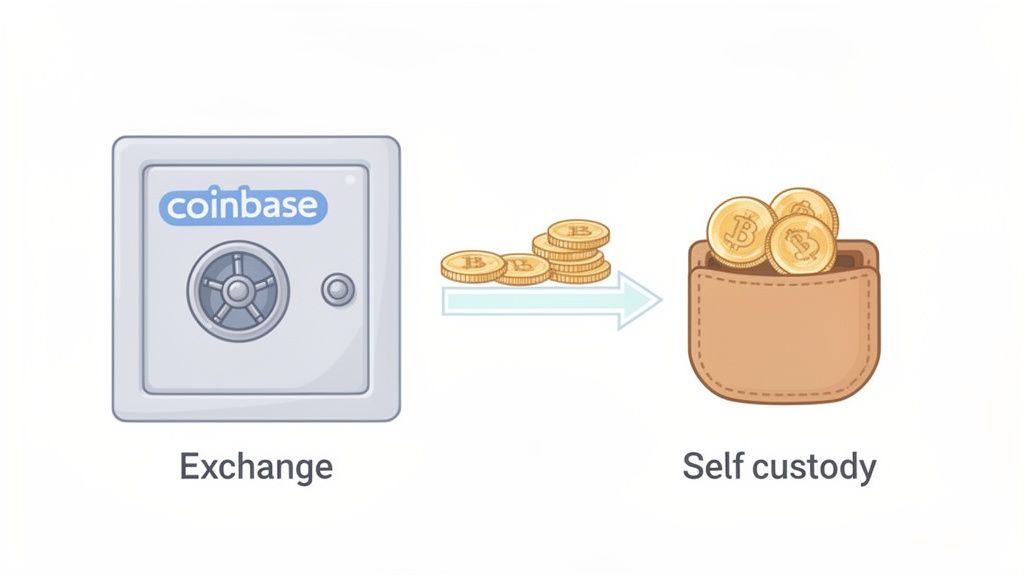
Knowing how to move your crypto off an exchange is one of the most important skills you can learn. The good news is that learning how to send funds from Coinbase is a straightforward process once you know the rules.
This guide provides an actionable walkthrough of every step. You will learn how to:

Before hitting "Send," you must understand the difference between your main Coinbase account and the separate Coinbase Wallet app. Mixing them up is a common mistake that leads to confusion and failed transfers.
Choosing the right platform is the first step to a successful transfer. Your starting point depends entirely on your goal. This table breaks down which platform to use for which action.
Actionable Takeaway: Use your Coinbase.com account to cash out to your bank. Use your Coinbase Wallet to interact directly with the blockchain (e.g., DeFi, NFTs).
Ultimately, choosing the right platform prevents lost funds and unnecessary fees. If you're moving assets into the decentralized web, you'll work from your Wallet. If you're moving them back into the traditional financial world, you'll start from your main Coinbase account.

A few minutes of preparation can save you from a major headache. This checklist covers the essential safeguards for your funds.
For Two-Factor Authentication (2FA), you need an authenticator app. Some of the most trusted options include:
Setting up an app generates time-sensitive, six-digit codes on your phone that are required for withdrawals, adding a critical layer of defense.
Coinbase itself recommends hardware keys as the best form of 2FA. In any security incident, strong 2FA is your best defense against having your account compromised and funds stolen.
This section covers the process of moving crypto from Coinbase to your own wallet (like MetaMask) or another exchange. Here is your step-by-step action plan.
Initiate the Transfer:
Select the Asset and Amount:
Enter the Recipient's Address:
Pro Tip: Never manually type a wallet address. One wrong character means your funds are gone forever. Always use copy-paste. As a final check, verify that the first four and last four characters of the pasted address match the original.
Select the Correct Network (Crucial Step):
Confirm and Send:
This exodus of funds to personal wallets is a massive trend. Coinbase's monthly transacting users exploded from 2.1 million in Q3 2020 to a peak of 11.4 million in Q4 2021, and retail trading volumes hit $120 billion in Q1 2021 alone as users moved assets for staking and swaps. You can check out more stats on Coinbase's user growth on Backlinko.
Converting your crypto back into fiat currency (like USD or EUR) and sending it to your bank is an essential part of the investment cycle.
Sell Crypto for Fiat:
Link and Verify Your Bank Account:
Withdraw the Cash:

You have a choice between speed and cost when cashing out.
Instant withdrawals are convenient, but the fees add up. On a $5,000 withdrawal, an instant fee could be as high as $125. For a more detailed walkthrough, check our guide on how to cash out of Coinbase.
Once you hit "Send," you can track your crypto's journey in real-time. This turns a nerve-wracking wait into a transparent process.

The key is your Transaction ID (TxID), or transaction hash. This is the unique tracking number for your transfer. You'll find it in the transaction details in your Coinbase account.
Find Your TxID: In Coinbase, click on the asset you sent and view the transaction details to find the TxID. Copy it.
Go to the Correct Block Explorer: A block explorer is a search engine for a blockchain. The one you use depends on the network you sent your crypto on.
Track the Status: Paste your TxID into the explorer's search bar. You will see the transaction status, including the number of confirmations. Most exchanges require a certain number of confirmations before crediting the funds to ensure the transaction is final.
The fee you pay on Coinbase is made up of two parts:
The network fee is the volatile part. Learn more about how fees impact speed in our guide on how long Coinbase transfers take. This user activity is a massive economic driver; institutional volume on Coinbase surged from $9 billion to $57 billion in a single year. You can explore the full financial outlook on Coinbase's investor relations site.
Even with a guide, questions can arise. Here are answers to the most common issues.
This is the nightmare scenario. Since blockchain transactions are irreversible, funds sent to a wrong address are usually lost forever.
Prevention is the only cure. Use the address book feature to save verified addresses and avoid this costly mistake.
A "pending" transaction is usually due to one of two reasons:
All this activity is normal. In one quarter during the 2020 bull run, Coinbase processed $32 billion in retail trading, which caused significant network congestion. You can see more data on Coinbase's historical trading volumes on Buy Bitcoin Worldwide.
The time varies depending on the transfer type.
If you just deposited cash via a bank transfer, Coinbase places a temporary hold on those funds. This is a standard security measure to ensure the deposit clears without issue and helps prevent fraud. The hold usually lasts a few business days, after which you will have full access to send your funds.
Are you ready to stop guessing and start copying the strategies of top-performing crypto traders? Wallet Finder.ai gives you the on-chain intelligence to discover profitable wallets, track their every move in real-time, and act before the market does. Find your next 100x trade by exploring winning wallets today at https://www.walletfinder.ai.