Transfer from Coinbase Wallet to Coinbase Guide

Wallet Finder

Blank calendar icon with grid of squares representing days.

February 22, 2026

Before hitting "send," let's run a quick pre-flight check. A few minutes of prep is the secret to a stress-free transfer from your Coinbase Wallet to your main Coinbase account, saving you from the headache of stuck funds or failed transactions.

Your Pre-Transfer Checklist

First, open your main Coinbase account. Ensure it's fully verified and ready to accept incoming crypto. A new or restricted account could get your deposit flagged or stuck in limbo. A quick check of your account status confirms you're good to go.

Keep Your Wallet App Updated

Next, check your Coinbase Wallet app. Is it the latest version? Developers constantly push updates with crucial security patches and bug fixes. An outdated app can cause compatibility issues or show incorrect fee estimates. It takes less than a minute to check your app store for an update—don't skip this step.

The Most Common Sticking Point: Gas Fees

This is the big one. The #1 reason transfers fail is not having enough of the network's native crypto to pay for gas fees. Every blockchain transaction has a network fee (gas), which must be paid in that network's native currency.

Crucial Point: You cannot pay for an Ethereum transaction with the USDC you're sending. The gas fee must be paid in ETH. This rule applies to every blockchain.

Before you do anything else, ensure your wallet has a small amount of the correct gas token:

  • Ethereum Network (or ERC-20 tokens): You need ETH.
  • Polygon Network: You need MATIC.
  • Base Network: You need ETH (on the Base network).
  • Solana Network: You need SOL.

Usually, a few dollars' worth is enough for a simple transfer.

Selecting The Right Network And Deposit Address

This is the part with zero room for error. Sending crypto on the wrong network is the fastest way to lose it forever. This is the single most important step when you transfer from Coinbase Wallet to Coinbase.

For example, USDC can exist on multiple blockchains like Ethereum, Base, or Polygon. You must identify which network your USDC is on inside your Wallet and then generate a matching deposit address on your main Coinbase account.

If your USDC is on the Polygon network in your Wallet, you must select the Polygon network on Coinbase when getting your deposit address. Any mismatch here, and your funds are likely gone for good.

How to Pinpoint Your Network and Address

First, open your main Coinbase account (the app or website, not the Wallet). Find the crypto asset you want to receive and tap "Receive." Coinbase will ask you to select a network.

  1. Check Your Wallet First: In your Coinbase Wallet app, look at the asset you want to send. The app will clearly label which network it's on (e.g., "Ethereum Network," "Base Network").
  2. Match It in Coinbase: Go back to your main Coinbase account and pick that exact same network from the dropdown list.
  3. Get Your Address: Coinbase will generate a unique deposit address for that asset on that specific network.
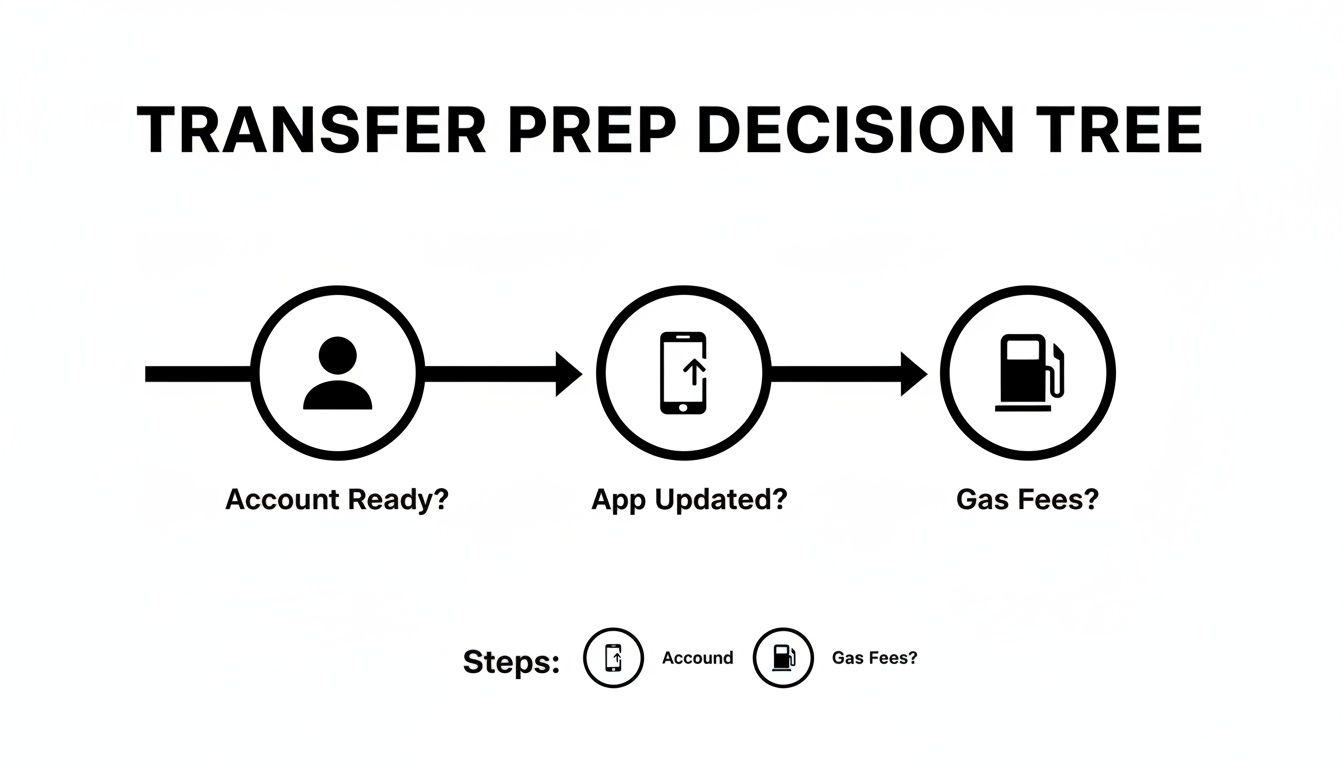
A decision tree illustrating transfer preparation steps: Account Ready, App Updated, and Gas Fees.

This decision tree covers the key checkpoints: ensuring your account is ready, your app is updated, and you have enough native crypto (like ETH) to cover gas fees.

Quick Reference for Common Tokens

Here’s a table for some popular tokens. Always double-check in the app, but this can serve as a handy guide.

TokenCommon Networks In Coinbase WalletMatching Coinbase Deposit NetworkKey Consideration
ETHEthereum (Mainnet)Ethereum (ERC-20)The original and most common network for ETH.
USDCEthereum, Polygon, Base, OptimismEthereum, Polygon, Base, OptimismMatch the exact one. Sending Polygon USDC to an Ethereum address will fail.
MATICPolygonPolygonSimple enough, just ensure you're not accidentally on the Ethereum (ERC-20) version.
SOLSolanaSolanaSolana is its own chain; never send it to an Ethereum or EVM-compatible address.
AVAXAvalanche C-ChainAvalanche C-ChainThe C-Chain is used for smart contracts and is what Coinbase supports.

The core lesson remains: always verify the network on both ends.

Securing and Verifying Your Deposit Address

Once Coinbase provides the address, use the "copy" button. Manually typing a crypto address invites errors.

Pro Tip: Never trust a wallet address sent via email, text, or DM. Scammers intercept conversations to swap in their own address. Always generate the address yourself directly from your verified Coinbase account.

After pasting the address into your Coinbase Wallet's recipient field, perform this final, crucial check:

  1. Check the First Few Characters: Compare the first 4-5 characters of the pasted address with the one in your Coinbase account.
  2. Check the Last Few Characters: Do the same for the last 4-5 characters.

This "first-and-last" check defends against clipboard hijacking malware. If both ends match, you're good to go. This habit is non-negotiable for crypto security. For a deeper dive, our guide on how to find your Coinbase Wallet address breaks it down further.

How To Execute The Transfer In Your Wallet

With your verified Coinbase deposit address copied, it's time to send the crypto from your Coinbase Wallet. The prep work makes this part smooth and stress-free.

A smartphone displaying a cryptocurrency wallet app interface for sending USDC with an address input and estimated gas fee.

Open your Coinbase Wallet, select the asset you're moving, and tap "Send." Enter the amount you wish to transfer.

Confirming The Details And Gas Fees

Next, paste the deposit address from your main Coinbase account. Perform the "first-and-last" character check now to ensure the address is an exact match.

The wallet will display a final confirmation screen. Do not rush past this page. Double-check these details:

  • Amount: The exact quantity of crypto being sent.
  • Recipient Address: The destination for your funds.
  • Estimated Network Fee: The "gas fee."

This network fee is paid to the blockchain's validators, not Coinbase. The fee is dynamic and changes based on network congestion.

Adjusting Gas For Speed: A Trader's Edge

For most users, the default fee is fine. But for active traders, every second counts. A slow transfer can mean a missed opportunity.

Pro Tip: On networks like Ethereum, Coinbase Wallet lets you manually adjust the gas fee. You'll often see options like "Slow," "Average," and "Fast." Choosing "Fast" offers a larger tip to validators, incentivizing them to process your transaction quickly. This can reduce transfer time from minutes to seconds.

The small extra cost is often negligible compared to potential profits from a timely trade. This turns a basic transfer from Coinbase Wallet to Coinbase into a strategic play.

For a more seamless setup, see our guide on how to link Coinbase to your Coinbase Wallet.

After carefully reviewing all details on the final screen—amount, address, and fee—confidently hit "Confirm" or "Send." Your crypto is now on its way.

How To Monitor And Confirm Your Transaction

Once you hit send, you can watch your transfer from Coinbase Wallet to Coinbase in real-time. This provides both transparency and peace of mind.

A block explorer interface showing a confirmed blockchain transaction (Tx: 0x...9f) with a progress bar and blocks.

The key is the transaction hash (TxID), which acts as a tracking number for your transfer on the blockchain.

Finding Your Transaction Hash

To locate your transaction hash, go to the sent asset's history in your Coinbase Wallet app. Tap on the transaction and select "View on block explorer." This link takes you to a public ledger like Etherscan (for Ethereum), where you can see the live status.

Decoding Transaction Statuses

Understanding these statuses on a block explorer is key:

StatusMeaningWhat to Do
PendingTransaction is in the network queue, waiting for a validator.Normal, especially on busy networks. Be patient.
Success / ConfirmedTransaction is complete and recorded on the blockchain.Great! Now wait for Coinbase confirmations.
FailedTransaction did not go through, usually due to low gas.Funds remain in your wallet (minus a small fee). Re-check gas and try again.

Once your transaction is marked as "Success," it is irreversible. The next step is waiting for the required number of network confirmations before the funds appear in your Coinbase account.

Each new block added to the chain after yours is a "confirmation." Coinbase requires a certain number to ensure the transaction is final. For example, an Ethereum transfer might need around 14 confirmations. You can watch this count increase on the block explorer. For more on wait times, see our guide on Coinbase transfer times.

This is a security measure. Once the threshold is met, your funds will be credited and ready to trade on your main Coinbase account.

Advanced Transfer Strategies For DeFi Traders

For DeFi traders, moving assets is a strategic act. The how and when of your transfer can be the difference between profit and loss, especially when hunting for new opportunities or anticipating market moves.

A classic play is the pre-listing transfer. When a token is rumored for a Coinbase listing, smart money executes a transfer from Coinbase Wallet to Coinbase before the announcement. This positions them to sell into the massive liquidity wave that follows a major exchange listing.

Handling Wrapped Tokens and Multi-Chain Assets

DeFi natives frequently deal with assets on multiple chains, like Wrapped Ether (WETH) on Polygon. Moving these requires extra caution.

Before sending a wrapped or bridged token, ask yourself:

  1. Does Coinbase Support It? Confirm that Coinbase explicitly supports deposits for that exact version on that specific network. Sending WETH from Polygon to a standard Ethereum (ERC-20) address will result in lost funds.
  2. Should You Unwrap First? Often, the safest move is to unwrap the token back to its native form within your wallet first (e.g., swap WETH back to MATIC on Polygon, then send the MATIC).

It's almost always better to consolidate assets onto a single, Coinbase-supported network before transferring. This simplifies the process and reduces risk.

The name of the game for advanced traders is preparation. Get your assets on the right network and in the right form so they're ready to move instantly.

Timing Your Transfer for Maximum Impact

Pros move assets to a CEX for two reasons: liquidity and execution. While DEXs are great for discovery, they often can't handle large sell orders without significant price slippage.

On-chain data shows huge inflows to exchanges before major market events as traders position themselves to use the deep order books. Coinbase once handled $2.94 billion in 24-hour volume, with BTC/USD alone seeing $613.8 million, according to exchange trading volumes. That’s the kind of liquidity needed for big moves. A perfectly timed transfer bridges the gap between finding a DeFi gem and cashing in.

Common Questions About Coinbase Transfers

Let's address some common issues people face when they transfer from Coinbase Wallet to Coinbase.

Why Is My Transfer From Coinbase Wallet To Coinbase Still Pending?

A pending transfer is usually due to a busy network. If you sent a transaction on Ethereum during peak hours, it's waiting in a queue. You can check its status using the transaction hash on a block explorer. If you set a very low gas fee, it may get stuck. Some wallets let you "speed up" a pending transaction by resubmitting it with a higher fee.

What Happens If I Send My Crypto To The Wrong Network?

This mistake often results in a permanent, irreversible loss of funds. For example, sending a Base network token to an Ethereum deposit address on Coinbase means the funds arrive at an address Coinbase's system cannot access.

While Coinbase may be able to recover funds in very specific, limited scenarios, you should always operate under the assumption that a cross-network error means your crypto is gone for good. This is why double-checking that the network on your Wallet matches the network on your Coinbase account is non-negotiable.

How Can I Reduce Fees When Transferring To Coinbase?

Network fees ("gas") go to blockchain validators, not Coinbase. To lower them:

  • Time it right: Send transactions during off-peak hours (like late nights or weekends) when network traffic is lower.
  • Use a Layer 2 network: This is the most effective method. If your asset is supported on an L2 like Base, Polygon, or Arbitrum by both your wallet and Coinbase, use it. L2 networks are built for high speed and low costs, often reducing fees to a fraction of Ethereum mainnet costs.

Is It Safe To Connect My Coinbase Wallet And Account?

Yes, it's completely safe. The "Connect to Coinbase" feature securely links the two platforms, streamlining transfers without exposing your wallet's private keys or 12-word secret phrase. Your Coinbase Wallet remains a self-custody wallet where you—and only you—hold the keys. The connection is a convenient bridge, but all standard security rules, like double-checking addresses, still apply.


Ready to stop guessing and start tracking the wallets that win? Wallet Finder.ai gives you the on-chain intelligence to see what the smart money is doing and act on it. Discover profitable traders, get real-time alerts, and mirror winning strategies before the market moves. Start your 7-day trial and trade smarter at https://www.walletfinder.ai.