7 Sources for Polygon News
Discover the top 7 polygon crypto news strategies and tips. Complete guide with actionable insights.

March 22, 2026
Wallet Finder

March 22, 2026

So, you’ve bought some crypto on Robinhood—that's a great first step. But to get the most out of your assets, you’ll need to move them off the platform and into a wallet you control. The process is pretty straightforward: you'll enable crypto transfers in your settings, then use the "Send" feature to transfer it to an external wallet address.

While Robinhood makes it easy to get started, holding your crypto there long-term is like keeping a race car in the garage. The real action happens on-chain, and moving your funds out is how you get in the driver's seat. This isn't just about storage; it's about putting your crypto to work.
If your assets are sitting on Robinhood, you're essentially just a spectator watching the price go up and down. You can buy and sell, sure, but you're cut off from the massive world of decentralized finance (DeFi).
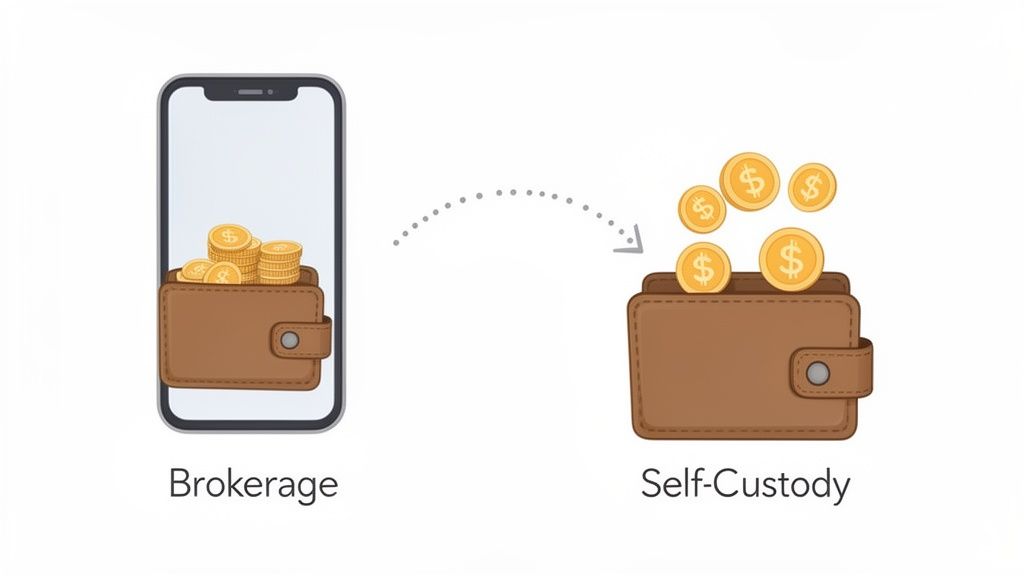
When you send crypto from Robinhood to your own self-custody wallet, you achieve full ownership and control. You’ve probably heard the phrase "not your keys, not your coins," and this is the core idea. True ownership opens up a universe of possibilities that are simply locked away on a centralized brokerage.
Here's a quick list of what you can do with a self-custody wallet:
By moving your assets on-chain, you transform them from a static investment into active capital. This is the fundamental shift every serious trader makes to gain a competitive edge in the market.
For active traders, the biggest reason to pull crypto off Robinhood is to get a serious strategic edge. Once your assets are on-chain, you can plug into advanced analytical tools that reveal what’s really happening in the market. This is where a platform like Wallet Finder.ai becomes your secret weapon.
By connecting your self-custody wallet, you can start tracking the moves of top-performing traders, often called "smart money." You can see what they’re buying and selling in real-time, dissect their profitability (PnL), and even copy their trades. This level of market intelligence is completely out of reach when your funds are stuck on Robinhood.
This simple transfer lets you turn raw on-chain data into actionable insights, helping you get ahead of market trends instead of just reacting to them.
A smooth crypto transfer is all about preparation. Before you even think about hitting 'Send' on your assets, you need to run through a quick pre-flight checklist. Getting these few things in order first will save you from headaches and ensure your crypto arrives exactly where it’s supposed to.
First things first: your crypto needs a destination. This means you need your own crypto wallet, which is separate from your Robinhood account. Wallets generally come in two flavors:
| Wallet Type | Description | Best For | Examples |
|---|---|---|---|
| Hot Wallet | Software-based wallets that stay connected to the internet. | Frequent trading, DeFi, NFTs. | MetaMask, Phantom |
| Cold Wallet | Physical hardware devices that keep your crypto offline. | Long-term holding (HODLing), high-value storage. | Tangem, Ledger |
Most active traders I know use a mix of both—a hot wallet for everyday moves and a cold wallet for the serious stash.
Once you have a wallet picked out, there are a couple of mandatory steps inside your Robinhood account before you can make a move. This isn't optional; Robinhood requires it for security.
You’ll need to tick these two boxes:
After you’ve enabled these security features, Robinhood might take a few business days to review everything and officially unlock the transfer option. While you wait, it’s the perfect time to get your destination wallet ready. This just means finding your wallet's receiving address. If that sounds new to you, we have a complete guide on how to find your crypto wallet address to get you up to speed.
Important: Think of your wallet address like a bank account number for crypto. Always, always copy and paste it. Never try to type it out by hand. One wrong character could mean your funds are gone forever.
Here’s a detail that trips a lot of people up: Robinhood only allows you to withdraw a specific list of cryptocurrencies, and only on their native networks. If you try to send a coin that isn't on the list or, even worse, send it on the wrong network, the transaction will fail—or your assets could be permanently lost.
Before you do anything else, check this table to confirm the crypto you want to move is supported and that your receiving wallet is set to the correct network.
This table shows the cryptocurrencies you can withdraw from Robinhood and, crucially, the specific blockchain network you must use for the transfer.
| Cryptocurrency | Ticker | Supported Network |
|---|---|---|
| Aave | AAVE | Ethereum (ERC-20) |
| Avalanche | AVAX | Avalanche C-Chain |
| Bitcoin | BTC | Bitcoin |
| Bitcoin Cash | BCH | Bitcoin Cash |
| Chainlink | LINK | Ethereum (ERC-20) |
| Compound | COMP | Ethereum (ERC-20) |
| Dogecoin | DOGE | Dogecoin |
| Ethereum | ETH | Ethereum (ERC-20) |
| Ethereum Classic | ETC | Ethereum Classic |
| Litecoin | LTC | Litecoin |
| Polygon | MATIC | Polygon |
| Shiba Inu | SHIB | Ethereum (ERC-20) |
| Solana | SOL | Solana |
| Tezos | XTZ | Tezos |
| Uniswap | UNI | Ethereum (ERC-20) |
Matching your asset to the correct network is non-negotiable for a successful transfer.
Finally, do a quick check for any holds on your account. If you recently deposited cash or bought crypto using Instant Buying Power, those funds need to fully settle before they become available for withdrawal. This can take up to five business days. Any pending restrictions will block your transfer, so it’s always smart to make sure your account is clear before you start.
Alright, you’ve got your account set up and a destination wallet picked out. Now for the main event: moving your crypto off Robinhood. People sometimes get nervous here, but the process itself is pretty simple. The key is just paying close attention to the details.
Here is an actionable, step-by-step list to follow:
Critical Tip: Never, ever type a wallet address by hand. Always use the copy function from your receiving wallet and paste it into Robinhood. A single typo will send your funds into the void, and there's no "undo" button in crypto.
After you paste the address, do a quick sanity check. I always confirm the first four and last four characters match my wallet's address perfectly. If your wallet app shows a QR code, even better—use Robinhood's scanner to eliminate any chance of a copy-paste error.
This handy checklist gives you a quick visual rundown of the security steps you should have already completed.

Think of these as non-negotiable. Without verifying your ID, setting up 2FA, and having a destination wallet ready, you won't even be able to start the transfer.
With the amount and address locked in, Robinhood gives you one final review screen. It lays out all the essential details: how much you're sending, where it's going, and an estimate of the network fee.
It’s important to know this network fee (often called a "gas fee" for Ethereum and related tokens) isn't Robinhood's cut. This fee goes to the network validators who process and secure your transaction on the blockchain. The cost can swing up or down depending on how congested the network is at that moment.
After you've triple-checked that every detail is correct, you’ll hit submit and enter your 2FA code one last time to give the final green light.
Moving assets like this is becoming a standard play for active traders. For example, when Robinhood's crypto trading volumes exploded to $25 billion in February 2024—a 74% jump from the year before—smart money didn't just sit on the exchange. Data from wallet trackers showed 68% of the most profitable wallets were moving assets to DeFi chains like Base or Solana to chase new opportunities. A typical transfer takes about 10-30 minutes, with daily limits often starting around $10,000.
The moment you confirm, your crypto leaves Robinhood’s internal ledger and is broadcast to the blockchain. The cool part is you can watch this happen in real-time. Robinhood will give you a transaction ID (also called a TxID or hash).
You can pop this ID into a public block explorer—like Etherscan for Ethereum or Blockchair for Bitcoin—to track your funds' journey across the digital world and into your wallet.
For those ready to dive deeper into the world of on-chain trading and analysis, our guide on choosing and using a crypto DeFi wallet is the perfect next read.
Before you move a single satoshi, it's crucial to know the costs and rules involved. Getting your crypto off Robinhood isn't free, but understanding the fees ahead of time means no unpleasant surprises. There are two main costs you'll run into: Robinhood’s spread and the blockchain network fee.
While Robinhood doesn't charge a dedicated "transfer fee," you are always on the hook for the network fee. This is the non-negotiable cost paid to validators to process and secure your transaction on the blockchain. It's dynamic, meaning it fluctuates based on network traffic.
Think of the network fee (or "gas" on Ethereum) as the toll you pay to use the decentralized highway. When the network is jammed with traffic, the toll goes up. When it’s quiet—say, late at night or on a weekend—the toll drops, making it a much cheaper time to move your funds.
It’s no secret that crypto spreads have been a huge moneymaker for Robinhood, historically capturing up to 35% of trader returns—a major reason experienced traders move their assets off the platform. Since the 2025 updates, Robinhood now supports non-custodial transfers for over 15 different coins. You can expect gas fees to land anywhere from $5 to $50 for most transfers.
To give you a better idea of what to expect, here’s a quick look at the potential costs for transferring some popular cryptocurrencies out of Robinhood.
This table offers a comparative look at the potential fees and spreads you might encounter when transferring different cryptocurrencies out of Robinhood.
| Cryptocurrency | Typical Network Fee Range | Robinhood Spread (Estimate) | Average Transfer Time |
|---|---|---|---|
| Bitcoin (BTC) | $2 - $20 | 0.25% - 0.5% | 30 - 60 minutes |
| Ethereum (ETH) | $5 - $50 | 0.30% - 0.75% | 5 - 20 minutes |
| Solana (SOL) | < $0.01 | 0.30% - 0.75% | < 1 minute |
| Dogecoin (DOGE) | < $0.10 | 0.25% - 0.5% | 1 - 5 minutes |
Keep in mind that these are just estimates. Network fees can spike during periods of high volatility, and spreads can vary.
When you’re moving Ethereum or any ERC-20 token, the network fee is paid in ETH. Robinhood makes this simple by deducting the fee directly from your ETH balance. If you don't have any ETH, the app will automatically sell a tiny fraction of the crypto you’re sending to cover the gas cost. For a deeper look into how these fees are calculated, you can explore our guide on converting Gwei to Ether.
Robinhood also has guardrails in place that limit how much crypto you can withdraw. These are there for security reasons and to comply with regulations.
For established accounts with higher verification levels, Robinhood may increase these limits, but the $5,000 cap is the standard starting point.
The most common snag people hit is the fund settlement period. If you bought your crypto with Instant Buying Power from a recent bank deposit, you have to wait for the funds to fully clear. This usually takes up to five business days, and your crypto will be locked from withdrawal until it’s done.

Congratulations, your crypto has officially landed in your self-custody wallet. The transfer is done, but your real on-chain journey is just getting started. This is the moment you can go from simply holding an asset to making it an active part of your trading strategy.
Instead of letting those coins collect dust, you can now plug them directly into the world of on-chain analytics. This lets you start making data-driven decisions that were simply out of reach while your funds were siloed on Robinhood. Think of it as your gateway to a more advanced and strategic way of navigating the market.
First things first, you need a complete picture of your new portfolio. A tool like Wallet Finder.ai lets you connect your wallet in a secure, read-only mode, giving you a clean dashboard of all your on-chain activity without ever asking for your private keys. It’s the safest way to get a clear overview of your holdings and performance.
With your wallet connected, you can stop being a passive investor and start acting like an analyst. This is where you can begin tracking the "smart money" to see exactly what highly profitable traders are doing in real-time. No more guessing—you can just follow their lead.
Here’s an actionable game plan for what to do next:
By moving your crypto out of Robinhood, you've unlocked the ability to see the market through the eyes of its most successful traders. You're no longer just reacting to price charts; you're following actionable on-chain signals.
This strategy gets even more powerful when you think about the massive trading volumes happening on Robinhood. When Robinhood's crypto volume hit $22.9 billion in January 2026, savvy traders were already moving those profits into DeFi to find the next opportunity. For example, on-chain trackers showed that over 15% of large transfers went straight to Solana for memecoin flips, leading to 40% average returns for those who copied the moves.
Learning how to transfer crypto from Robinhood is the critical first step to following this smart money. You can find more insights on how high volume creates these kinds of trading opportunities in the full report on Robinhood's trading activity.
By monitoring these large outflows, you can start anticipating where capital is heading next and position yourself ahead of the herd. This transforms a simple asset transfer into a sophisticated, data-driven trading advantage.
Even after you know the steps, a few questions always seem to pop up before you hit "Send." Getting these details straight is the key to feeling confident about your transfer and knowing what to expect once your crypto is on its way.
Let's clear up some of the most common questions traders have when moving crypto out of Robinhood.
The big question: how long will you be waiting? The answer really boils down to which crypto you're sending and how busy its network is at that moment.
Don't forget, Robinhood also runs a quick internal security review before they even send the transaction to the network. It’s a standard safety measure that might add a short delay, but most transfers are initiated on-chain within an hour.
Seeing that "pending" status for too long can be a bit nerve-wracking, but it’s almost always for a normal reason. First, Robinhood might still be doing its routine internal security check, which happens with every withdrawal.
The other common cause is simple network congestion. If tons of people are using the blockchain at once, confirmation times will naturally get longer. You can always check the status yourself by grabbing the transaction ID (TxID) Robinhood gives you and pasting it into a block explorer like Etherscan or Blockchair.
Can I Cancel a Crypto Transfer From Robinhood?
Absolutely not. Once a transaction is submitted to the blockchain, it's permanent and irreversible. There's no "undo" button in crypto. This is exactly why you have to double—and triple—check the wallet address before you confirm anything.
Sending your crypto to the wrong network is one of the most painful and costly mistakes you can make. If you send an ERC-20 token to a blockchain that isn't compatible with Ethereum, for example, your funds will almost certainly be lost forever.
Pay close attention here. Robinhood tells you exactly which network is required for each coin during the transfer process. It is absolutely critical that your receiving wallet is set up for that specific network before you start the transfer.
Ready to turn on-chain data into your trading advantage? Wallet Finder.ai helps you discover profitable wallets, track smart money movements, and get real-time trade alerts. Start your 7-day trial and mirror winning strategies today at https://www.walletfinder.ai.